


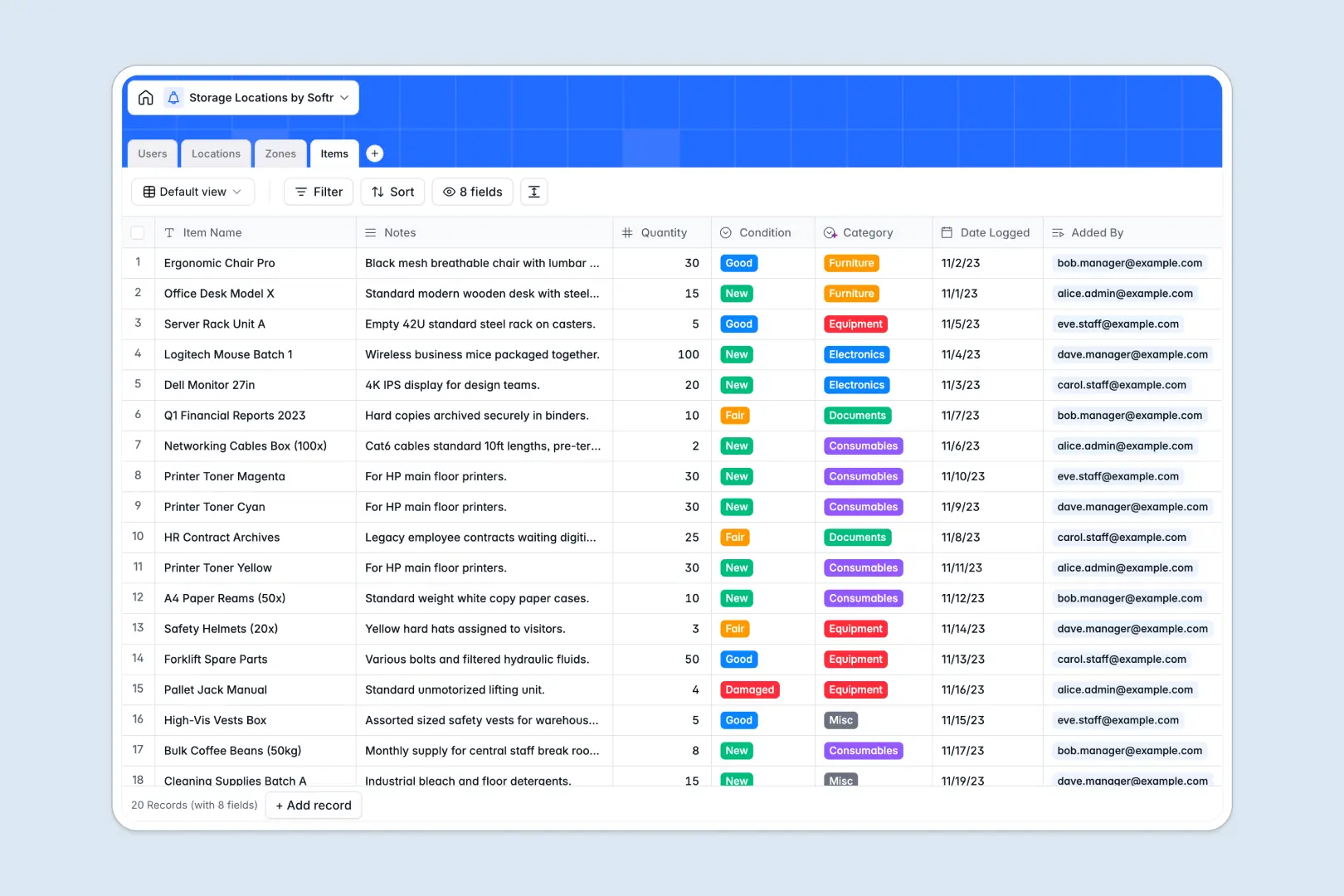
Your Storage Locations database at a glance
This template gives you complete visibility into exactly where every item is stored across all your physical facilities. It prevents lost inventory by maintaining a strict hierarchy of your warehouses, zones, and individual items.
It works right out of the box by connecting tables logically. Your Locations (like buildings) link directly to specific Zones (like aisles or shelves), which then securely connect to Items, automatically rolling up asset counts.
Our native AI fields do the heavy lifting automatically. Intelligent categorization sorts assets based on your notes, while an AI agent researches and summarizes the neighborhood logistical profile of new facility addresses.
Why tracking storage locations in spreadsheets breaks down
Trying to monitor complex physical inventory across endless spreadsheet rows quickly becomes a nightmare. Data types mix unexpectedly, and fragile VLOOKUPs snap instantly when items move between shelves or rooms.
What a structured database changes
A database enforces strict rules so your operational data stays pristine. Items, storage zones, and buildings are kept in separate tables, maintaining a perfect physical structure without endless copy-pasting.
Instead of updating a dozen rows when pallets shift, you simply change a single linked record, and the entire system updates reliably. This structural integrity is exactly what Softr Databases are built for.
What you can do with this template
Instantly view rolled-up item counts per zone and explicitly log conditions (like Damaged or New) for every asset. You can confidently track exactly who logged each item and assign specific warehouse managers to exact locations.
By leveraging Database AI agents, your table categorizes electronics and equipment autonomously while pulling real-world accessibility details for your buildings. Everything is prepared for immediate, reliable logistics management.
-
Users
Manage warehouse staff, roles, and profiles with tracked inventory logs
-
Locations
Log physical facilities with AI-generated local context and logistics info
-
Zones
Organize storage sub-divisions like aisles and shelves within facilities
-
Items
Track stored assets with AI-powered category classification and status
Who is this Storage Locations database for
This template perfectly structures complex physical spaces for teams organizing distributed resources.
- Warehouse Managers: Maintain immaculate records of specific bins, pallets, and item conditions without spreadsheet formula errors.
- Operations Directors: Gain instant visibility into item capacities and facility zone allocations across all geographical buildings.
- Logistics Staff: Confidently log incoming assets straight to their proper room or aisle while strictly tracking ownership.
How to take it further
Customize the database
You can instantly rename zones, add new item lifecycle conditions, or tweak user roles to fit your workflow. Because it operates as a native database, adjusting these structures takes just seconds.
Import your existing data
Upload your current inventory catalogs via CSV directly into the tables. You can also connect an API to sync logistics data so your existing assets drop cleanly into their new, structured zones.
Build a full app around it
When operations scale, transform this foundation into a secure internal tool. Rather than giving warehouse staff full table access, build an app to provide clean, restricted views of the data.
By integrating proper users and permissions, managers will only see and update the particular logistical facilities dynamically assigned to them. A perfectly structured backend makes building these operational portals simple and incredibly fast.
-
1
-
2
-
3
-
4
Frequently asked questions
-
What is a storage locations database?
-
Why use a no-code database to build a storage tracking system?
-
How can AI help managing data for storage locations?
-
Can I build an app with this storage locations database?
-
Is this Storage Locations template free?
-
How is this database different from tracking storage in spreadsheets?
Start building today. It's free!
Build and launch your first app in under 30 minutes.