


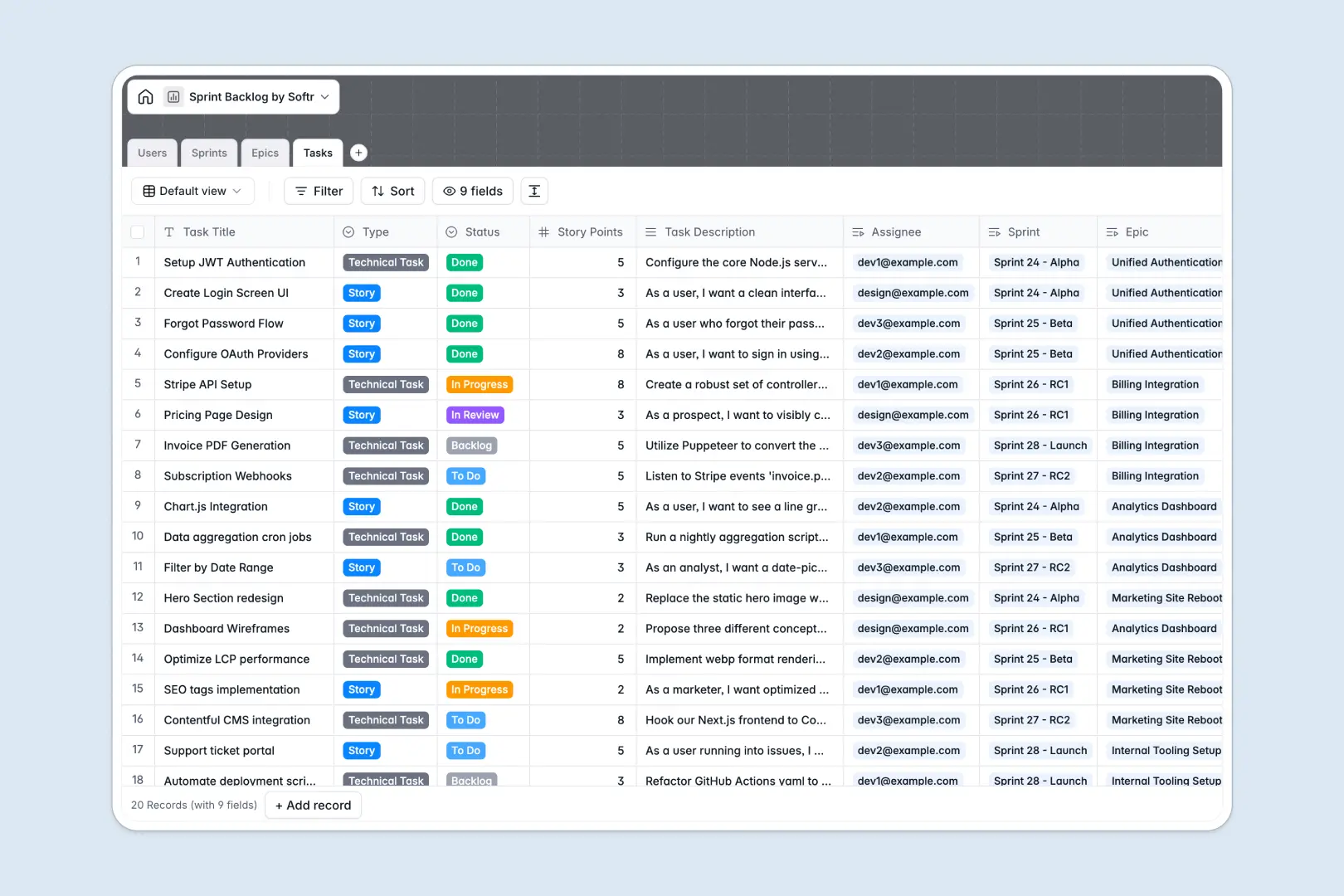
Your Sprint Backlog database at a glance
This template gives your product team a clean, structured system to plan sprints, track bugs, and manage epics in real time. It links user stories directly to active sprints so you always know what is being worked on.
It uses connected tables for Users, Sprints, Epics, and Tasks. Assigning a developer to a specific bug automatically updates their workload, keeping everything perfectly synced.
Instead of writing task specifications manually, built-in AI fields auto-generate testing scenarios based on your descriptions. The AI also writes executive summaries for your epics and end-of-sprint reports instantly.
Why managing sprint backlogs in spreadsheets breaks down
Spreadsheets handle basic lists fine, but they quickly turn into chaos when you try to juggle complex sprints, multiple assignees, and shifting task statuses. Rows get accidentally deleted, and tracking related epics becomes a manual nightmare of copy-pasting.
What a structured database changes
A true database enforces structure so your data stays clean as your team scales. Statuses remain strictly categorized, and story points stay properly formatted as numbers.
Instead of relying on fragile VLOOKUPs, you can dynamically link multiple tasks directly to a single epic or sprint iteration. This is exactly what Softr Databases are designed for.
What you can do with this template
Easily group tasks by sprint, calculate total story points automatically, and see exactly which developer owns which feature. Everything is connected natively so nothing slips through the cracks.
Thanks to Database AI agents, you can also automate the tedious parts of sprint planning. The database can automatically draft detailed acceptance criteria and summarize your epic scopes on the fly.
-
Users
Manage agile team members with roles and track their assigned sprint tasks
-
Sprints
Track development periods with goals and automated AI-generated sprint reports
-
Epics
Manage high-level initiatives with AI-powered executive status summaries
-
Tasks
Track work items with AI-generated acceptance criteria and testing scenarios
Who is this Sprint Backlog database for
This template is built for agile teams who need a reliable, scalable way to manage product development.
- Product Managers: Plan epics visually and generate highly accurate sprint reports automatically.
- Developers: Access clear visibility into active tasks, story points, and auto-generated acceptance criteria.
- Scrum Masters: Track sprint progress effortlessly without endlessly chasing team members for updates.
How to take it further
You can fully customize this database to match your exact agile workflow. Add new task types, tweak your status columns, or adjust the priority levels in just a few clicks.
If you currently manage your backlog elsewhere, you can easily pull your existing data right in. Bulk upload your past epics and tasks via CSV to avoid starting from scratch.
When your team is ready, you can build an app directly on top of this structured data. Create a dedicated product portal where developers can interact cleanly with their active sprint.
By utilizing custom users and permissions, you can ensure stakeholders can view sprint progress without accidentally editing your tasks. A well-structured database makes building these custom internal tools completely effortless.
-
1
-
2
-
3
-
4
Frequently asked questions
-
What is a sprint backlog database?
-
Why use a no-code database to build a sprint backlog system?
-
How can AI help managing data for sprint planning?
-
Can I build an app with this sprint backlog database?
-
Is this Sprint Backlog database free?
-
Why is a sprint backlog database better than a spreadsheet?
Start building today. It's free!
Build and launch your first app in under 30 minutes.