


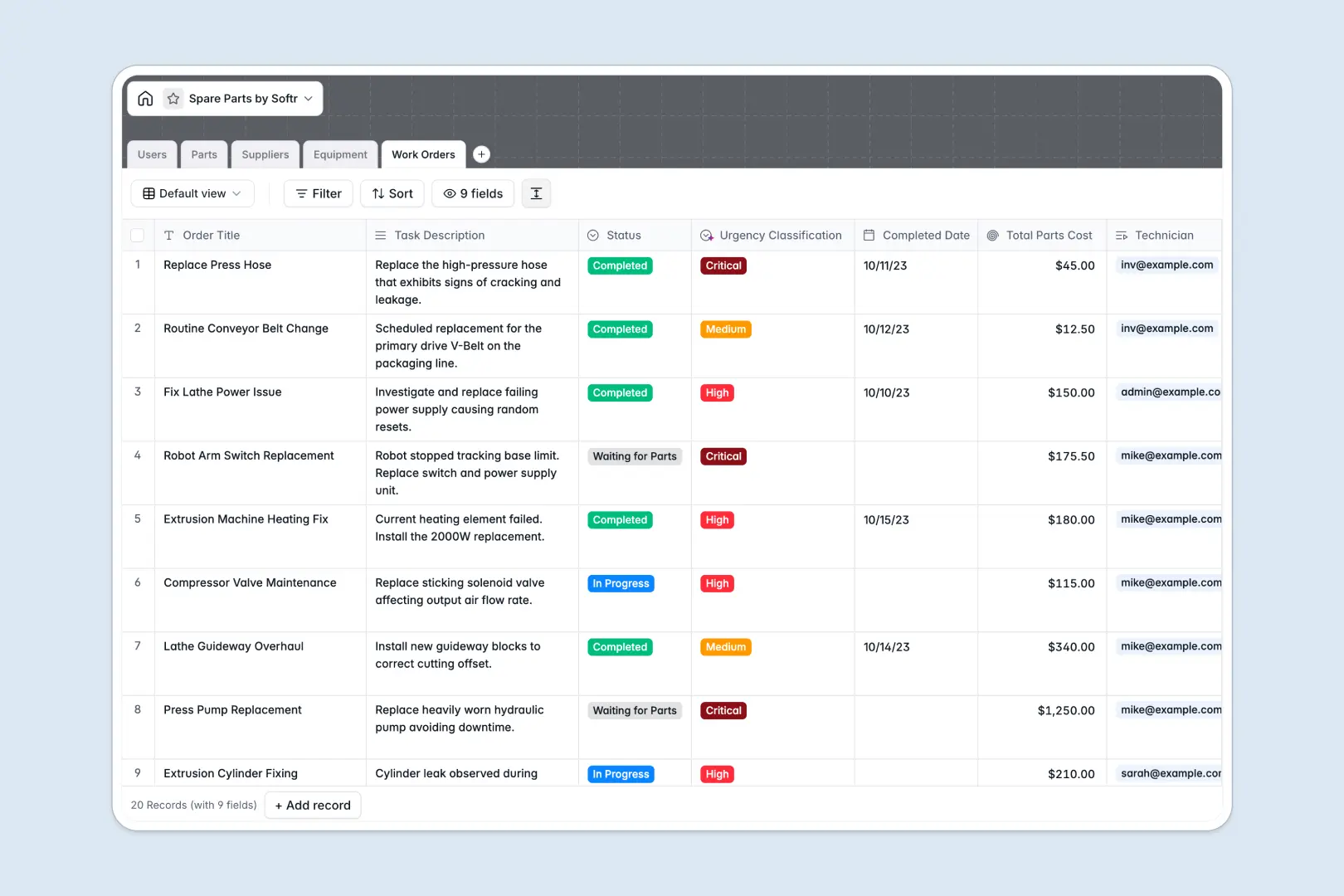
Your Spare Parts Database at a glance
This template gives you a centralized system to track inventory levels, monitor equipment health, and manage maintenance tasks. It eliminates the chaos of scattered data so you always know exactly what you have in stock.
The structure connects every piece of your operation natively. Your Parts table links directly to Suppliers and Equipment, meaning you can pull up a machine's history and see exactly which components it needs instantly.
Built-in AI automatically drafts technical part descriptions and researches supplier background information straight from their websites. It keeps your records incredibly rich and accurate without any manual data entry.
Why tracking spare parts gets messy in spreadsheets
Managing an inventory list or maintenance schedule in Google Sheets works at first, but it quickly turns chaotic. Formulas break, data gets mixed up across rows, and tracking a part's journey from supplier to machine becomes a manual nightmare.
What a structured database changes
A structured system keeps everything organized because every column has a strict data type. Instead of numbers, text, and dates jumbled together, strict fields guarantee that numerical quantities stay as numbers and prices remain safely formatted as currency.
You also stop relying on fragile VLOOKUPs to connect your data. This is exactly what Softr Databases are designed for, letting you link a specific part to a supplier and a work order with just one click.
When a technician marks a work order as complete, the consumed parts and total costs are rolled up automatically. Everything stays perfectly clean as you scale, eliminating the risk of accidental row deletions.
What you can do with this template
You can instantly start tracking stock quantities and equipment statuses in one unified view. The pre-built structure means you won't waste time building vital connections between machines and replacement pieces.
It also acts as a self-updating system thanks to Database AI agents. As you log new work orders, the AI automatically evaluates the task description to classify its urgency, instantly saving your team hours of triage time.
-
Users
Manage system staff roles, contact details, and assigned work orders
-
Parts
Track inventory levels with AI-generated technical summaries for each part
-
Suppliers
Manage vendor profiles with AI-powered web insights and contact information
-
Equipment
Monitor machine status, physical location, and compatible spare parts
-
Work Orders
Execute maintenance tasks using AI to classify urgency and track part costs
Who is this Spare Parts database for
This template is designed for teams that need to maintain operations and equipment without technical friction.
- Maintenance Managers: Track work orders clearly and ensure technicians have the right components before starting a job.
- Inventory Controllers: Monitor stock levels efficiently to prevent shortages of critical hydraulic or electrical pieces.
- Operations Leads: Keep operational downtime to a minimum by maintaining visibility over vendor contacts and machine status.
How to take it further
Customizing the structure takes seconds. You can easily adjust the equipment status options or rename part categories to perfectly match your warehouse's specific naming conventions.
If your inventory currently lives in a simple CSV file, you can bulk import your existing records instantly. This immediately populates your tables so your team can transition without any frustrating data loss.
When you are ready to scale, you can transform this foundation into a complete custom application. By using an interface builder, you can create a dedicated portal for your technicians to update task statuses on the go.
You can easily configure permissions so vendors only see the components they supply, while admins get full access. A perfectly structured underlying system makes building these full-stack workflows entirely effortless.
-
1
-
2
-
3
-
4
Frequently asked questions
-
What is a spare parts database?
-
Why use a no-code database to build a spare parts system?
-
How can AI help managing data for spare parts?
-
Can I build an app with this spare parts database?
-
Is this spare parts template free?
-
How is a database different from a spare parts spreadsheet?
Start building today. It's free!
Build and launch your first app in under 30 minutes.