


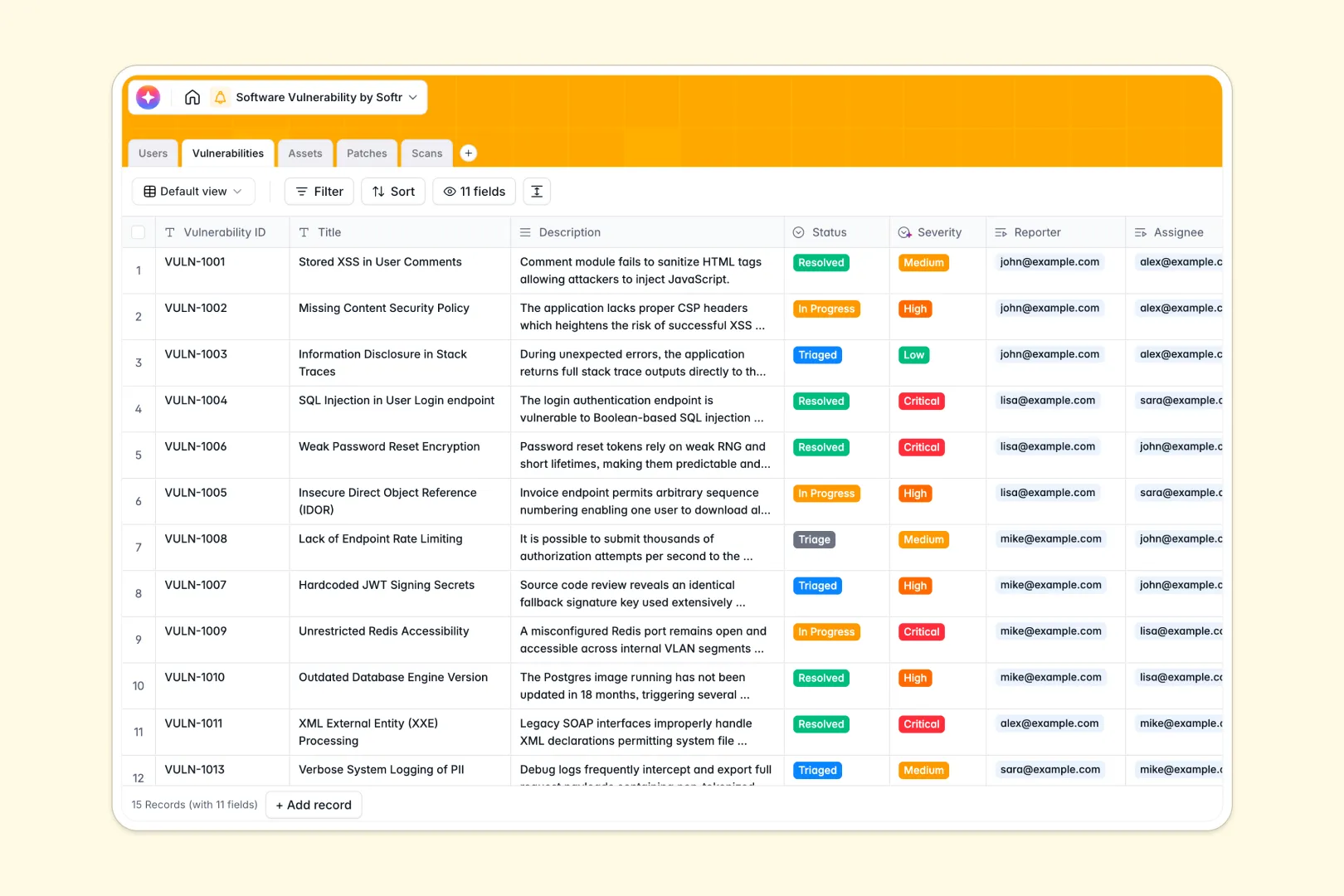
Your Software Vulnerability Database at a glance
Spotting, tracking, and patching security issues shouldn't require jumping between disconnected tools. This template brings developments, IT assets, patches, and automated scans into one unified, structured hub.
The database links vulnerabilities directly to affected source systems and assigned team members. This means you can trace how a vulnerability found during a penetration test connects back to concrete patch versions and asset owners instantly.
Built-in AI fields automatically analyze descriptions to classify severity levels and draft release notes. It even searches the web to extract the latest external vendor intelligence whenever you enter new software components.
Why software vulnerability spreadsheets get messy
Tracking critical security gaps using a software vulnerability spreadsheet works initially, but quickly morphs into a risky maze of broken formulas and hidden tabs.
What a structured database changes
Unlike static spreadsheets, a database enforces clear, strict data validation. Severe vulnerabilities stay flagged, dates remain properly formatted, and logs are attached directly to records without corrupting cell rows.
Instead of relying on fragile lookups to connect patches to affected infrastructure, you get clean, native relationships. This is exactly what Softr Databases are designed for—making your security workflows clean and highly scalable.
What you can do with this template
You can visualize the real-time progress of triage cycles, track patch deployment pipelines, and link automatic scan logs to critical staging or production environments.
You can leverage integrated Database AI agents to instantly summarize complex vulnerability write-ups and fetch external vendor security advisories without manual search.
-
Users
Maintain security staff profiles with roles and ownership of system assets
-
Vulnerabilities
Log security risks using AI for severity analysis and executive summaries
-
Assets
Monitor system components using AI-driven research for vendor intelligence
-
Patches
Deploy software fixes with AI-drafted release notes for resolved bugs
-
Scans
Record security audit results and penetration testing logs for discovery
Who is this Software Vulnerability Database for
This pre-configured setup is designed to align technical and non-technical stakeholders during security incidents.
- Security Teams: Keep full visibility of active vulnerabilities, severity classifications, and remediation tasks in one unified view.
- DevOps and Engineering: Quickly understand what patches are assigned to them, which assets are compromised, and reference raw scan logs.
- Product Managers: Check the security status of core stage or production environments easily and review automated AI release notes.
How to take it further
You can easily customize the fields to match your company's unique processes. Rename security classification levels, add customized environment tags, or create extra fields for custom regulatory compliance tracking.
Importing data is fast and seamless. You can upload existing spreadsheets containing past vulnerability reports via CSV or sync live telemetry pipelines directly via API.
Once your database is active, you can design workflows on top of it. Using Softr's interface builder, you can create simple dashboards for engineer tasks or clean reporting screens for executives.
Keep sensitive vulnerability data secure by configuring granular users and permissions to control who sees, edits, or approves patch records.
-
1
-
2
-
3
-
4
Frequently asked questions
-
What is a software vulnerability database?
-
Why use a no-code database to build a software vulnerability tracking system?
-
How can AI help managing data for software vulnerabilities?
-
Can I build an app with this software vulnerability database?
-
Is this Software Vulnerability Database template free?
-
Why is a database systematically safer than a software vulnerability spreadsheet?
Start building today. It's free!
Build and launch your first app in under 30 minutes.