


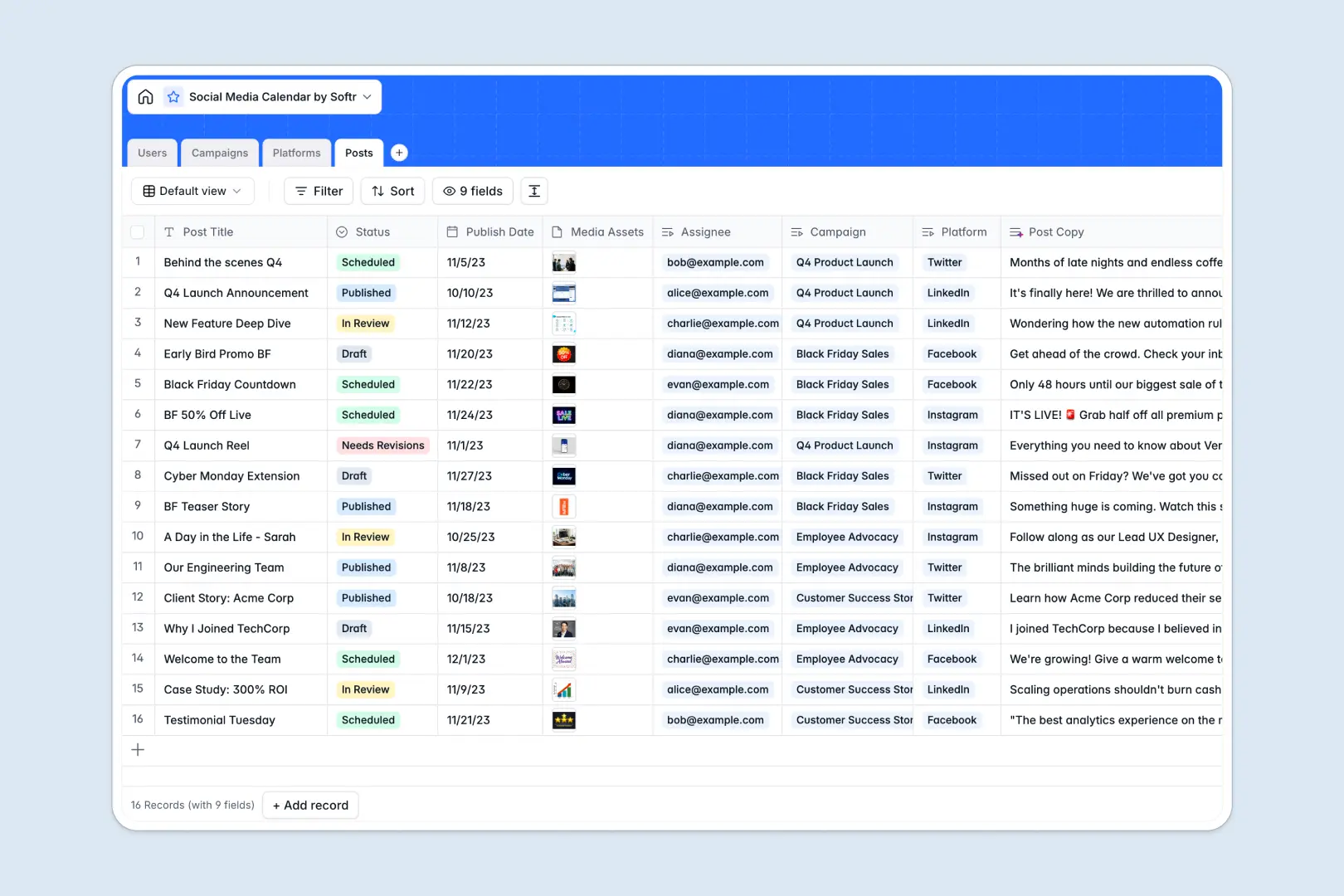
Your Social Media Calendar Database at a glance
This template gives you a robust system to track active campaigns, schedule daily posts, and manage team approvals in one unified workspace. It brings complete visibility to your content pipeline without the friction of scattered files.
The database inherently understands how marketing elements connect. Platforms, overall campaigns, and individual social media posts live in dedicated tables that link together seamlessly, replacing error-prone manual data entry.
Built-in AI fields take the heavy lifting out of content creation. The system automatically drafts platform-specific post copy from your high-level briefs and summarizes long campaign descriptions for quick reading.
Why planning social media gets messy in spreadsheets
Tracking a busy content calendar across disconnected spreadsheet rows almost always leads to buried media assets and missed posting deadlines.
What a structured database changes
Unlike an endless grid of spreadsheet cells, a structured database enforces organization. Dates stay dates, files attach cleanly to their respective records, and character limits are strictly defined per platform.
You can easily link an assigned designer to a post and tie that post to a broader campaign without touching a fragile Vlookup formula. This is exactly what Softr Databases are designed for.
What you can do with this template
Immediately map multiple posts to a unified campaign while tracking their statuses from early draft to published.
Leverage intelligent fields to automatically generate engaging captions using Database AI agents, ensuring your post copy always stays aligned with the parent campaign.
Ensure clear ownership by mapping creators and managers directly to the deliverables they are accountable for.
-
Users
Manage social media team members, their specific roles and content access
-
Campaigns
Group marketing themes with AI-generated brief summaries for alignment
-
Platforms
Configure target social networks with character limits and visual assets
-
Posts
Schedule content using AI to generate engaging captions based on titles
Who is this Social Media Calendar database for
This template is meant for marketing teams, agencies, and content teams seeking to standardize their publishing process natively.
- Social Media Managers: Keep track of live campaigns, strict posting schedules, and platform-specific formatting rules easily.
- Content Creators: Always know exactly what content to draft, upload media assets securely, and view campaign briefs in one place.
- Marketing Leaders: Monitor high-level campaign progress instantly, review statuses, and ensure consistent brand messaging.
How to take it further
Start by customizing the underlying database structure to accommodate your workflow perfectly. You can easily tweak platform character limits, add a "Pending Client Approval" status, or adjust the built-in AI prompts to match your specific brand voice.
If you already maintain a backlog of social content or upcoming campaign details, smoothly import your existing data via CSV. You can instantly map past records into this structured system so you don't skip a beat.
When your team needs external collaboration, you can plug this database into an interface builder to launch a distinct portal for freelancers or client reviews. They can submit content through forms or approve posts without exposing your backend operations. Starting with a cleanly mapped database makes wrapping an app around it completely seamless.
-
1
-
2
-
3
-
4
Frequently asked questions
-
What is a social media calendar database?
-
Why use a no-code database to build a social media calendar?
-
How can AI help managing data for social media planning?
-
Can I build an app with this social media calendar database?
-
Is this Social Media Calendar template free?
-
How is a calendar database better than a social media calendar spreadsheet?
Start building today. It's free!
Build and launch your first app in under 30 minutes.