


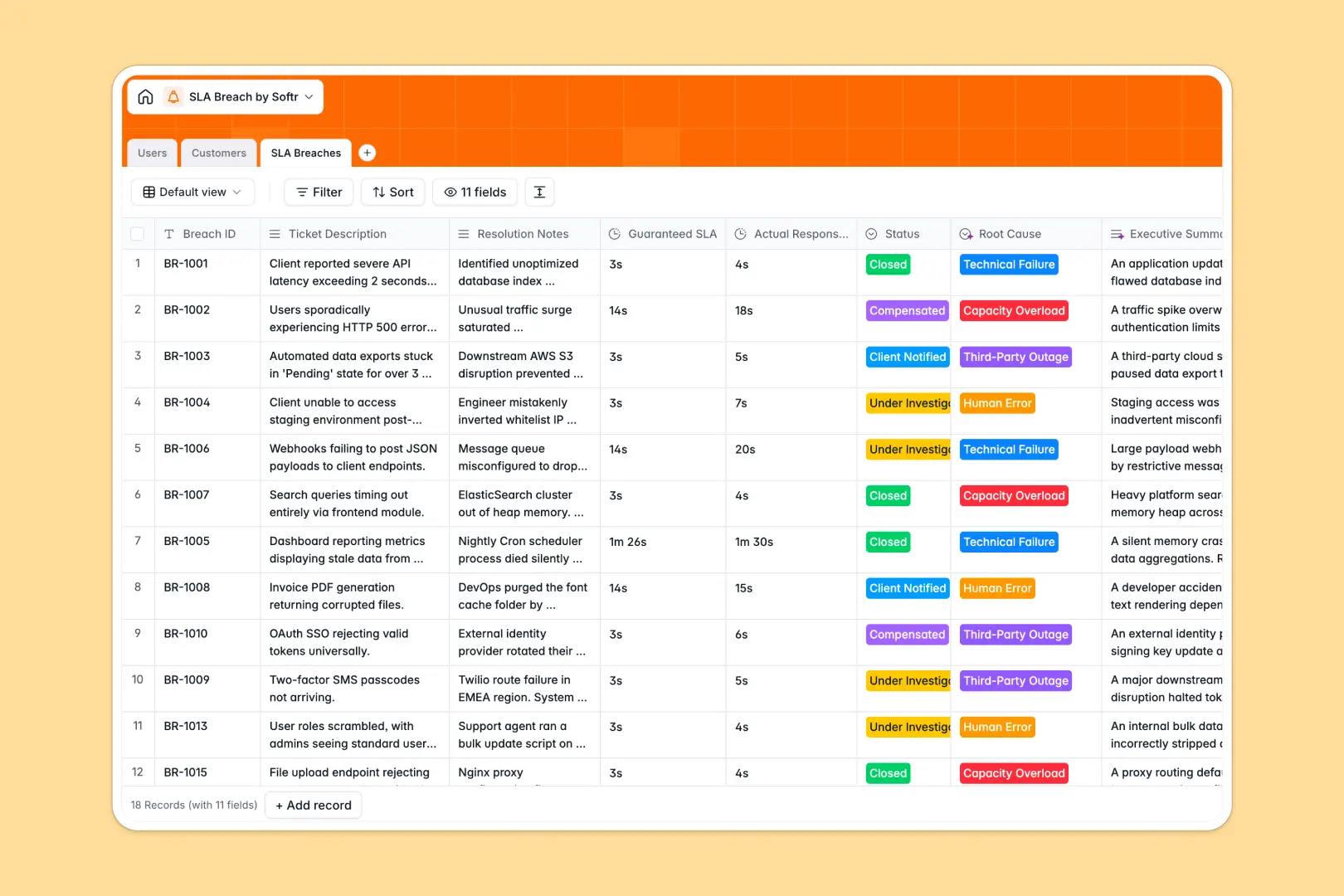
Your SLA Breach Database at a glance
This template lets your team log, investigate, and resolve missed response time guarantees in one central place. It helps you maintain accountability and keep clients informed without letting tickets slip through the cracks.
It uses connected tables to link individual breaches directly to the affected customer and the internal tech support investigator. This means you can track standard guarantees versus actual response times while rolling up total breaches per client.
Native AI agents automatically enrich customer backgrounds, classify the root cause of each incident, and write two-sentence executive summaries based on resolution notes.
Why tracking SLA breaches in spreadsheets breaks down
When you use a spreadsheet to log missed SLAs, data quickly becomes chaotic. Formulas for tracking response times break, and copy-pasting client details across multiple rows leads to errors that damage customer trust.
What a structured database changes
In a structured system, columns strictly enforce data types like dates, durations, and statuses. You can link a breach directly to a customer profile without ever duplicating their domain or SLA tier.
As your list of incident responses grows, everything stays clean and easy to filter. This is exactly what Softr Databases are designed for.
What you can do with this template
You can immediately log SLA violations, assign investigators, and track the status from initial review to client compensation. Rollup fields automatically count total breaches for each individual customer.
Built-in Database AI agents do the heavy lifting by pulling company backgrounds from the web and categorizing the root cause of every incident for you.
-
Users
Manage internal team members, roles, and assigned breach investigations
-
Customers
Store client info with AI-generated background insights and SLA tiers
-
SLA Breaches
Log missed guarantees using AI to classify root causes and summarize notes
Who is this SLA Breach Database for
This system is built for teams that need strict accountability over service level agreements and response times.
- Tech Support Managers: Track exact resolution times and assign investigators to specific breaches instantly.
- Customer Success Leads: Monitor total breaches per client to manage compensation and protect relationships.
- Operations Directors: Spot recurring root causes, like human error or third-party outages, to improve processes.
How to take it further
Customizing this system is simple. You can easily add new root cause categories, adjust status options, or add columns to track financial compensation amounts.
Skip the manual entry by importing your existing breach history. You can upload a CSV or connect an API to sync legacy tickets automatically.
When you are ready, you can build an internal portal or client-facing dashboard on top of this data. Using the interface builder, you can create an app where support reps log details while clients safely view their own executive summaries.
Because this is a true relational database, configuring users and permissions to ensure specific clients only see their own tickets takes just a few clicks.
-
1
-
2
-
3
-
4
Frequently asked questions
-
What is an SLA breach database?
-
Why use a no-code database over an SLA breach spreadsheet?
-
How can AI help managing data for SLA breaches?
-
Can I build an app with this SLA breach database?
-
Is this SLA Breach Database free?
-
Can I attach investigation files to a ticket?
Start building today. It's free!
Build and launch your first app in under 30 minutes.