


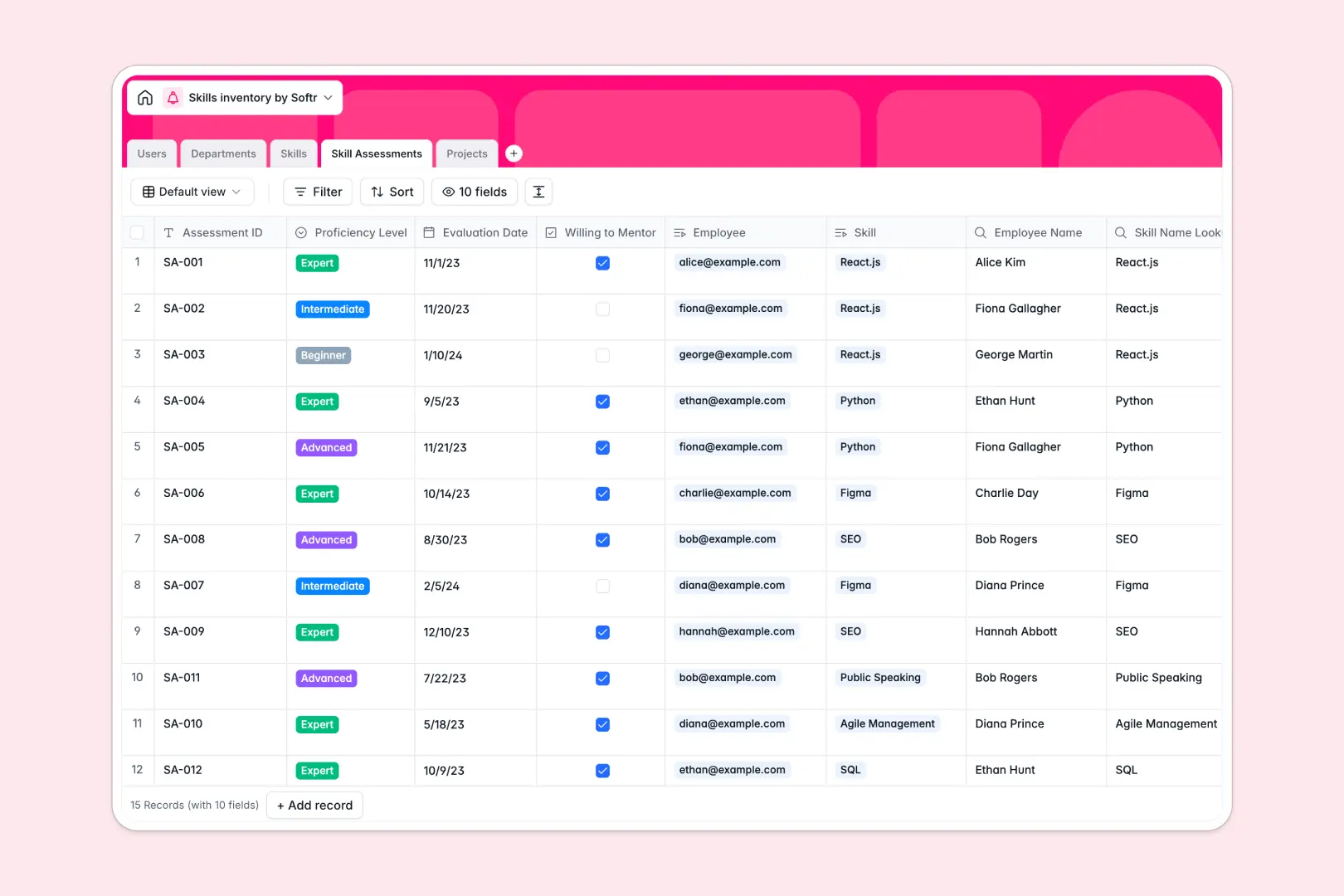
Your Skills Inventory database at a glance
This template gives you a complete picture of your organization’s talent, making it easy to track who knows what and at what level.
It uses connected tables to natively link employees to specific skills, departments, and active projects. This setup means you never have to copy-paste names, duplicate rows, or guess who has the right competencies.
Built-in AI fields take the heavy lifting out of documentation by automatically generating accurate skill descriptions and outlining actionable growth steps for employees wanting to level up.
Why tracking skills gets messy in spreadsheets
When you try to map technical skills, soft skills, and varying proficiency levels across hundreds of employees in a flat grid, columns inevitably spiral out of control.
What a structured database changes
Instead of adding endless columns for every new software tool, a true relational structure lets you link a centralized list of skills directly to individual employee profiles. Dates stay dates, proficiency levels are locked to predefined options, and data remains perfectly clean as your team grows.
Every assessment, project assignment, and rating is clearly connected without relying on fragile VLOOKUPs. This is exactly what Softr Databases are designed for.
What you can do with this template
You can pinpoint exact talent gaps, track who is willing to mentor others, and seamlessly assign the right people to the right upcoming projects.
You can also leverage Database AI agents to automatically research definitions for new competencies or instantly summarize project scopes directly inside your tables.
-
Users
Manage employee profiles, including roles, job titles, and department links
-
Departments
Organize business units and track member counts within each team
-
Skills
Define competencies using AI to generate detailed skill specializations
-
Skill Assessments
Track proficiency levels with AI-powered growth and mentoring suggestions
-
Projects
Coordinate initiatives with AI-generated summaries and required skill tags
Who is this Skills Inventory database for
This template is designed for teams that need a reliable, scalable way to manage talent and project resourcing.
- HR & People Operations: Maintain accurate records of employee proficiencies and track individual career growth trajectories over time.
- Project Managers: Quickly identify and deploy available team members who possess the exact technical or soft skills needed for a new initiative.
- Department Heads: Gain instant visibility into your team's overall capabilities to inform hiring, identify training needs, and foster mentorship.
How to take it further
Start by customizing the database to fit your exact operational structure. You can easily adjust the proficiency choices in the assessments table or add entirely new categories to the master skills list without writing any code.
Next, import your existing employee directory to start unlocking value immediately. You can bulk upload a CSV file of your team's historical assessments or connect your data via API to keep records synchronized.
When your team is ready, you can build an app directly on top of this structured data to launch a self-serve employee portal. By setting up granular users and permissions, managers can securely update team assessments while employees can log in to view their own suggested growth paths.
-
1
-
2
-
3
-
4
Frequently asked questions
-
What is a skills inventory database?
-
Why use a no-code database to build a skills inventory tracking system?
-
How can AI help managing data for a skills inventory?
-
Can I build an app with this skills inventory database?
-
Is this Skills Inventory Database free?
-
How is a skills tracking database different from tracking talent in spreadsheets?
Start building today. It's free!
Build and launch your first app in under 30 minutes.