


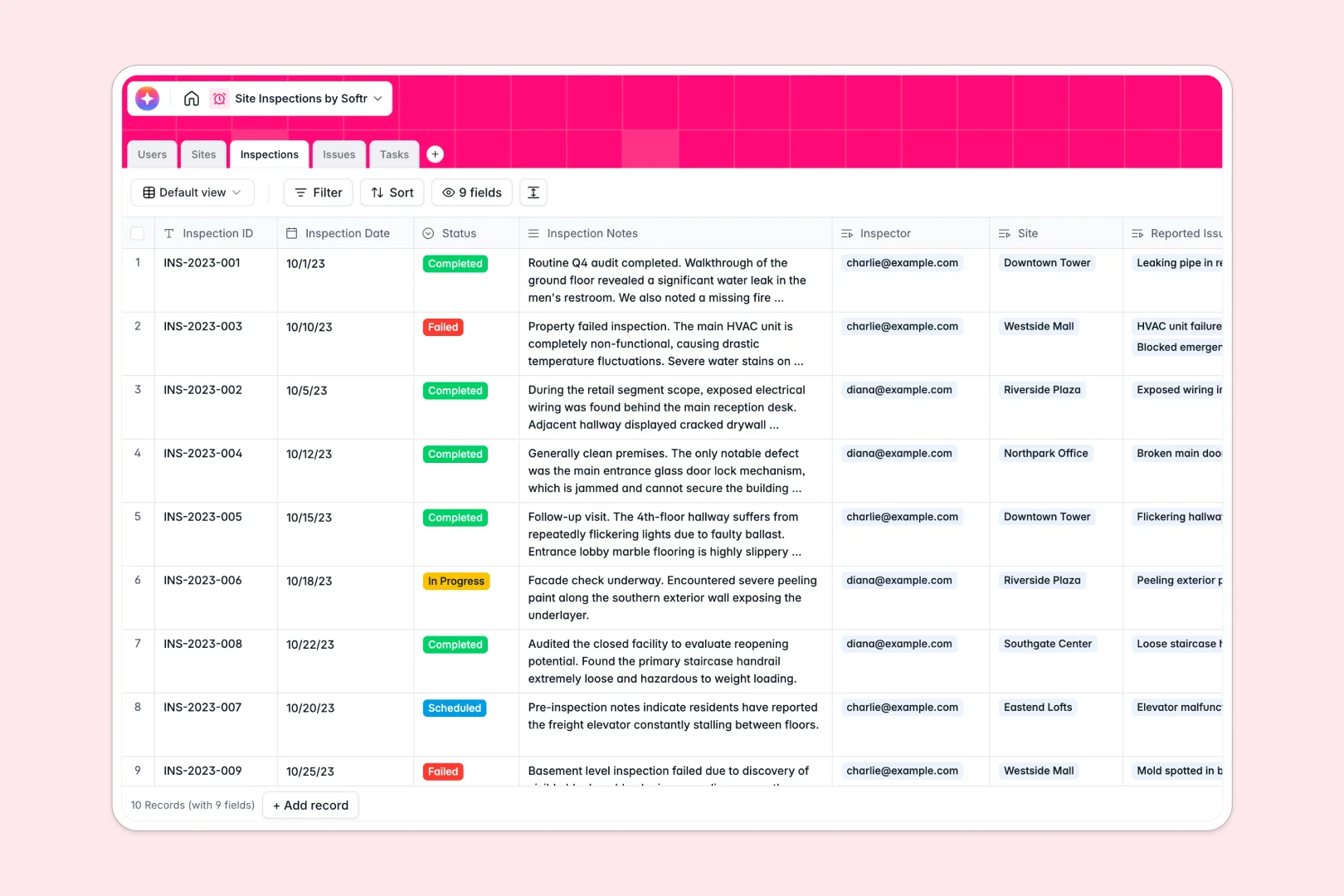
Your Site Inspections Database at a glance
This template replaces scattered spreadsheets with a single system to track visits, log safety defects, and assign follow-up tasks. It keeps your field teams aligned and compliance up to date.
It consists of connected tables for Sites, Inspections, Issues, and Tasks. When an inspector creates an issue record, it links directly to the site and automatically attaches to corrective tasks.
Built-in AI features automatically summarize inspection notes, classify issue severity, and draft step-by-step resolution instructions for your field workers.
Why site inspections get messy in spreadsheets
Tracking safety audits and field visits in a spreadsheet quickly becomes chaotic. Rows get deleted casually, attaching photo evidence natively is impossible, and tracking follow-up tasks across multiple sheets leads to forgotten safety issues.
What a structured database changes
Unlike spreadsheets, a true database ensures every column has a specific, strict purpose. You can easily upload site photos securely and use precise dropdowns for defect statuses without data getting overwritten.
Instead of relying on fragile copy-pasting, tables here connect naturally. You can link a single inspection trip to multiple specific safety issues and corrective tasks seamlessly.
This is exactly what Softr Databases are designed for. They provide the perfect structure for scaling field operations while keeping your data perfectly organized.
What you can do with this template
Instantly log new site visits and link them directly to designated inspectors and site managers.
Track defect lifecycles clearly from the moment a photo is categorized until the corrective task is marked as fully resolved.
Leverage Database AI agents to automatically research site backgrounds and classify issue severity without any manual data entry.
-
Users
Track site managers and field inspectors with roles and contact info
-
Sites
Manage locations with AI-powered background research and status history
-
Inspections
Log site visits using AI to generate executive summaries of findings
-
Issues
Document defects with AI-powered severity analysis and photo evidence
-
Tasks
Manage corrective actions with AI-generated step-by-step resolution advice
Who is this Site Inspections database for
This template is built for teams managing physical locations and ongoing field quality control.
- Safety Managers: Ensure strict compliance by tracking reported defects and their exact resolution statuses.
- Construction Supervisors: Monitor daily site progress and easily assign follow-up actions to specific on-site personnel.
- Facilities Teams: Maintain a complete, permanent history of building audits and active maintenance tasks in one view.
How to take it further
Customize the database
You can easily adjust this setup to fit your exact workflow. Rename the status choices for your defects or add new fields to track travel costs for each inspection.
Import your existing data
Bring in your current site lists or user directories immediately. Simply upload a CSV file to instantly populate your active locations and staff roster.
Build a full app around it
When you are ready, you can turn this database into a secure portal for your field workers. Using an interface builder, your inspectors can securely log data and upload photos directly from their mobile devices.
You can also configure precise users and permissions so that field workers only see their currently assigned locations. Starting with a structured database makes building these custom tools completely effortless.
-
1
-
2
-
3
-
4
Frequently asked questions
-
What is a site inspections database?
-
Why use a no-code database to build a site inspections system?
-
How can AI help managing data for site inspections?
-
Can I build an app with this site inspections database?
-
Is this Site Inspections database free?
-
How is a site inspection database better than a spreadsheet?
Start building today. It's free!
Build and launch your first app in under 30 minutes.