


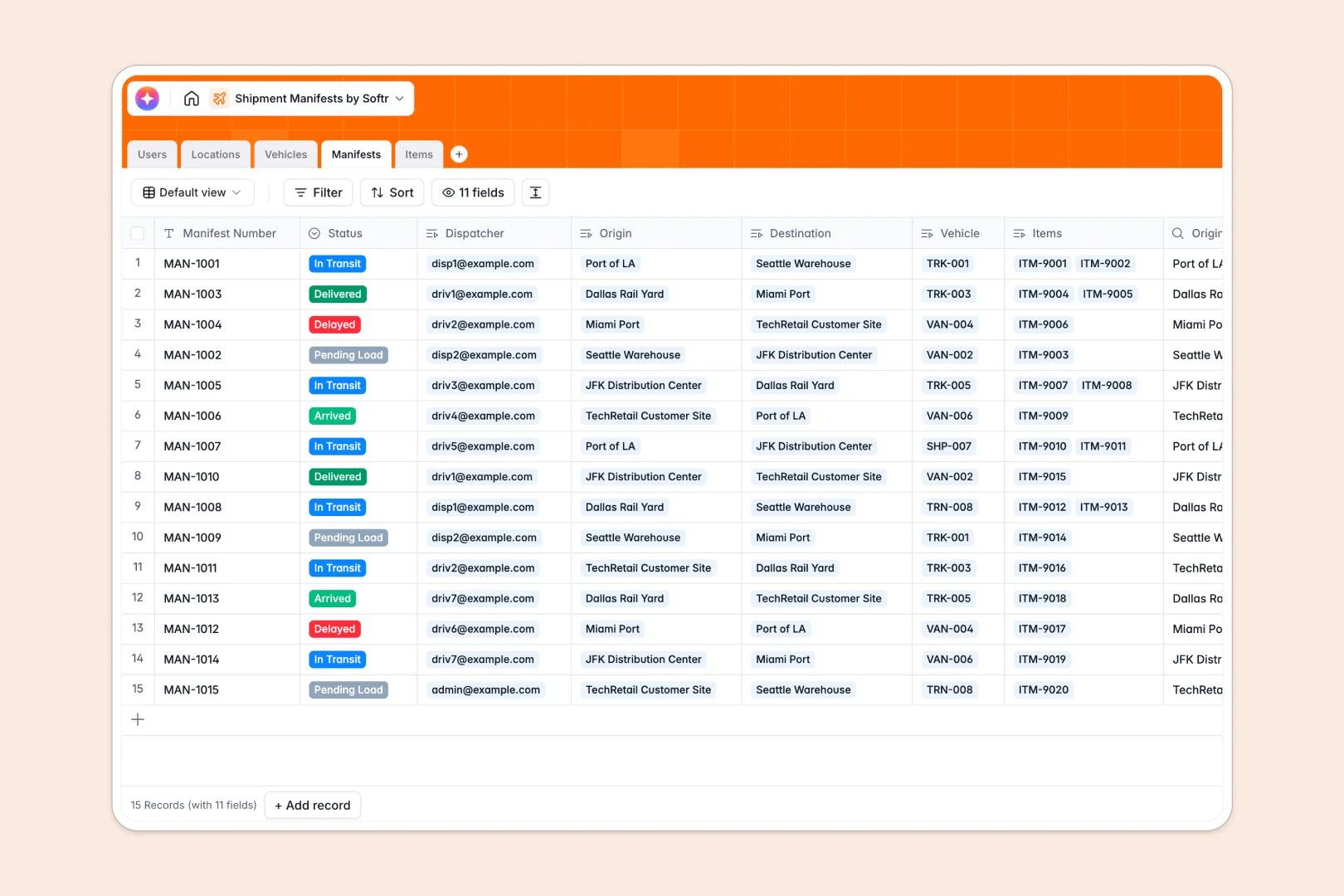
Your Shipment Manifests database at a glance
This template gives you a complete operational view of your logistics network. You can closely track every routing path, active vehicle, and cargo load from origin to destination.
It natively links critical operational data across five optimized tables: Users, Locations, Vehicles, Manifests, and Items. When you assign a driver to a manifest, the system instantly connects their assigned vehicle and automatically calculates the total cargo weight for you.
Instead of enduring manual data entry, built-in AI automatically categorizes incoming cargo items based on payload description text. Another native AI tool automatically writes real-time transit summaries so your coordination team stays informed instantly.
Why shipment manifests get messy in spreadsheets
When managing complex logistics, standard spreadsheets rapidly turn into a frustrating bottleneck of duplicate data and easily broken formulas.
What a structured database changes
Traditional spreadsheets force you to maintain separate, disconnected tabs for drivers, trucks, and manifests that never sync properly. Finding out which items belong on which truck usually involves fragile VLOOKUPs that break the moment a row is deleted.
A structured database fixes this problem by giving every piece of information a strict data type and connecting records natively. This is exactly what Softr Databases are specifically engineered for.
You can link an entire list of cargo items directly to one manifest, and automatically roll up the total load weight instantly. The math stays accurate, and logistical data remains perfectly clean as daily volume scales.
What you can do with this template
Say goodbye to manually typing out transit logs and deciphering freight categories manually. Our powerful Database AI agents automate these highly repetitive tasks directly as records are updated in real time.
You can immediately view all pending, in-transit, or delayed manifests alongside the active location and assigned vehicle. It functions as a complete logistics tracker on day one, ready to scale alongside your evolving fleet.
-
Users
Manage logistics staff, drivers, and dispatchers with roles and contact info
-
Locations
Organize warehouses and ports for origin and destination tracking of shipments
-
Vehicles
Track the fleet of trucks and cargo ships with capacity and driver assignment
-
Manifests
Coordinate shipments using AI to generate transit summaries from status data
-
Items
Inventory parcels and pallets with AI-powered categorization of cargo descriptions
Who is this Shipment Manifests database for
This template provides the perfect foundation for logistics and supply chain teams needing a robust, centralized source of truth.
- Dispatchers: Assign drivers to routes and monitor real-time transit statuses effortlessly.
- Fleet Managers: Track active vehicle configurations and ensure shipments never exceed maximum weight limits.
- Warehouse Operators: Quickly view incoming and outgoing manifests tied directly to their specific location node.
How to take it further
Start your configuration by customizing the database to fit your exact internal operational terminology. You can modify all vehicle types, delivery status dropdowns, and inventory categories in seconds.
If you already have your fleet data collected elsewhere, bringing it over is completely painless. Just import a standard CSV file of your current drivers, location nodes, and existing cargo inventory to start working immediately.
When your team is ready, you can transform this structural foundation into a full-scale digital logistics portal. By utilizing Softr's interface builder, you can create a custom mobile-friendly web app where drivers update active statuses directly from their phones.
You can even implement highly detailed users and permissions to strictly control data access securely. Dispatchers can be configured to see everything, while your fleet drivers will only ever see the specific routes assigned to them.
-
1
-
2
-
3
-
4
Frequently asked questions
-
What is a shipment manifest database?
-
Why use a no-code database to build a logistics tracking system?
-
How can AI help managing data for shipment manifests?
-
Can I build an app with this shipment manifest database?
-
Is this shipment manifests template free?
-
How is this template better than a Google Sheet for logistics?
Start building today. It's free!
Build and launch your first app in under 30 minutes.