


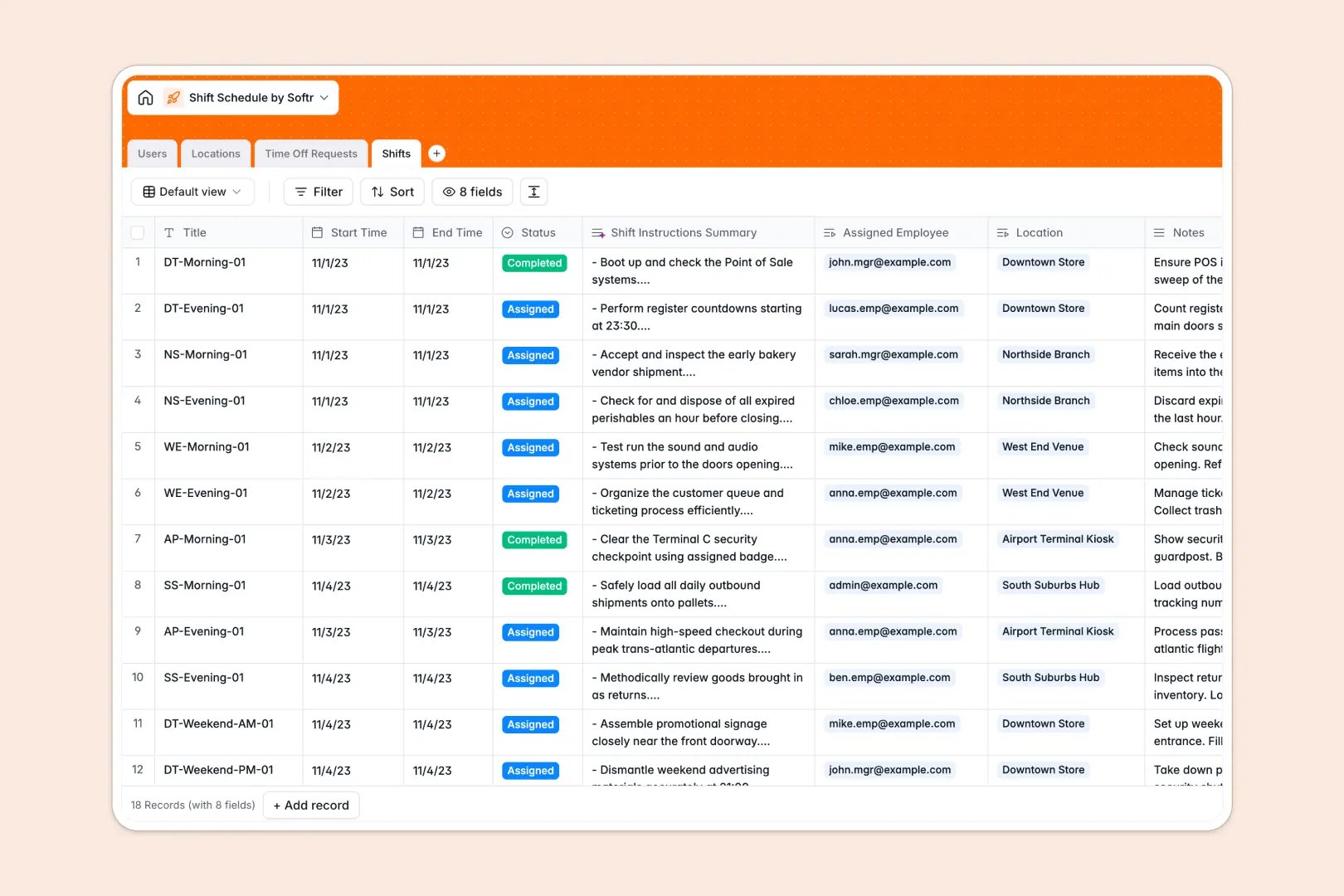
Your Shift Schedule Database at a glance
Manage shifts across multiple work locations without the chaos of overlapping hours or misplaced leave requests. This template provides a structured foundation to keep your managers and employees perfectly aligned.
It works by natively connecting four key tables: Users, Locations, Shifts, and Time Off Requests. You can link employees to specific venues and confidently assign working blocks while rolling up total open shifts automatically.
Built-in AI automatically reads employee reasoning to categorize time-off requests instantly. It also generates brief, helpful summaries of shift instructions so your staff always knows what to do on arrival.
Why managing shift schedules in spreadsheets breaks down
Running a team's schedule in a traditional grid usually leads to accidental overrides, deleted rows, and endless confusion. As your staff grows and locations expand, tracking who is working where becomes a fragile guessing game.
What a structured database changes
Every piece of data takes on a strict type, meaning dates stay intact, and employee profiles are cleanly linked to specific venues without easily broken VLOOKUP formulas.
You can instantly count open shifts per location and safely connect time-off approvals directly to the employee's main profile.
This is exactly what Softr Databases are designed for—giving you a resilient system to scale operations without the mess of messy, disorganized cells.
What you can do with this template
Instantly connect staff to physical venues and track the exact status of specific working blocks from open to completed.
Embrace true automation with smart Database AI agents that read employee notes to instantly categorize time-off requests as vacation, sick leave, or personal time.
Keep your workforce completely informed confidently. The database automatically drafts a clear summary of tasks and operational notes for every single created shift.
-
Users
Manage employee profiles, contact info, and internal access permissions
-
Locations
Organize physical work venues with assigned managers and shift capacity
-
Time Off Requests
Track absences with AI-powered categorization of leave request reasons
-
Shifts
Schedule work blocks with AI-generated task summaries and instructions
Who is this Shift Schedule database for
This system is built for growing teams that need strict, reliable coordination across different roles, venues, and schedules.
- Retail Managers: Avoid understaffing by keeping an automatic, clear count of open shifts across multiple stores.
- Operations Leads: Process time-off requests efficiently and ensure adequate coverage before finalizing the weekly rotas.
- Restaurant Owners: Give shift supervisors access to structured daily instructions seamlessly without manual copy-pasting.
How to take it further
Customize the database easily by tweaking the shift statuses or adjusting location details to perfectly match your organizational operations. Native flexibility means you can add new columns as your management needs evolve.
Bring your existing employee lists and location data directly into the system using a quick CSV upload. You can immediately transition away from unstructured tools and see value on day one.
When you are ready to share this with your staff, use our interface builder to turn this base into a modern employee portal. A well-structured database makes launching a fully functional app seamless.
You can implement strict users and permissions rules swiftly. This ensures employees only see their assigned work blocks and leave requests, while managers maintain oversight of the entire location schedule.
-
1
-
2
-
3
-
4
Frequently asked questions
-
What is a shift schedule database?
-
Why use a no-code database over a shift schedule spreadsheet?
-
How can AI help managing data for employee scheduling?
-
Can I build an app with this scheduling database?
-
Is this Shift Schedule database free?
-
How do I handle multiple work locations with this template?
Start building today. It's free!
Build and launch your first app in under 30 minutes.