


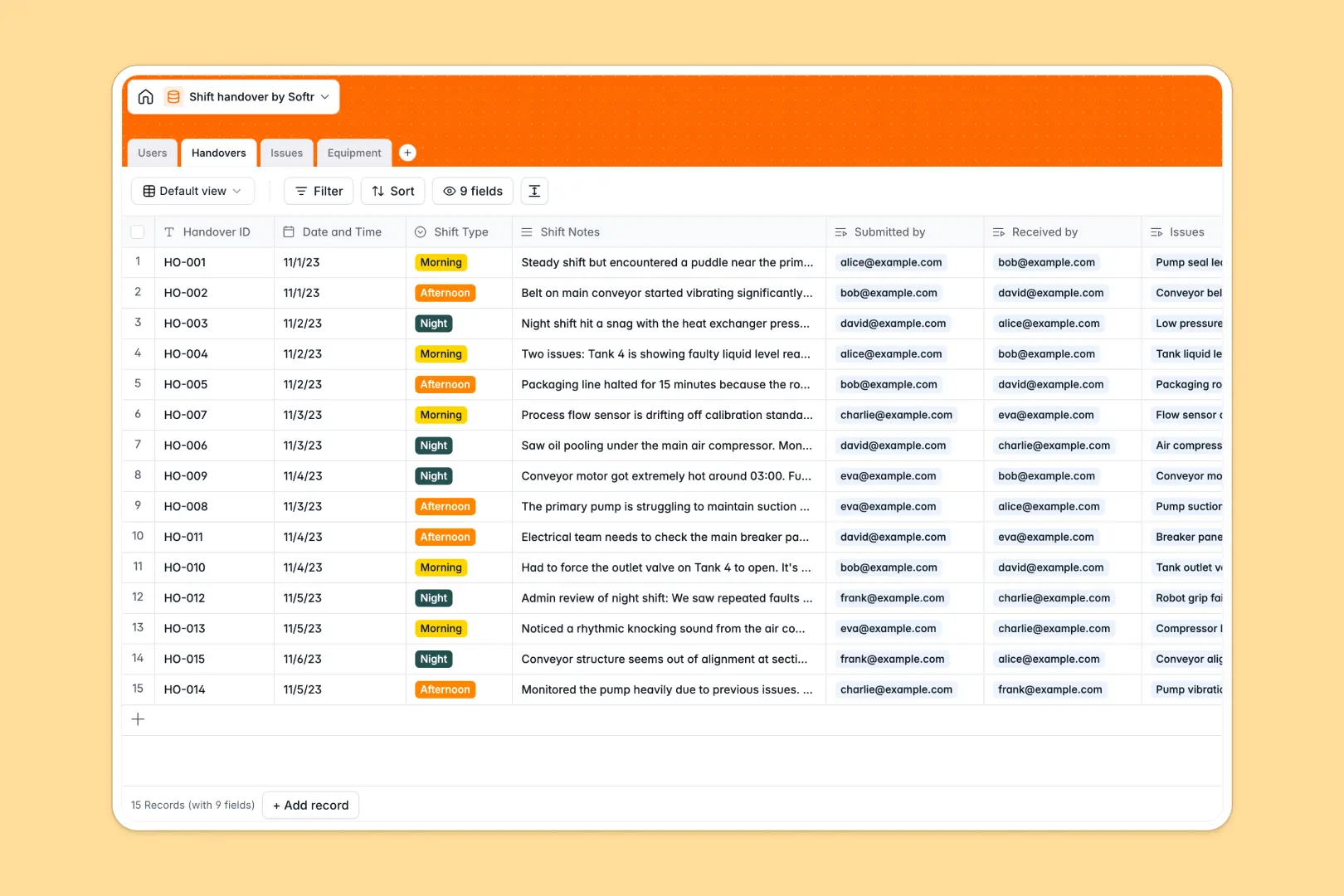
Your Shift Handover database at a glance
This template replaces messy shift handover spreadsheets with a structured, automated system. It keeps your operation aligned, tracks open maintenance issues, and ensures nothing critical gets lost between shift changes.
It cleanly connects four main tables: Users, Handovers, Issues, and Equipment. When a morning team logs a machine problem, the afternoon crew sees it immediately attached to both the exact equipment and the responsible supervisor.
Built-in AI automatically drafts executive summaries of long shift notes and categorizes safety or process issues. It even searches the web for equipment specs as you add new assets, saving your team hours of manual research.
Why shift handovers get messy in spreadsheets
Running facility operations on a shift handover spreadsheet inevitably leads to deleted rows, confusing notes, and unresolved maintenance tasks slipping through the cracks.
What a structured database changes
A true database prevents this chaos by enforcing strict data types. Shift types, strict priorities, and timestamps stay perfectly formatted across your entire operational log as the facility scales.
Instead of repeatedly typing machine names or relying on fragile VLOOKUP formulas, you simply link a flagged issue directly to the equipment and the outgoing operator. This seamless connection is exactly what Softr Databases are designed for.
What you can do with this template
You can immediately log seamless handovers while the database automatically calculates the number of open issues waiting for the incoming crew.
Thanks to native Database AI agents, the system instantly classifies logged issues like electrical or mechanical problems. It also runs web searches to pull manufacturer specs automatically as soon as a new piece of equipment is registered.
-
Users
Manage personnel profiles, roles, and shift participation responsibilities
-
Handovers
Log shift transitions with AI summaries of critical events and notes
-
Issues
Track shift problems with AI classification for efficient maintenance
-
Equipment
Registry of assets using AI to fetch critical technical specifications
Who is this Shift Handover database for
This system is built for operations teams that rely on clear communication across rapidly changing shifts.
- Plant Managers: Gain instant visibility into open maintenance requests and operational bottlenecks.
- Shift Supervisors: Review auto-summarized handover logs quickly without reading walls of messy text.
- Maintenance Crews: See exactly which machines need attention and access manufacturer specs instantly.
- Floor Operators: Log required shift updates and assigned issues without fighting broken spreadsheet layouts.
How to take it further
You can fully customize this setup to match your exact floor operations. Easily tweak the shift types or modify the AI prompts to better classify your facility's specific safety and process issues.
Import your existing equipment registry and past log histories via CSV or API. This instantly populates your asset tracking so teams can start submitting meaningful handovers on day one.
When you are ready, you can build an app on top of this data for your factory floor. You could map out a mobile-friendly employee portal where operators submit logs directly from their phones.
Using native users and permissions, you can ensure that operators only edit their own shift logs while admins oversee the entire facility's performance.
-
1
-
2
-
3
-
4
Frequently asked questions
-
What is a shift handover database?
-
Why use a no-code database to build a shift handover system?
-
How can AI help managing data for shift handovers?
-
Can I build an app with this shift handover database?
-
Is this Shift Handover template free?
-
How is a shift handover database different from a spreadsheet?
Start building today. It's free!
Build and launch your first app in under 30 minutes.