


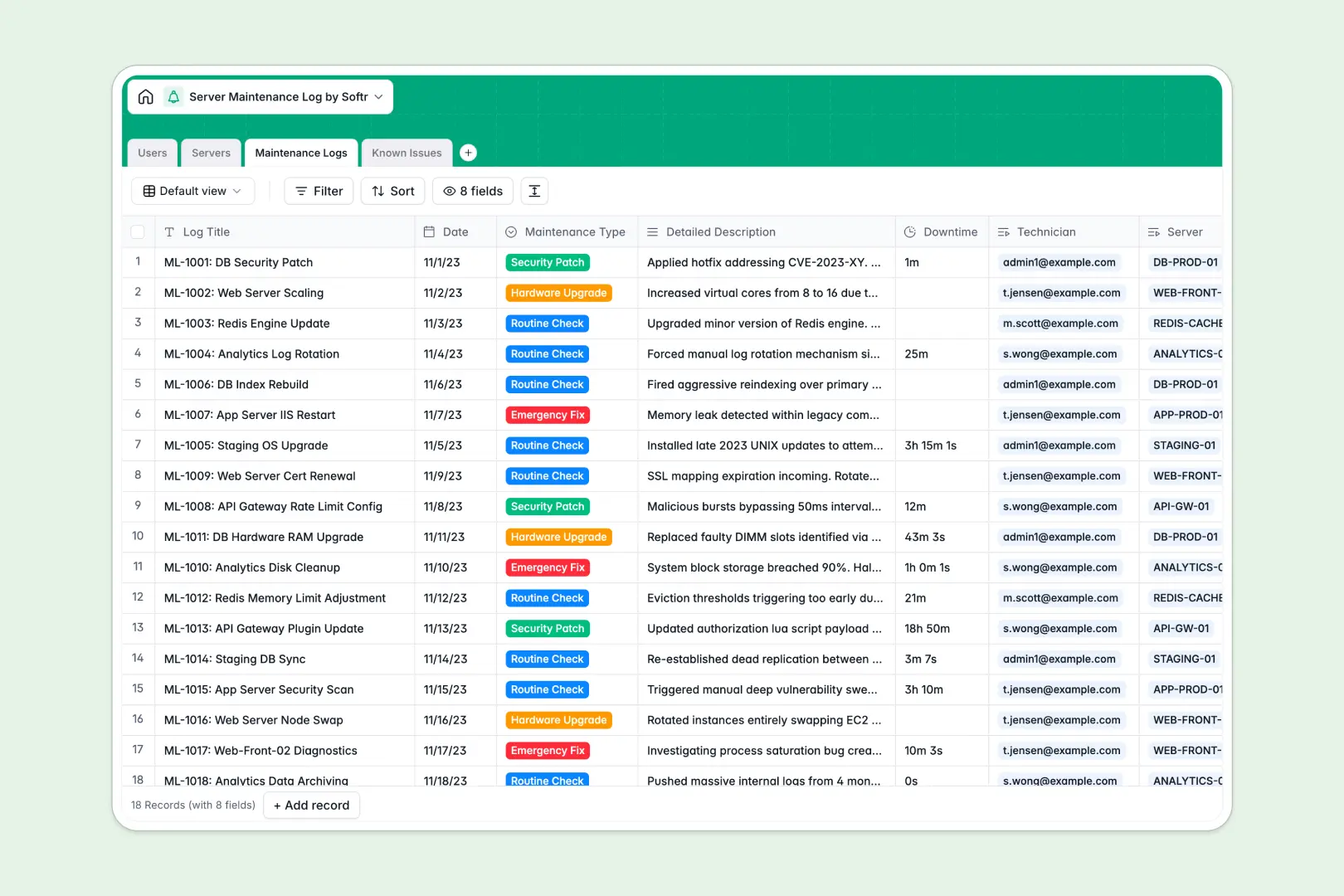
Your Server Maintenance Log database at a glance
Track all server maintenance, hardware upgrades, and emergency fixes in one structured system. This template ensures IT teams have complete visibility over system health and downtime history.
The database connects physical and virtual Servers directly to their Maintenance Logs and Known Issues. Technicians can log downtime and attach records to specific machines without duplicating data.
Built-in AI agents automatically summarize complex maintenance descriptions into concise management reports. They also evaluate the severity of reported server issues in real time to keep infrastructure secure.
Why a server maintenance log spreadsheet breaks down
Tracking routine checks and server hardware in a spreadsheet gets messy fast. As your server count grows, mixed data, broken rows, and isolated tabs make it impossible to track true downtime history.
What a structured database changes
A structured database enforces strict column types so IP addresses, dates, and technicians stay clean and standardized. Instead of relying on fragile VLOOKUPs, tables natively link related records together.
You can connect a specific Known Issue directly to the Server and the technician handling it without copy-pasting across rows. This is exactly what Softr Databases are designed for.
What you can do with this template
Maintain a clean inventory of every server and its operating system while logging every security patch and hardware upgrade. Track downtime duration accurately across all operations.
Automatically categorize issue severity and generate environment descriptions using native AI capabilities. This turns raw server logs into actionable reports without manual data entry.
-
Users
Manage IT personnel with specific roles, contact info and server access
-
Servers
Track server assets with AI-generated environment profiles and status
-
Maintenance Logs
Log system updates and fixes with AI summaries for management reporting
-
Known Issues
Document system bugs using AI-powered severity assessment and tracking
Who is this Server Maintenance Log database for
This system is built for IT professionals who need reliable tracking for infrastructure uptime.
- System Administrators: Maintain a unified inventory of all servers, IP addresses, and performance status.
- IT Technicians: Log routine checks, security patches, and emergency fixes accurately with tracked downtime.
- Security Auditors: Review historical maintenance logs and AI-summarized incident reports in one clean view.
How to take it further
Customize the database
Customize the database to fit your exact server topology. Rename server environments or adjust the maintenance log types to match your internal IT terminology.
Import your existing data
Use a CSV upload to bring in all your current equipment, IP addresses, and known issues instantly. Your team can connect to immediate value and start logging maintenance right away.
Build a full app around it
When your team is ready, you can build an app to serve as a custom internal portal for your IT department. This connects seamlessly to your database so technicians can submit field logs securely.
By configuring users and permissions, you ensure auditors have read-only access while admins manage core infrastructure records. A well-structured database makes creating these tailored apps effortless.
-
1
-
2
-
3
-
4
Frequently asked questions
-
What is a server maintenance log database?
-
Why use a no-code database to build an IT maintenance system?
-
How can AI help managing data for server maintenance?
-
Can I build an app with this server maintenance log database?
-
Is this Server Maintenance Log template free?
-
How is a server database different from a server maintenance log spreadsheet?
Start building today. It's free!
Build and launch your first app in under 30 minutes.