


Overview
This client portal template allows you to centralize everything your clients need in one place. By leveraging Softr's powerful building blocks, you can deliver a premium, customized experience without writing a single line of code.
Comparison: Custom Portal vs. Email
Custom Client Portal
With a Softr client portal, you keep communication, files, and tasks in a centralized, highly secure location.
Traditional Email
Relying on email leads to lost attachments, messy conversational threads, and a disjointed client experience over time.
-
Users
System users handling, reporting, or managing security incidents
-
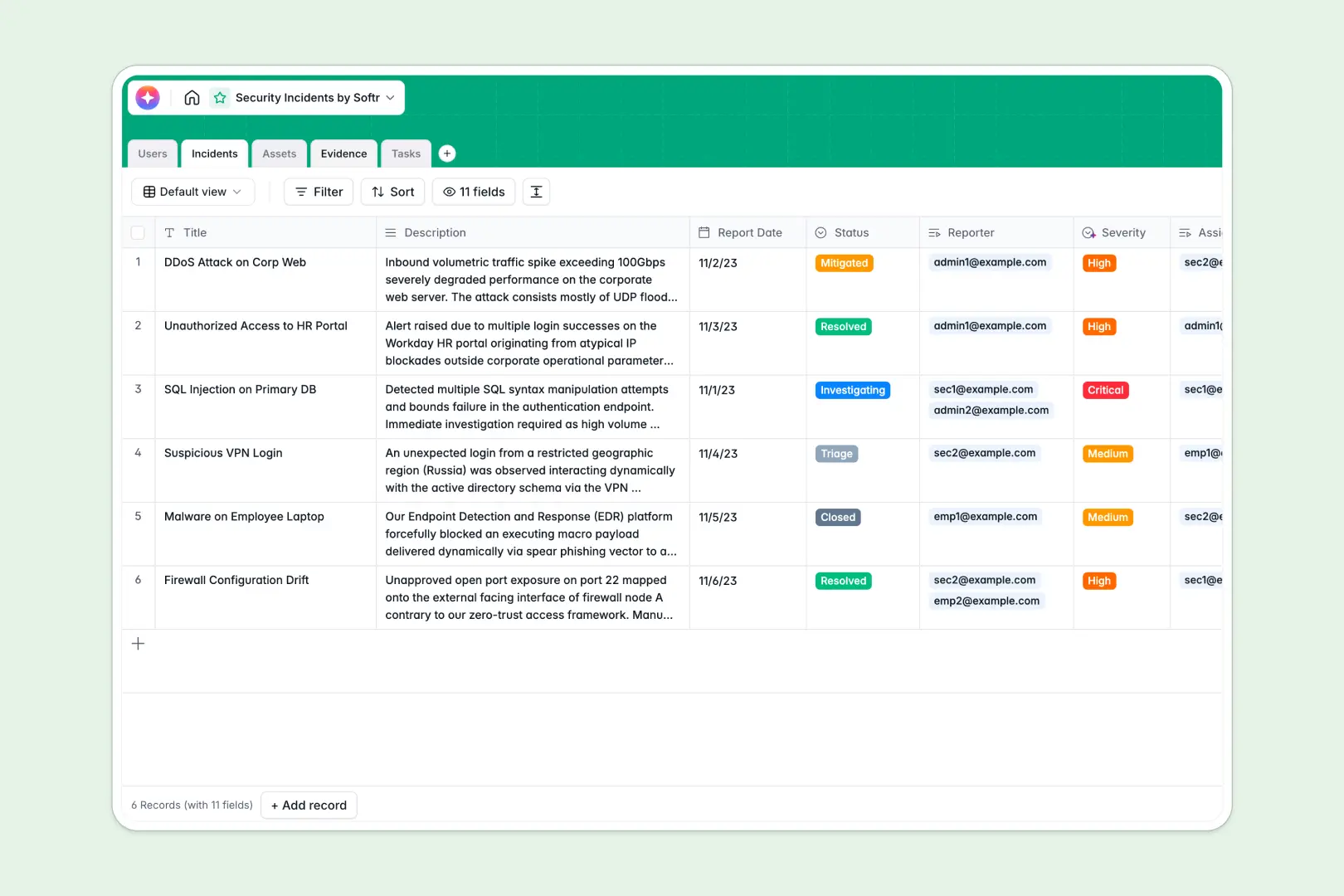
Incidents
Track security breaches using AI to classify severity and summarize cases
-
Assets
Manage vulnerable systems with AI-powered vendor security intelligence
-
Evidence
Centralize logs, scripts, and media files as proof for active investigations
-
Tasks
Organize remediation and mitigation efforts with due dates and assignments
Who is this for
This template is perfect for modern businesses that need to interact with clients securely and professionally.
- Agencies: Share deliverables, gather feedback, and track campaign progress.
- Freelancers: Manage invoices, scopes of work, and client communications efficiently.
- Coaches: Provide exclusive coaching resources and track metrics for your students.
How to take it further
Once you have the basics down, you can extend your portal using Softr's integrations. Connect to Stripe to accept recurring payments, or link up with Make and Zapier to automate email notifications and internal workflows. You can also add custom user roles using Softr's advanced permissions to ensure clients only ever see their own specific data.
-
1
-
2
-
3
-
4
Frequently asked questions
-
Do I need coding skills to use this client portal template?
-
Can I connect my own custom domain to the portal?
-
How do I invite clients to access their unique portal?
-
Is the data stored inside my client portal secure?
-
Can I integrate a payment gateway like Stripe into the portal?
Start building today. It's free!
Build and launch your first app in under 30 minutes.