


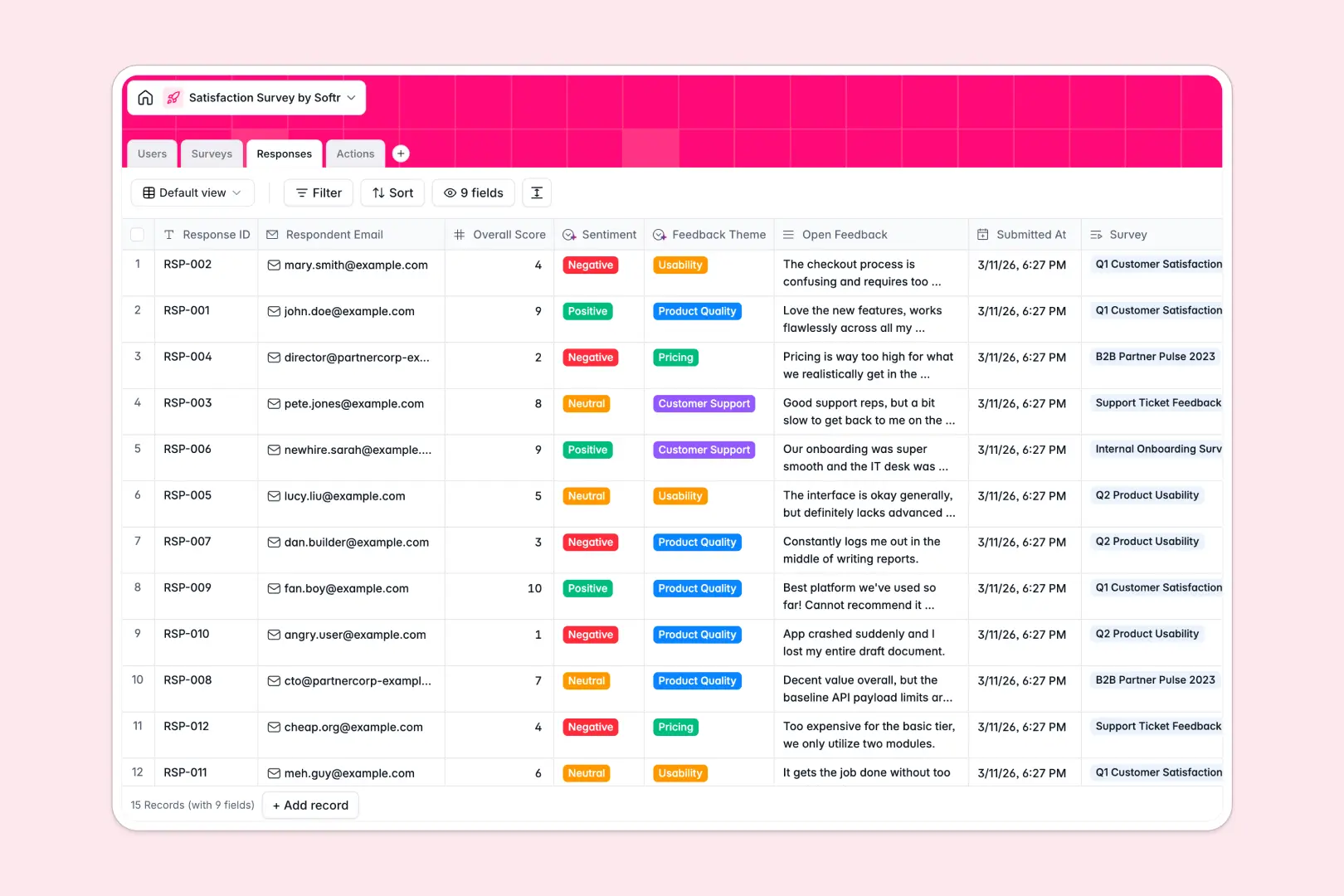
Your Satisfaction Survey database at a glance
This template replaces messy sheets with a structured system to collect customer feedback, analyze sentiment, and track follow-up tasks in one place.
It connects your survey campaigns natively to individual responses and resolution actions. When a customer leaves low scores, you can immediately assign a follow-up task to a team member without duplicating data.
Built-in AI automatically tags feedback by theme, determines if sentiment is positive, neutral, or negative, and can even draft polite email replies based on your resolution notes.
Why satisfaction surveys get messy in spreadsheets
Collecting survey responses in Google Sheets makes sense at first, but quickly turns into chaos. Tracking who responded to what requires fragile formulas, and following up on negative feedback gets lost in endless scrolling.
What a structured database changes
A proper database links tables together naturally, so a single response automatically connects to the campaign and any follow-up tasks without copy-pasting.
Every column has a strict format, meaning your feedback data stays clean and structured no matter how many people respond. This is exactly what Softr Databases are designed for.
What you can do with this template
Instantly surface negative feedback and convert it into assigned tasks with clear due dates and resolution tracking.
You can automatically tag response themes and dynamically generate an executive summary mapping out your overarching campaign sentiment.
-
Users
Manage system staff by organizing roles, avatars, and assigned action items
-
Surveys
Manage campaigns with AI-powered executive summaries of overall sentiments
-
Responses
Track submissions with AI classifying feedback themes and sentiment levels
-
Actions
Coordinate follow-ups using AI to draft empathetic replies to respondents
Who is this Satisfaction Survey database for
This system is built for teams that need to turn raw feedback into actionable improvements immediately.
- Customer Success Managers: Track sentiment trends proactively and ensure negative feedback receives timely follow-ups.
- Product Teams: Automatically categorize feature requests or usability issues to guide your product roadmap.
- Operations Leaders: Monitor overall campaign performance and generate executive summaries with zero manual data entry.
How to take it further
You can easily tweak this template to fit your exact needs right away. Add new feedback themes, change the sentiment categories, or adjust who gets assigned to follow-up tasks.
Rather than starting from scratch, you can import your historical survey responses via CSV. Your new database will immediately populate with past scores and feedback for instant analysis.
When your team is ready, you can build a full application on top of this structured data. By setting up proper users and permissions, you can ensure analysts only see aggregated data while support reps only see their assigned follow-up actions.
-
1
-
2
-
3
-
4
Frequently asked questions
-
What is a satisfaction survey database?
-
Why use a no-code database to build a feedback system?
-
How can AI help managing data for satisfaction surveys?
-
Can I build an app with this survey database?
-
Is this Satisfaction Survey template free?
-
How is a survey database different from Google Sheets?
Start building today. It's free!
Build and launch your first app in under 30 minutes.