


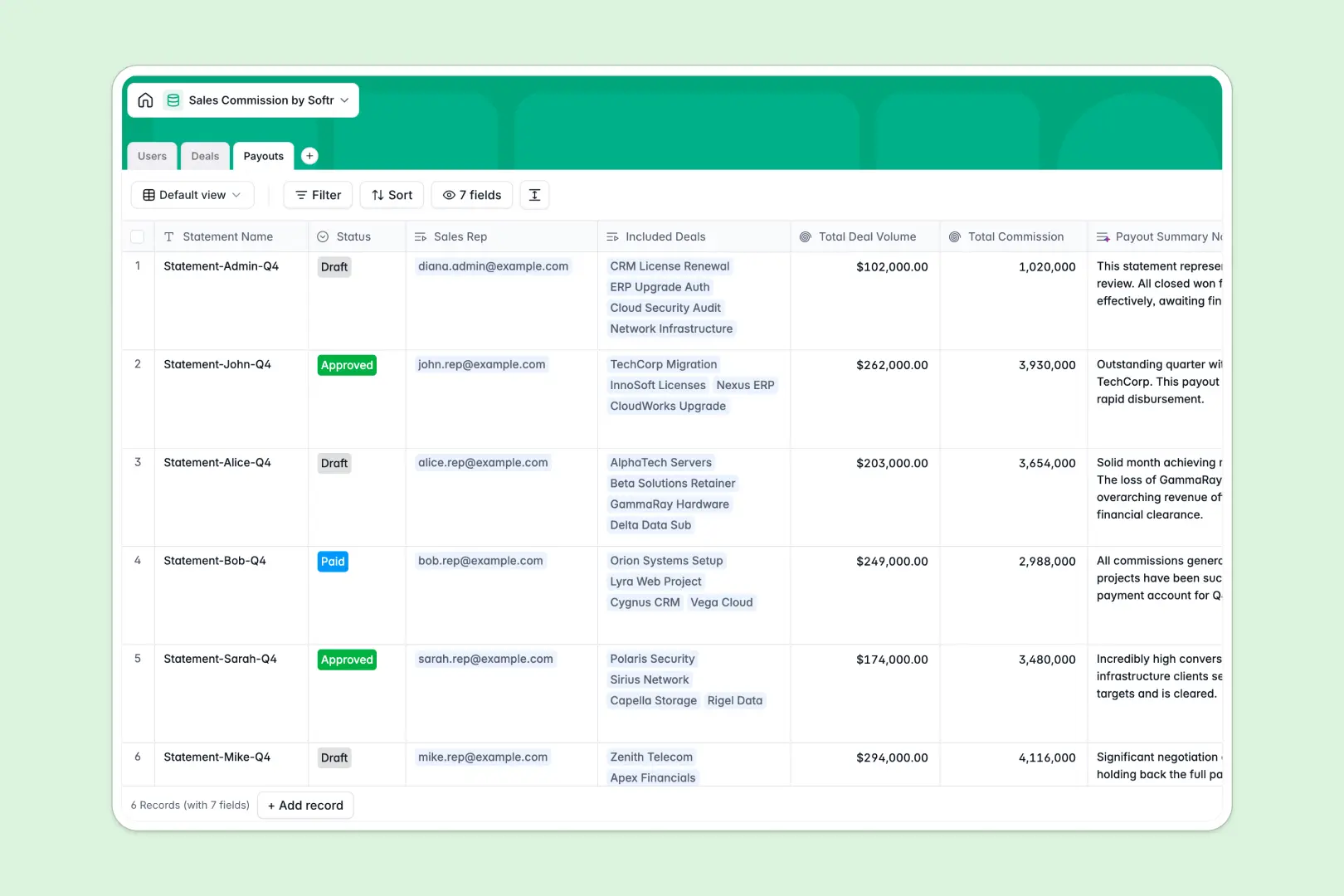
Your Sales Commission Database at a glance
This template completely automates your payout process so you never have to double-check a formula again. It tracks rep performance seamlessly while keeping every deal and payment perfectly aligned.
Users are linked directly to their closed deals, which automatically map to monthly payouts. Built-in rollups instantly calculate total deal volume and final commission amounts per rep.
Best of all, native AI agents automatically enrich client company descriptions and generate professional summary notes for every payout statement.
Why tracking payouts gets messy in a spreadsheet
Managing compensation in spreadsheets usually means dealing with fragile VLOOKUPs that break the moment a row gets sorted. As your team scales, keeping base rates and closed won amounts aligned becomes a manual nightmare.
What a structured database changes
A structured system ensures column types are strictly enforced, meaning numbers stay numbers and formulas never accidentally get overwritten. You can easily link an Admin or Sales Rep directly to their deal pipeline without copy-pasting across tabs.
Instead of scattered data, rollups and automated calculations keep compensation perfectly accurate as deals move to closed won.
This is exactly what Softr Databases are designed for—giving you complete structural integrity as your sales operations grow.
What you can do with this template
Start tracking deal metrics instantly with built-in formulas that multiply deal amounts by base commission rates. You can group closed deals into distinct payout statements that move from draft to paid.
You also get the power of Database AI agents working natively inside your tables. They actively search the web to summarize client details and automatically write payout summaries, saving your ops team hours of manual work.
-
Users
Manage internal staff roles and track individual base commission metrics
-
Deals
Track sales records featuring AI-powered company insights and commission calculations
-
Payouts
Finalize payment cycles with AI-generated summaries of total commissions earned
Who is this Sales Commission Database for
This system is built for operations and revenue teams who need to track variable compensation with precise accuracy.
- Sales Managers: Easily track rep performance, assigned pipeline amounts, and aggregated payout volumes.
- Revenue Operations: Automate calculation formulas and ditch fragile cross-sheet references forever.
- Finance Teams: Manage monthly payout statements with an approval workflow from draft to final payment.
How to take it further
You can fully customize this template to fit your specific compensation plans. Easily tweak the commission calculation formula, adjust the base rate percentages, or modify the payout statuses.
Import your existing deal history and rep directory natively in seconds. You can drag and drop a CSV or use an API to sync active deals directly from your CRM.
When you are ready, you can transform this system into a live portal for your internal team using a custom interface builder. Well-structured foundations make it incredibly easy to launch front-end functionality.
This lets sales reps log in to view only their own deals and pending commissions. By leveraging native users and permissions, you guarantee that everyone accesses the exact data they need without breaking the backend.
-
1
-
2
-
3
-
4
Frequently asked questions
-
What is a sales commission database?
-
Why use a no-code database to build a sales commission system?
-
How can AI help managing data for commission tracking?
-
Can I build an app with this commission database?
-
Is this Sales Commission Database free?
-
How does this database compare to a sales commission spreadsheet?
Start building today. It's free!
Build and launch your first app in under 30 minutes.