


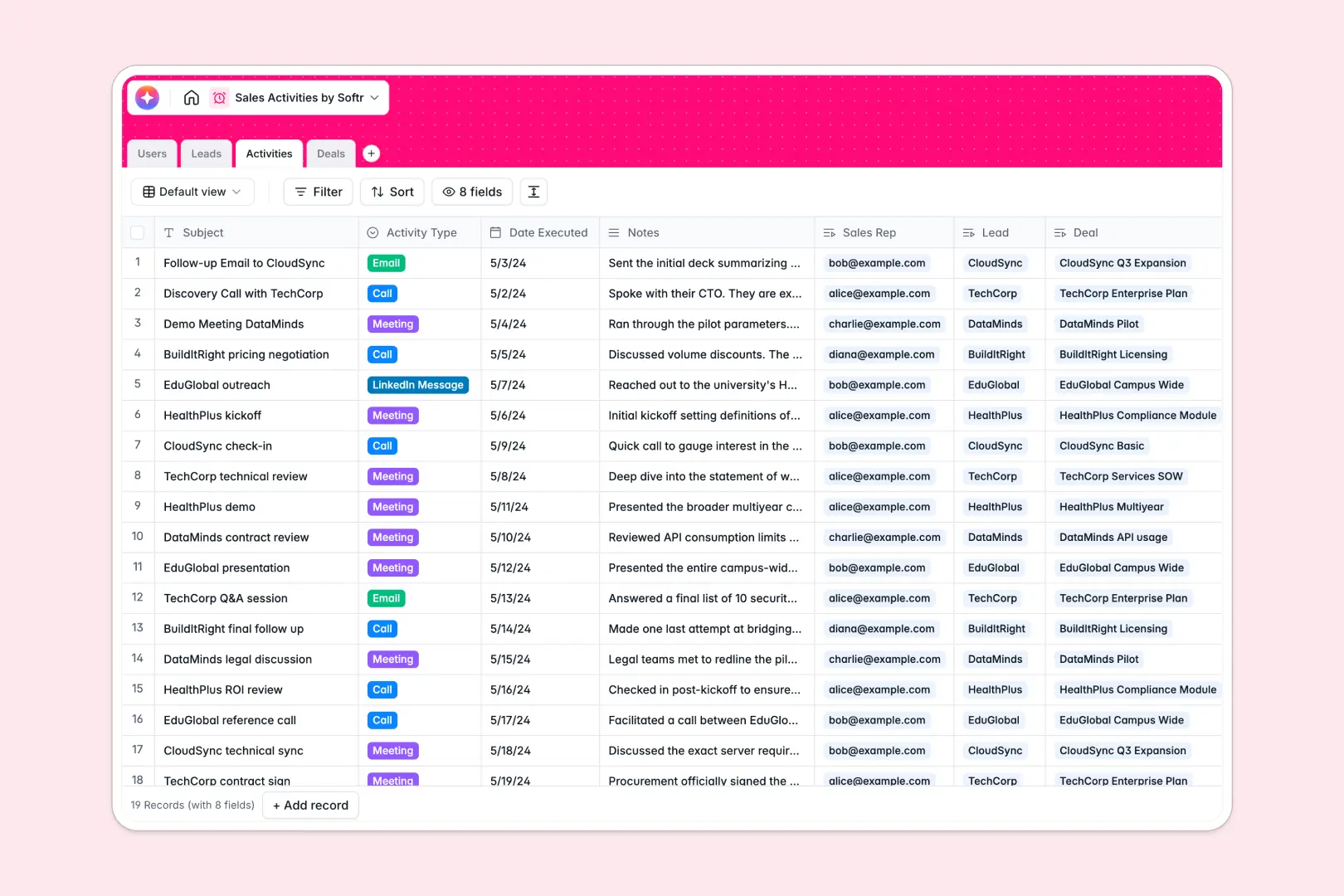
Your Sales Activities Database at a glance
This template centralizes your leads, tracks every interaction, and manages your entire deal pipeline from initial discovery to closed won. You can finally see the complete communication history for any prospect without searching through messy tabs.
Instead of disconnected rows, your Leads, Activities, and Deals tables are natively connected. When you log a new call or meeting, it links directly to the specific company and the active opportunity, keeping your workflow perfectly aligned.
It is also powered by native AI features to speed up your sales cycles. Built-in agents automatically pull company details from websites, summarize your meeting notes into key takeaways, and suggest actionable next steps for stuck deals.
Why tracking sales activities in spreadsheets gets messy
Spreadsheets might work for your first ten prospects, but as your pipeline grows, scattered notes and broken formulas inevitably lead to dropped deals.
What a structured database changes
In a database, data stays clean and predictable. Every lead naturally connects to its activities and deals without relying on fragile VLOOKUPs or manual copy-pasting across different sheets.
This is exactly what Softr Databases are designed for. Instead of endless scrolling and mixed data types, you get a reliable system where a single update automatically reflects across your entire pipeline without breaking.
What you can do with this template
Instantly log calls, emails, or meetings and map them directly to the correct deal stage and sales rep.
Leverage Database AI agents to automatically research a lead's website and enrich their profile before you even hop on the first discovery call.
Keep your team aligned by viewing all deals by their actual pipeline stage, ensuring nothing gets stuck in negotiation without a documented history.
-
Users
Manage internal sales staff profiles, roles, and assigned accounts
-
Leads
Track target companies with AI-enriched descriptions and contact status
-
Activities
Log sales interactions using AI to generate concise meeting summaries
-
Deals
Manage pipeline revenue with AI-driven recommendations for next steps
Who is this Sales Activities database for
This template provides immediate structure for operators and teams who need clear visibility into their outbound efforts and deal pipeline.
- Sales Representatives: Track your daily calls, emails, and meetings without manually cross-referencing notes.
- Sales Managers: Gain instant visibility into negotiated deal stages, logged activities, and specific rep performance.
- Founders & Operators: Centralize your entire sales process securely in one highly organized, scalable workspace.
How to take it further
1. Customize the database
Easily rename your deal stages or add new activity types to match your company's exact sales methodology. Because this is a native Softr Database, adding new columns or updating dropdown options takes just a few clicks.
2. Import your existing data
Bring in your active pipeline by securely uploading a CSV of your leads and current deals. Everything maps smoothly to the new fields so your team can start working without missing a beat.
3. Build a full app around it
Once your sales data is cleanly organized, you can easily turn this database into a complete CRM portal. By relying on robust users and permissions, you can ensure that sales reps securely see only their assigned deals, while executives get full access to the entire revenue pipeline.
-
1
-
2
-
3
-
4
Frequently asked questions
-
What is a sales activities database?
-
Why use a no-code database over a sales activities spreadsheet?
-
How can AI help manage my sales pipeline?
-
Can I build a custom CRM app with this template?
-
Is this Sales Activities template free?
-
How does this database connect activities directly to leads?
Start building today. It's free!
Build and launch your first app in under 30 minutes.