


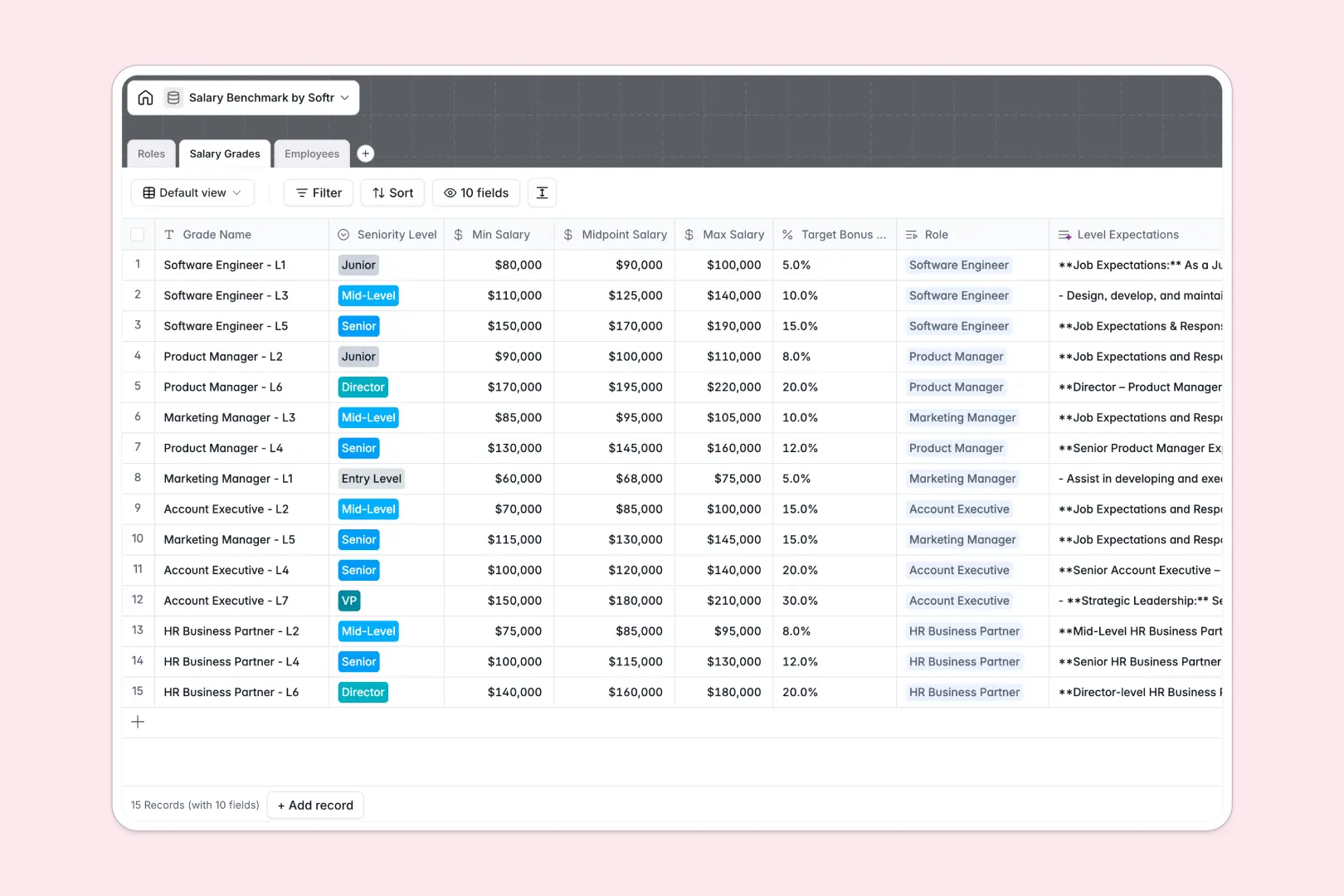
Your Salary Benchmark database at a glance
This template gives people teams a single, structured system to manage compensation bands, align departmental roles, and evaluate pay equity. It eliminates guessing during salary reviews and helps maintain fair, competitive compensation across your entire company.
Three relational tables connect your Roles, Salary Grades, and Employees. Linking individual employee records directly to their assigned salary grade ensures market midpoints, compa-ratios, and band limits update automatically without fragile formula lookups.
Native AI fields analyze pay equity instantly by comparing current compensation against benchmark bands and generating clear compensation health summaries.
When a shared compensation sheet exposes every pay grade
Google Sheets makes sharing simple, but sensitive compensation data was never meant to live in an open spreadsheet. A single accidental permission grant or unfiltered view exposes confidential salaries and internal benchmarks across the entire organization.
What a structured database changes
In a structured database, typed fields guarantee currencies remain numbers and seniority levels follow standardized options. Formulas calculate compa-ratios reliably without breaking when someone sorts or filters a row.
Relational links connect employee records directly to salary bands, pulling target market rates through native lookups rather than brittle cross-sheet formulas. While you can connect an existing Google Sheet as an external data source in Softr, using Softr Databases gives you a dedicated, secure backend built specifically to power business workflows.
What you can do with this template
Audit internal pay fairness instantly by comparing employee compa-ratios against approved market benchmarks across departments.
Equip your team with Database AI agents that research role descriptions, draft grade expectations, and flag compensation anomalies on record creation.
-
Roles
Define job families and departments with AI-generated role summaries
-
Salary Grades
Manage compensation bands and level expectations via AI summaries
-
Employees
Audit staff compensation and compa-ratios with AI pay equity analysis
Who is this Salary Benchmark database for
Designed for leadership and people teams that need transparent, secure compensation benchmarks.
- People Operations: Standardize salary grades, evaluate department bands, and conduct accurate pay equity audits.
- Department Heads: Access approved salary ranges for open roles and plan team promotions with confidence.
- Total Rewards Leads: Maintain accurate market midpoints and calculate company-wide compa-ratios consistently.
- Finance Teams: Model hiring costs, forecast compensation increases, and track target bonus percentages accurately.
How to take it further
Tailor the database schema to your organization by adjusting seniority levels, adding custom compensation components like equity grants, or updating department tags.
Import your historical compensation data quickly using CSV upload or connect existing HRIS records directly through API endpoints.
When your team is ready, build an app on top of your data. Softr's AI Co-Builder generates a tailored compensation portal with custom interfaces and workflows from a single plain-language prompt.
Use users and permissions to ensure department managers only see their direct reports while total rewards administrators maintain full control over global salary bands.
-
1
-
2
-
3
-
4
Frequently asked questions
-
What is a salary benchmark database?
-
Why use a no-code database to build a salary benchmark tool?
-
How can AI help managing data for salary benchmarks?
-
Can I build an app with this Salary Benchmark database?
-
Is this Salary Benchmark database free?
-
How is this database different from a salary benchmark Google Sheet?
Start building today. It's free!
Build and launch your first app in under 30 minutes.