


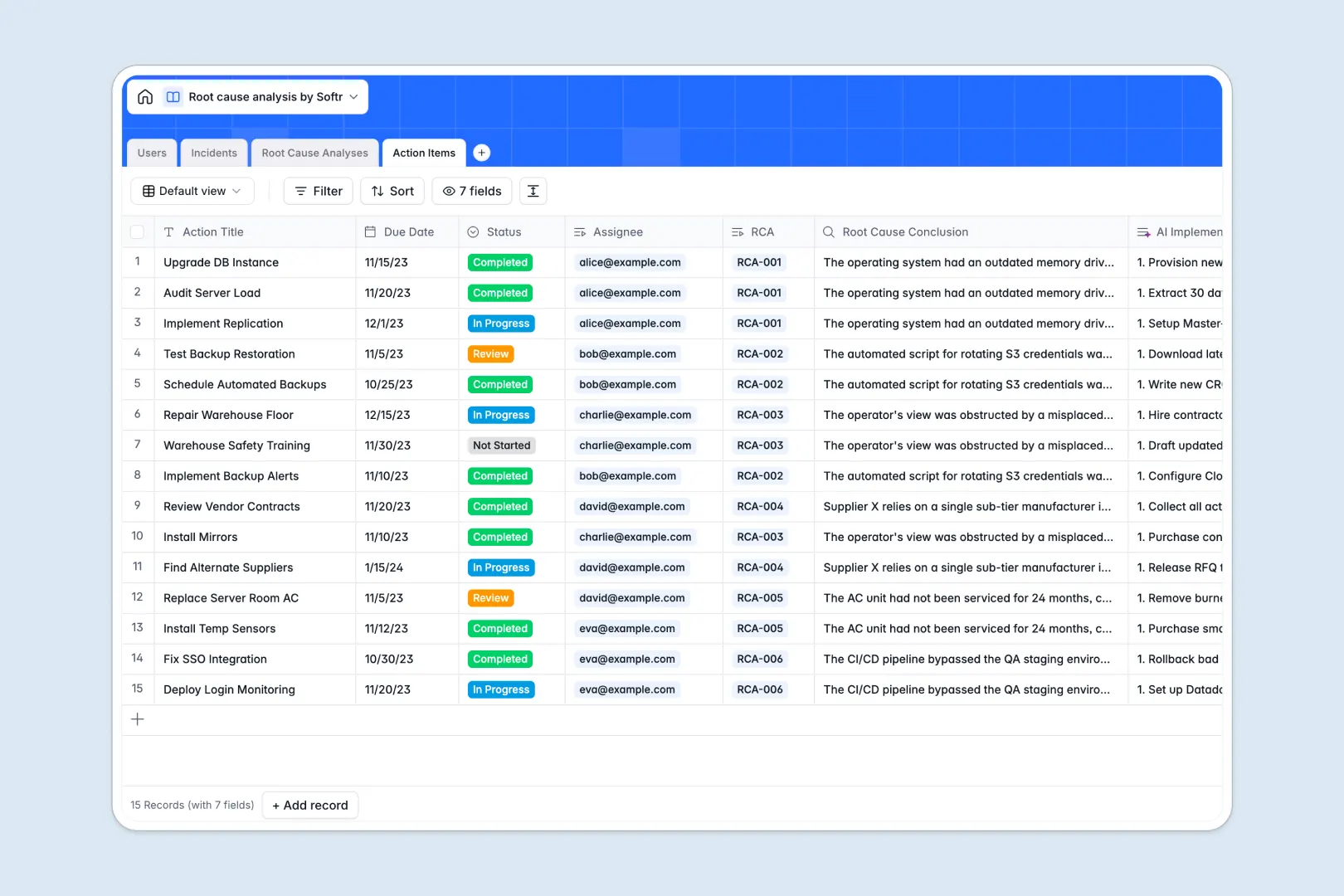
Your Root Cause Analysis database at a glance
This template replaces messy spreadsheets with a structured system to investigate incidents, define problems, and assign corrective actions. It keeps your entire problem-solving workflow connected and visible in one place.
It links specific Incidents directly to deep-dive Root Cause Analyses and their resulting Action Items. Everything is explicitly tied back to the specific users involved, ensuring complete accountability at every step.
Built-in AI automatically distills long incident descriptions into clear executive summaries and instantly generates the “5 Whys” questions. Your team gets a massive head start on investigations before they even type a word.
Why root cause analysis gets messy in spreadsheets
Trying to track complex incidents and multi-step investigations in a spreadsheet quickly leads to chaos. When text descriptions get long and action items multiply, rows become impossible to navigate and critical context is lost entirely.
What a structured database changes
In a spreadsheet, linking a single incident to three separate corrective tasks usually means duplicating rows or relying on fragile, complex formulas. This makes it incredibly difficult to see the big picture.
A structured database solves this by treating every incident and action as distinct objects that link together flawlessly. This is exactly what Softr Databases are designed for, keeping your data clean automatically as your volume of investigations scales.
What you can do with this template
You can seamlessly track any incident from initial report to final resolution without losing details across messy tabs. Every root cause conclusion directly informs the concrete, actionable tasks assigned to your entire team.
Thanks to native AI capabilities, this template actually handles the heavy lifting of analysis for you. It automatically formulates formal problem statements and builds step-by-step implementation sequences for your required action items.
-
Users
Manage system investigators and staff with roles and assigned analysis tasks
-
Incidents
Log problems and accidents with AI-generated summaries of the core issues
-
Root Cause Analyses
Conduct deep investigations using AI to automate the 5 Whys and problem statements
-
Action Items
Execute corrective tasks with AI-generated implementation plans for resolution
Who is this Root Cause Analysis database for
This template is designed for operations, safety, and quality teams who need a reliable way to solve recurring problems permanently.
- Quality Assurance Managers: Track defects to their true source and standardize corrective actions without chasing down email threads.
- IT Operations Leads: Document system outages, run structured post-mortems, and ensure preventive action items are successfully completed.
- Safety Officers: Maintain a clear, auditable log of workplace incidents alongside the concrete steps taken to prevent recurrence.
How to take it further
Customizing this database to match your exact internal investigative process is effortless. You can easily modify the severity and status dropdowns, or add entirely new tracking fields without writing a single line of code.
If your team currently tracks previous incidents in an outdated tool or Excel, you can seamlessly import your historical data via CSV. This immediately populates your tables so you can transition without skipping a beat.
When your team goes beyond the initial structure, building a fully comprehensive app around this data is the ultimate next step. A dedicated interface replaces raw database access with a highly focused, clean workflow environment.
By leveraging users and permissions, you can ensure standard team members only access the specific action items assigned to them. At the exact same time, administrators retain full, secure visibility into all ongoing investigations.
-
1
-
2
-
3
-
4
Frequently asked questions
-
What is a root cause analysis database?
-
Why use a no-code database to build an investigation tool?
-
How can AI help managing data for root cause analysis?
-
Can I build an app with this root cause analysis database?
-
Is this Root Cause Analysis database free?
-
How is this database better than a root cause analysis spreadsheet?
Start building today. It's free!
Build and launch your first app in under 30 minutes.