


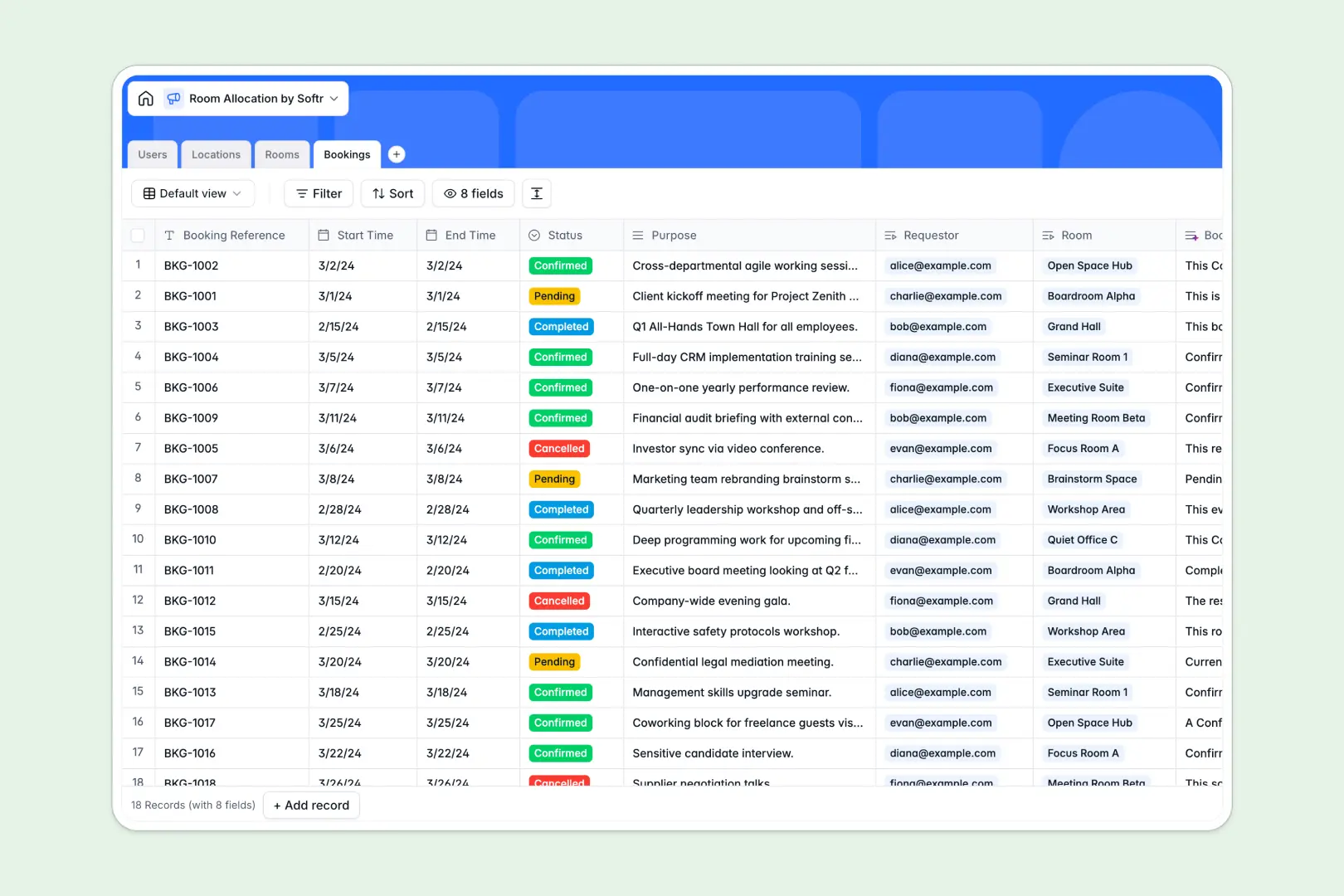
Your Room Allocation database at a glance
Manage shared spaces and booking schedules without double bookings or lost requests. This template keeps your spaces organized and transparent across your entire organization.
Everything connects cleanly: assign individual Rooms to specific Locations, link reservation requests in Bookings directly to Users, and calculate room counts instantly.
Built-in AI fields auto-generate descriptive facility overviews, room descriptions, and reservation summaries directly inside your records.
When booking tabs multiply and schedule totals fall apart
A room allocation spreadsheet usually starts simple, but soon turns into a maze of monthly tabs, duplicated sheets, and overwritten reservation times.
What a structured database changes
In a static sheet, a single typo in a room name breaks your lookup, and there is nothing stopping two team members from booking the same desk at 2 PM.
A structured database enforces clean data types: start and end times remain valid dates, capacities stay numeric, and bookings link directly to specific room records without copy-pasting.
This is exactly what Softr Databases are designed for, giving you relational tables that stay accurate as your team scales.
What you can do with this template
Track reservations by status, filter available spaces by room type or capacity, and view full booking histories per user in seconds.
With native Database AI agents, you can automatically research facility details from the web or generate concise reservation summaries as new bookings arrive.
You can start using this template immediately to manage physical space efficiently without managing broken formulas.
-
Users
Manage user accounts, roles, contact information and linked reservations
-
Locations
Organize campus buildings with AI-generated web overviews and room counts
-
Rooms
Catalog available spaces with capacity, type and AI descriptive summaries
-
Bookings
Track reservation schedules, status, requestors and AI booking summaries
Who is this Room Allocation database for
This template is tailored for teams and administrators managing shared physical spaces:
- Office Managers: Coordinate desk assignments, meeting room requests, and building resources from a central hub.
- Operations Teams: Track multi-location facility capacity and streamline space utilization reports effortlessly.
- Event Coordinators: Manage auditorium and conference hall schedules without booking collisions or confusion.
- Coworking Spaces: Maintain real-time visibility into hot desks, private offices, and active member reservations.
How to take it further
Customize your database structure in seconds by adding custom amenities tags, modifying room type choices, or setting up new booking status stages to match your exact internal scheduling rules.
Import your existing data by uploading a CSV of current facilities and team members, or connect an API to sync room allocations with your existing hardware and calendars.
Build a full app around it when your team is ready for an interactive self-service portal. Describe your vision in plain text to the AI app generator, and Softr creates a complete web app with tailored forms, room directories, and automated approval workflows on top of this exact database.
You can easily configure granular users and permissions so staff only view their own reservations while facility admins retain full editing control over every room.
-
1
-
2
-
3
-
4
Frequently asked questions
-
What is a room allocation database?
-
Why use a no-code database to build a room allocation tool?
-
How can AI help managing data for room allocation?
-
Can I build an app with room allocation database?
-
Is this Room Allocation database free?
-
How is a room allocation database different from a spreadsheet?
Start building today. It's free!
Build and launch your first app in under 30 minutes.