


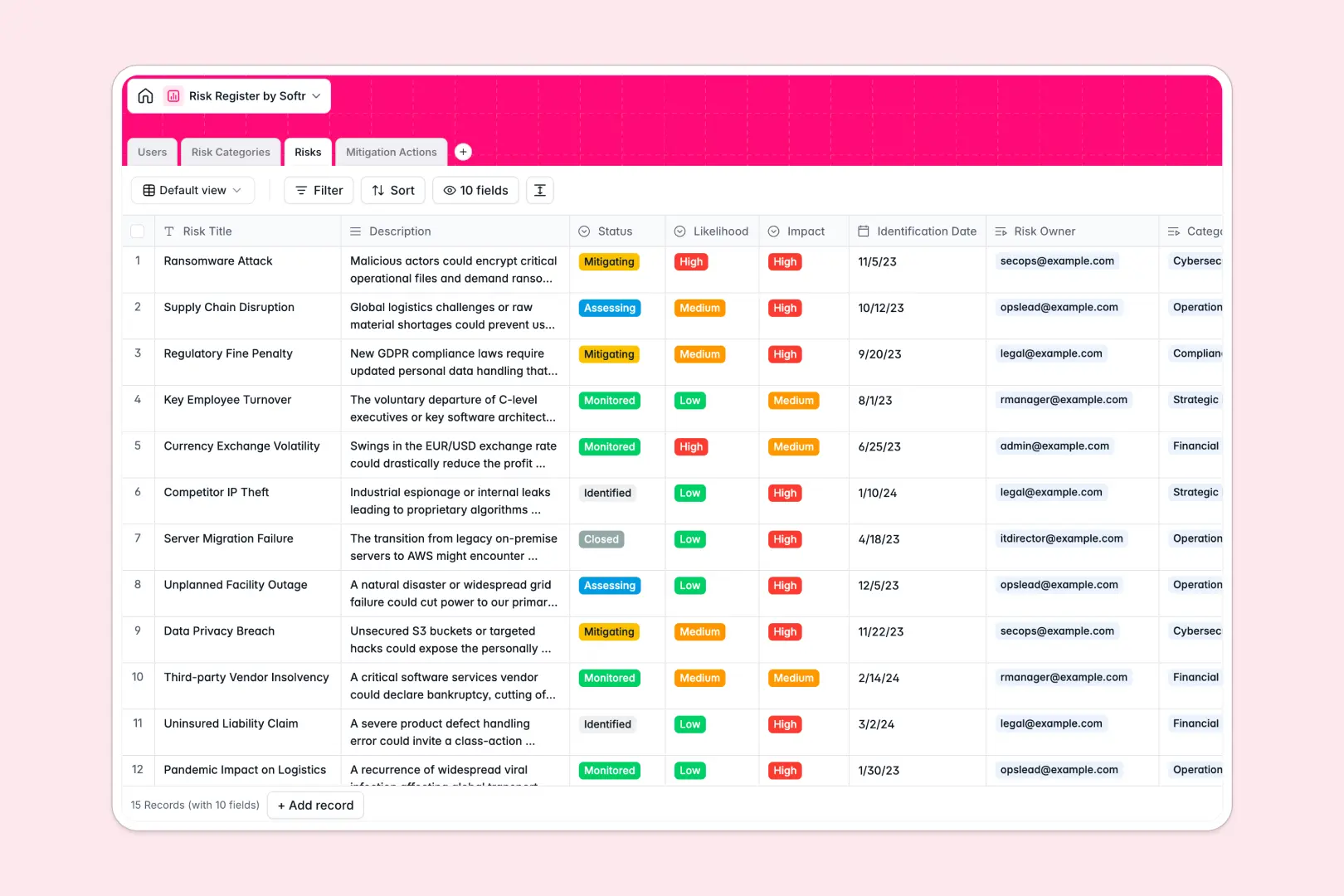
Your Risk Register database at a glance
This risk register template gives you a centralized system to track, assess, and resolve business vulnerabilities. It keeps your team aligned on active threats without losing sight of who is responsible for what.
The database organizes your records into dedicated tables for users, categories, specific risks, and mitigation actions. Because these tables are naturally linked, you can seamlessly tie multiple mitigation tasks directly to a high-impact risk and its owner.
It also includes built-in AI that automatically summarizes complex threat descriptions and drafts step-by-step mitigation plans. This immediate automation turns a static list into an active tool, saving hours of manual strategic planning.
Why managing a risk register spreadsheet breaks down
When you manage a risk log in a spreadsheet, things get exceptionally messy as your list of vulnerabilities and follow-up actions grows. Rows get accidentally misaligned, grouping related tasks becomes clumsy, and securely tracking historical updates across multiple contributors is nearly impossible.
What a structured database changes
A true database ensures your operational data stays highly organized and reliable as your team scales. Every column has a strict type—dates behave natively, severity statuses remain constrained, and team members are permanently linked to their work.
Instead of relying on fragile VLOOKUPs, you can dynamically link multiple action items directly to a single risk classification. This is exactly what Softr Databases are designed for, keeping your entire foundational structure relational and clean.
What you can do with this template
You can immediately start logging identified vulnerabilities, assigning severity impact levels, and grouping them by standard operational categories. The structure is entirely ready-to-use and inherently built to handle complex, many-to-one departmental relationships.
Thanks to integrated AI fields, the template actively processes text to generate standardized operational protocols based purely on your action titles. It ensures your compliance team spends less time documenting mitigation concepts and more time executing them.
-
Users
Manage individuals with access levels, contact info, and risk ownership
-
Risk Categories
Organize business threats into high-level groupings for analysis
-
Risks
Track corporate threats with AI-generated summaries and severity metrics
-
Mitigation Actions
Execute tasks with AI-drafted action plans to minimize risk impact
Who is this Risk Register database for
This database template serves as an excellent foundation for cross-functional teams needing reliable, shared visibility into ongoing company threats.
- Risk Managers: Maintain a clear, real-time overview of all identified vulnerabilities and review their current mitigation statuses.
- Department Heads: Monitor specific business categories to ensure their functional areas continuously stay compliant and secure.
- Project Contributors: Instantly see the exact mitigation actions assigned to them and predictably update completion dates.
How to take it further
You can effortlessly customize this database to strictly mirror your exact compliance workflows. Modify the select values for likelihood and impact, add new columns for financial estimates, and rename fields natively without breaking existing structures.
If you already track operations externally, you can import your existing CSV data immediately to populate your tables at scale. You can additionally use the Softr API to systematically sync vulnerability data straight from your current security monitoring tools.
When your team is ready, you can seamlessly build an app directly on top of this structured data to replace manual check-ins entirely. Standardizing your records here means applying robust users and permissions later is completely effortless, ensuring contributors logically only interact with the exact mitigation sequences assigned to them.
-
1
-
2
-
3
-
4
Frequently asked questions
-
What is a risk register database?
-
Why use a no-code database to build a tracking system?
-
How can AI help manage data for risk tracking?
-
Can I build an app with this risk register database?
-
Is this Risk Register database free?
-
Why is this database better than a standard Google Sheet or Excel file?
Start building today. It's free!
Build and launch your first app in under 30 minutes.