


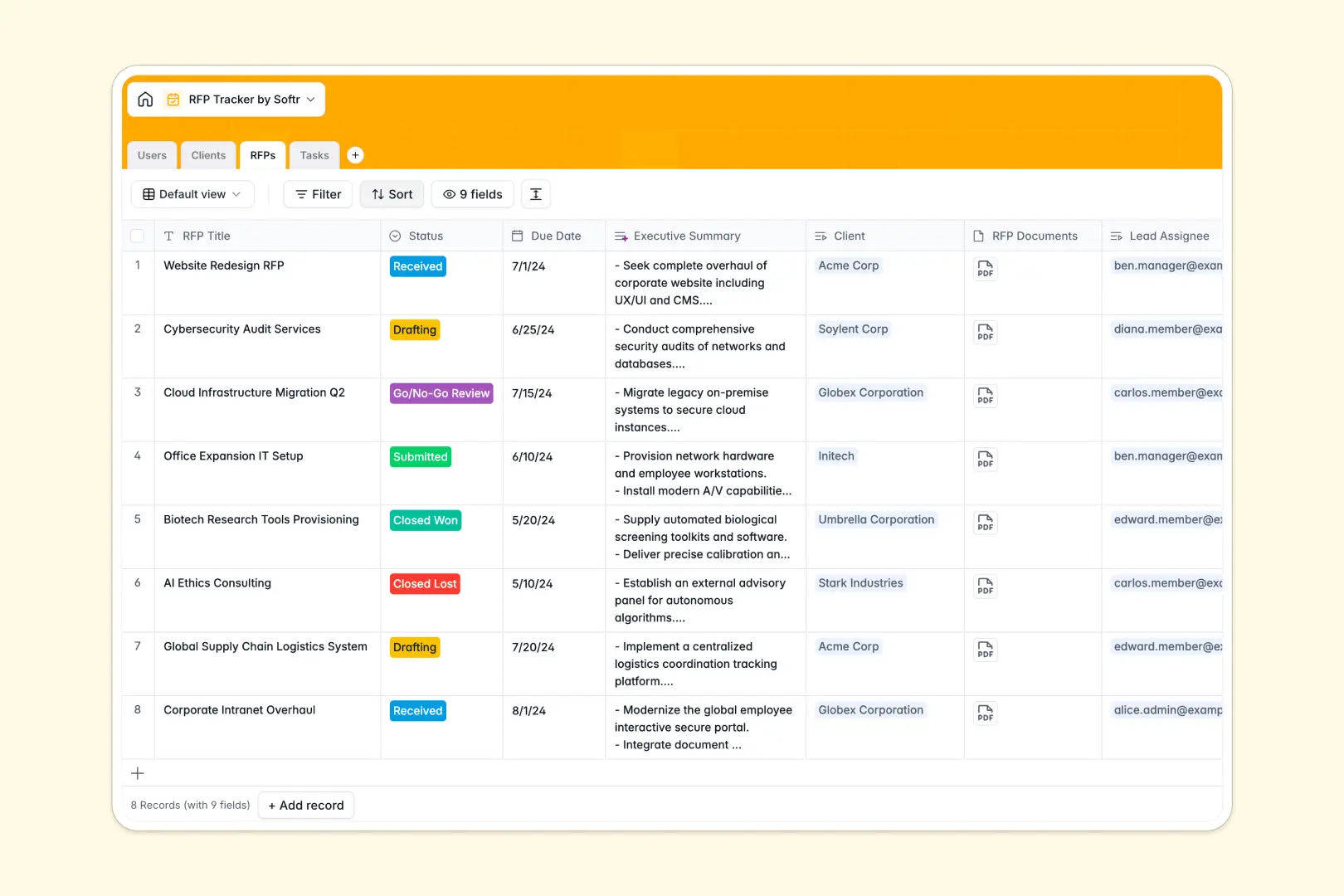
Your RFP Tracker database at a glance
This template gives bid teams a single source of truth for proposal pipelines, submission deadlines, and team assignments. It keeps every proposal moving forward systematically without letting crucial requirements slip through the cracks.
Four dedicated tables structure your pipeline cleanly: RFPs, Tasks, Clients, and Users. Tasks link directly to specific proposals, while assignees and client profiles remain connected across every submission stage.
Native AI features summarize long RFP briefs into clear bullet points, auto-categorize incoming tasks, and research client websites to generate instant company profiles.
When a proposal pipeline outgrows manual tracking
Managing complex RFP pipelines in disconnected rows quickly leads to missed submission deadlines, unassigned deliverables, and lost proposal assets.
What a structured database changes
A structured database enforces strict data integrity across your entire bidding process. Dates remain valid deadlines, proposal attachments stay pinned to specific records, and status dropdowns provide reliable stage tracking.
Instead of copying client notes or task lists between sheets, native relations link every proposal to its client history and assigned team members. This is exactly what Softr Databases are designed for.
What you can do with this template
Monitor your proposal pipeline from initial review to final award while tracking every sub-task in context. Rollup fields give you instant visibility into client history and total submissions without complex formulas.
Built-in Database AI agents automatically extract key takeaways from proposal documents and categorize work items into content, pricing, or design streams.
-
Users
Manage team members, roles, contact details, and assigned proposal workloads
-
Clients
Track client organizations with AI-generated profiles and linked RFP records
-
RFPs
Monitor proposal lifecycles with timelines, attachments, and AI summaries
-
Tasks
Organize proposal deliverables using AI-driven category classification
Who is this RFP Tracker database for
This template is tailored for teams that regularly respond to complex bids, tenders, and proposals.
- Bid Managers: Keep proposal deliverables, team responsibilities, and submission deadlines on schedule.
- Sales & Commercial Teams: Track proposal win rates, review pipeline stages, and manage client histories.
- Agency Leads: Coordinate cross-functional teams across content, pricing, and technical review tasks.
- Consulting Firms: Maintain a centralized repository of client requirements, attachments, and proposal drafts.
How to take it further
1. Customize the database
Adapt the database fields to fit your specific procurement workflow. Adjust the RFP status options to reflect your internal review gates, add custom fee fields, or create new tags for industry verticals.
2. Import your existing data
Bring your current proposal records into the database in seconds using CSV imports. You can also connect via API to sync RFP submissions directly from your CRM or lead intake forms.
3. Build a full app around it
When you are ready to give your team a dedicated interface, you can build an app on top of your database. Use Softr's AI Co-Builder to generate an internal proposal portal with customized dashboards, Kanban pipelines, and submission forms.
Set up granular users and permissions so writers focus on assigned tasks while leadership reviews executive summaries and win-loss metrics.
-
1
-
2
-
3
-
4
Frequently asked questions
-
What is an RFP tracker database?
-
Why use a no-code database to build an RFP tracker?
-
How can AI help managing data for an RFP tracker?
-
Can I build an app with an RFP tracker database?
-
Is this RFP Tracker database free?
-
Can I import my existing proposal spreadsheets into this template?
Start building today. It's free!
Build and launch your first app in under 30 minutes.