


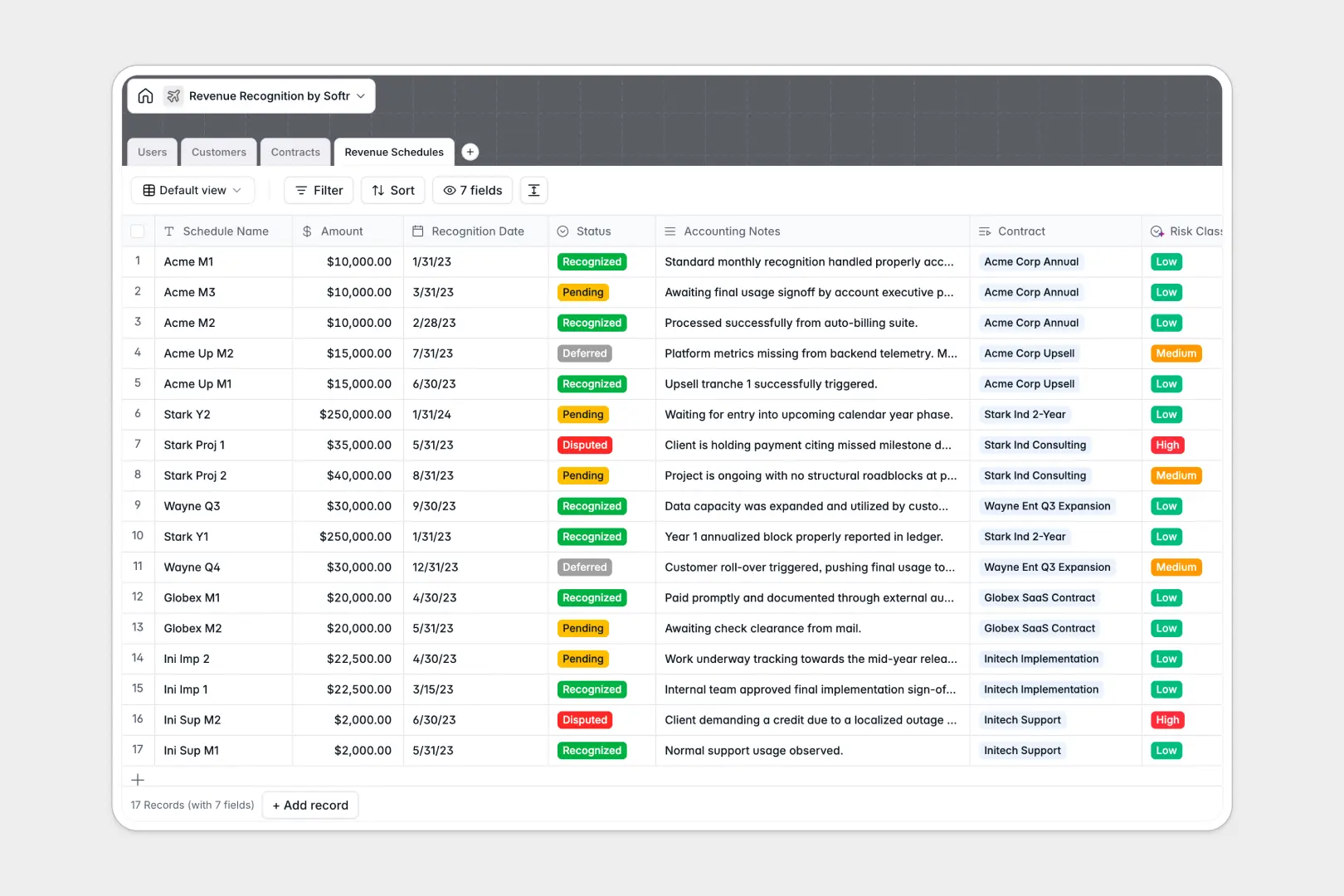
Your Revenue Recognition database at a glance
This template gives finance and operations teams a reliable system to manage contracts, schedule amortisation, and track recognized income. Instead of managing complex calculations manually, you maintain a single source of truth for all accounting schedules.
Key tables for Customers, Contracts, and Revenue Schedules link directly together. Each schedule calculates recognized amounts against the master agreement, rolling up totals automatically to display complete contract values.
Built-in AI fields analyze contract terms to summarize termination clauses, research client details from company websites, and classify schedule risk levels automatically based on accounting notes.
When revenue schedules fork across inbox attachments
Managing recognition schedules across workbook files creates immediate compliance risks. The moment a workbook is emailed to a sales rep or finance lead, copies diverge, formulas get overwritten, and sensitive contract terms become visible to anyone with the file.
What a structured database changes
A structured database enforces strict column formatting so currency figures, dates, and contract statuses remain accurate. Instead of fragile cross-sheet lookups that break when rows shift, master agreements link directly to individual monthly schedules.
This is exactly what Softr Databases are designed for. You maintain one secure backend where rollups calculate totals reliably across linked records without risking formula corruption.
If you have existing files online, Softr can connect an online Excel workbook as a data source, though a native database provides stronger structure and automation.
What you can do with this template
Track master contract values, automate monthly amortisation schedules, and monitor deferred balances in real time. Controllers can review audit trails and contract dates without navigating through cluttered desktop folders.
Native Database AI agents streamline contract reviews by summarizing legal terms and flagging high-risk deferred schedules before close periods.
-
Users
Manage internal finance and sales staff oversee contracts and roles
-
Customers
Track client organizations with AI-generated web descriptions and values
-
Contracts
Oversee client agreements featuring AI summaries of key billing terms
-
Revenue Schedules
Track revenue recognition tranches with AI risk classification analysis
Who is this Revenue Recognition database for
This template helps growing finance teams, controllers, and operations managers eliminate recognition errors and audit blind spots.
- Finance Controllers: Maintain strict ASC 606 and IFRS 15 schedules with clear audit trails across all accounts.
- Operations Leads: Align sales agreements with service delivery milestones and payment terms without manual re-entry.
- Executive Leadership: Monitor recognized versus deferred revenue across all customer accounts in real time.
- Account Executives: View contract terms and recognition statuses relevant to their assigned accounts.
How to take it further
1. Customize the database
Adjust the status options in the Revenue Schedules table, add custom milestone fields, or configure specific commission tiers. You can modify field types, add custom calculations, and create tailored views directly inside the database.
2. Import your existing data
Upload current customer lists and active contracts in minutes using bulk CSV imports. You can also connect via API to sync new closed-won deals directly from your CRM.
3. Build a full app around it
When you are ready to give your team dedicated access, use the AI app generator to create a custom finance portal on top of this database in seconds. Define granular users and permissions so sales reps only see their own accounts while the finance team manages recognition statuses and approval workflows in one secure workspace.
-
1
-
2
-
3
-
4
Frequently asked questions
-
What is a revenue recognition database?
-
Why use a no-code database to build a revenue recognition tool?
-
How can AI help managing data for revenue recognition?
-
Can I build an app with this revenue recognition database?
-
Is this Revenue Recognition template free?
-
How is this revenue recognition database different from an Excel file?
Start building today. It's free!
Build and launch your first app in under 30 minutes.