


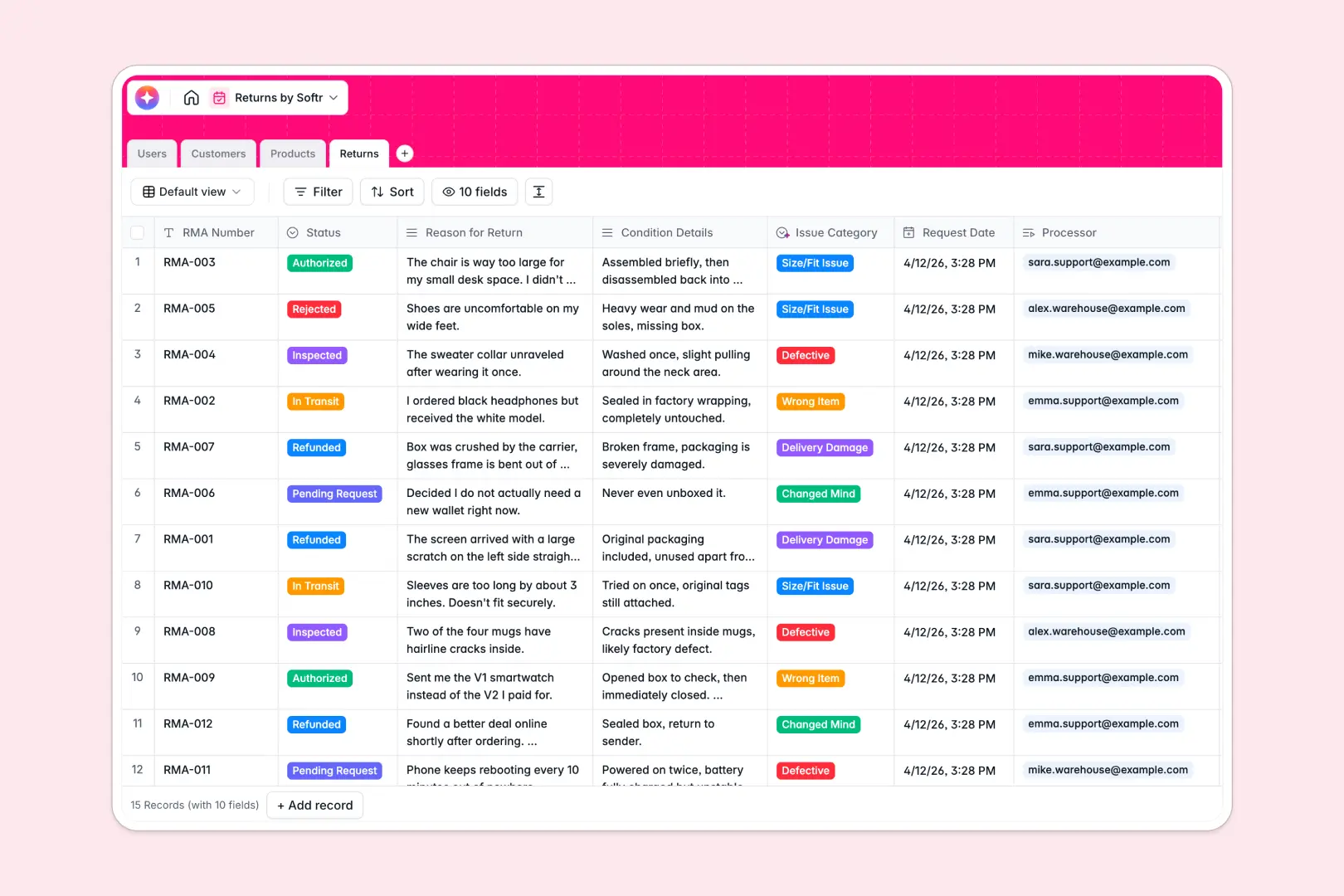
Your Returns Database at a glance
This template gives your team a centralized system to track RMAs, products, and customer profiles without losing data across tabs. It helps support agents, warehouse crews, and admins process returns smoothly from request to refund.
It links specific Returns directly to Customers, Products, and your Users natively. Instead of manual lookups, you can see exactly which item a customer returned and who processed it in seconds.
Built-in AI automatically reads the customer's return reason to categorize the issue and generates a concise case summary for your team to review instantly.
Why a returns spreadsheet gets messy fast
Managing return logistics in a spreadsheet quickly leads to chaos. When multiple support agents and warehouse staff update statuses simultaneously, rows get overwritten and crucial historical context gets lost.
What a structured database changes
A structured setup ensures strict logic: RMAs, Customers, and Products live in their own tables but connect seamlessly. You no longer have to rely on fragile formulas to match a returned SKU to a specific customer's email.
This is exactly what Softr Databases are designed for. As your return volume grows, your data stays perfectly organized, clearly formatted, and tightly controlled across your entire team.
What you can do with this template
Create an accurate RMA pipeline where support agents log requests and warehouse crews update inspection statuses in real time.
Leverage Database AI agents to automatically classify return reasons—like "Defective" or "Wrong Item"—and instantly draft case bullet points, saving hours of manual data entry.
-
Users
Manage internal staff profiles, roles, and assigned return processing
-
Customers
Store client contact information and track historical return request data
-
Products
Inventory catalog using AI to generate web-enhanced product descriptions
-
Returns
Process RMA requests with AI classification of issues and case summaries
Who is this Returns database for
This system is built for operations and support teams handling physical goods and complex logistics.
- Customer Support Teams: Quickly log RMA numbers, check return histories, and communicate updates without scrambling.
- Warehouse Staff: Update receipt and inspection statuses immediately when physical shipments arrive on the dock.
- E-commerce Managers: Track recurring defective products easily to address supply chain and quality control issues faster.
How to take it further
It is incredibly easy to adapt this template to your exact operations workflow. Modify the status dropdowns to match your specific inspection phases, or add custom fields for restocking fees and photo attachments.
You can load your historical return logs instantly to maintain continuity. Simply upload a CSV file or use an API to sync your existing customer list and product catalog.
When your logistics need to scale, transform this raw data into a secure workspace using a visual interface builder. You can launch a dedicated app where warehouse crews only see pending inspections while support views refunds.
Thanks to granular users and permissions, you can ensure external vendors or specific departments only access the records they actually need. Starting with a tightly structured database makes this kind of app deployment effortless.
-
1
-
2
-
3
-
4
Frequently asked questions
-
What is a returns database?
-
Why use a no-code database to build a returns system?
-
How can AI help managing data for returns?
-
Can I build an app with this returns database?
-
Is this Returns database free?
-
Why is a returns spreadsheet worse than a database?
Start building today. It's free!
Build and launch your first app in under 30 minutes.