


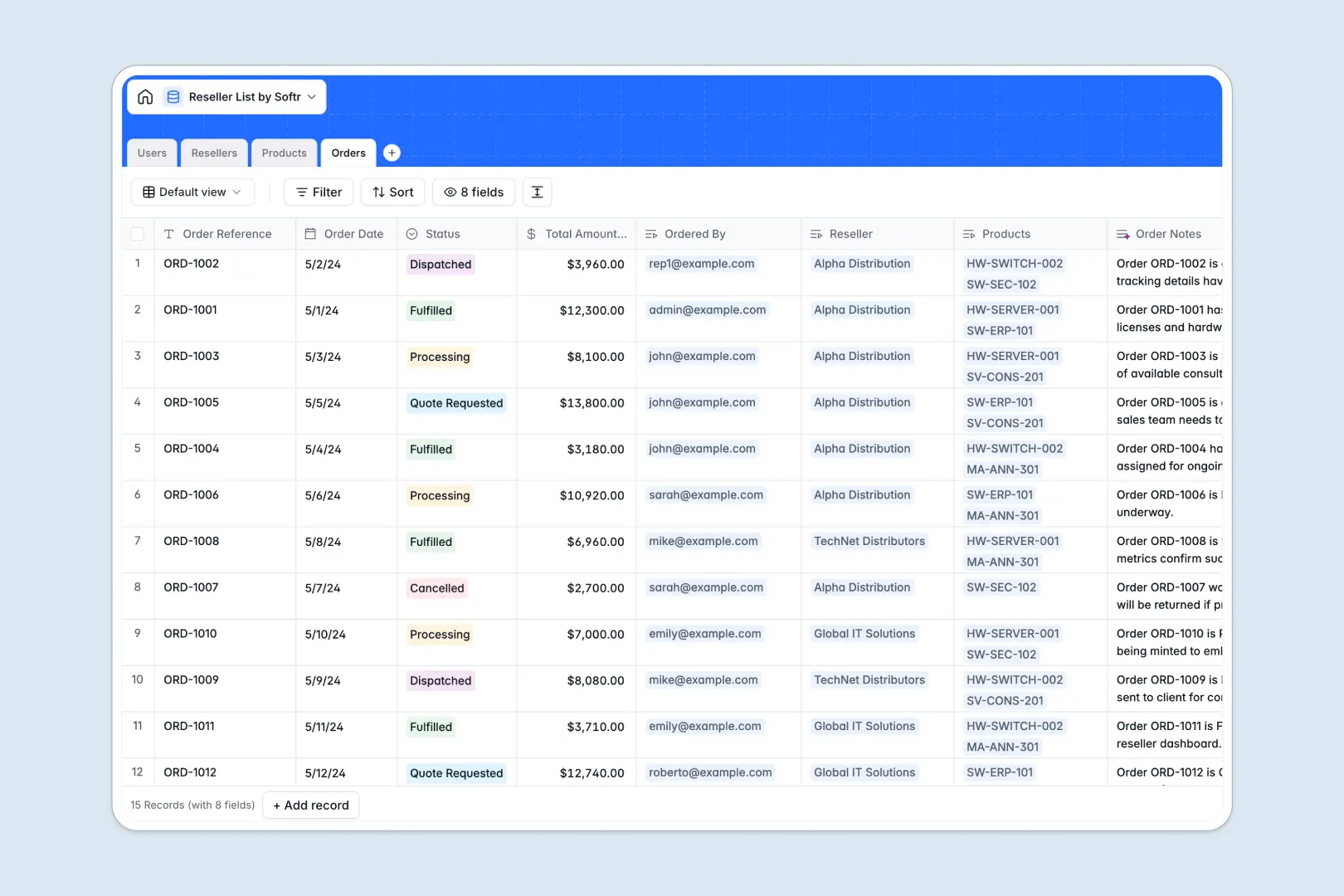
Your Reseller List Database at a glance
This template organizes your entire reseller network, tracking distributor performance and order history in one highly secure place.
It connects four simple, pre-built tables—Users, Resellers, Products, and Orders—so every purchase is automatically linked to the correct external partner and their specific discount tier.
Built-in AI features read reseller websites to summarize company backgrounds and automatically generate marketing taglines for your product catalog, eliminating hours of manual research.
Why reseller networks get messy in spreadsheets
Managing external distributors in a reseller list spreadsheet usually leads to scattered order histories, broken formulas, and outdated contact details.
What a structured database changes
A structured system keeps your partner data strictly organized and completely scalable. Placed orders perfectly link to specific distributors and products without fragile VLOOKUPs breaking down.
This is exactly what Softr Databases are designed for. As your partner network expands, your distribution data remains clean, natively connected, and completely reliable.
What you can do with this template
You can centralize everything from product catalogs to order statuses neatly in one autonomous view. Every reseller update, quote request, or fulfillment change happens in real time across the entire system.
Thanks to Database AI agents, this template even summarizes company intel and generates order logs autonomously as statuses shift to "Dispatched" or "Fulfilled." This seamlessly turns your static distributor list into an intelligent, self-maintaining workflow.
-
Users
Manage internal staff and reseller contacts with specific access roles
-
Resellers
Manage distributors using AI to summarize company info from the web
-
Products
Catalog items with AI-generated marketing taglines for reseller sales
-
Orders
Purchase records featuring AI-generated summary logs for every transaction
Who is this Reseller List database for
This system is built for operations leaders managing B2B distribution channels and expanding partner networks.
- Channel Managers: Track authorized distributors, discount levels, and overall performance without digging through email threads.
- Sales Operations: Monitor incoming orders, quote requests, and fulfillment statuses in real time across the entire network.
- Product Teams: Keep the catalog strictly updated with accurate pricing, SKUs, and auto-generated descriptions.
How to take it further
You can easily tweak this native database to safely fit your exact workflow. Modify the reseller discount tiers securely or easily add new statuses for pending partners with just a few clicks.
Bring your historical partner data in immediately to get started fast. You can upload an existing CSV file or connect via API to auto-sync your active resellers into their respective tiers.
When your team is ready, you can powerfully transform this internal tracking database into a fully functional partner portal. Using Softr's interface builder, you can create dedicated pages where resellers log in to submit their own orders directly.
By efficiently setting up custom users and permissions, distributors will naturally only see their team's specific discount tiers and past orders, ensuring complete privacy. Having a well-structured database foundation makes building this external portal incredibly fast and effortless.
-
1
-
2
-
3
-
4
Frequently asked questions
-
What is a reseller list database?
-
Why use a no-code database to manage your reseller network?
-
How can AI help managing data for reseller networks?
-
Can I build an app with a reseller list database?
-
Is this Reseller List database free?
-
Why is an organized database better than a reseller list spreadsheet?
Start building today. It's free!
Build and launch your first app in under 30 minutes.