


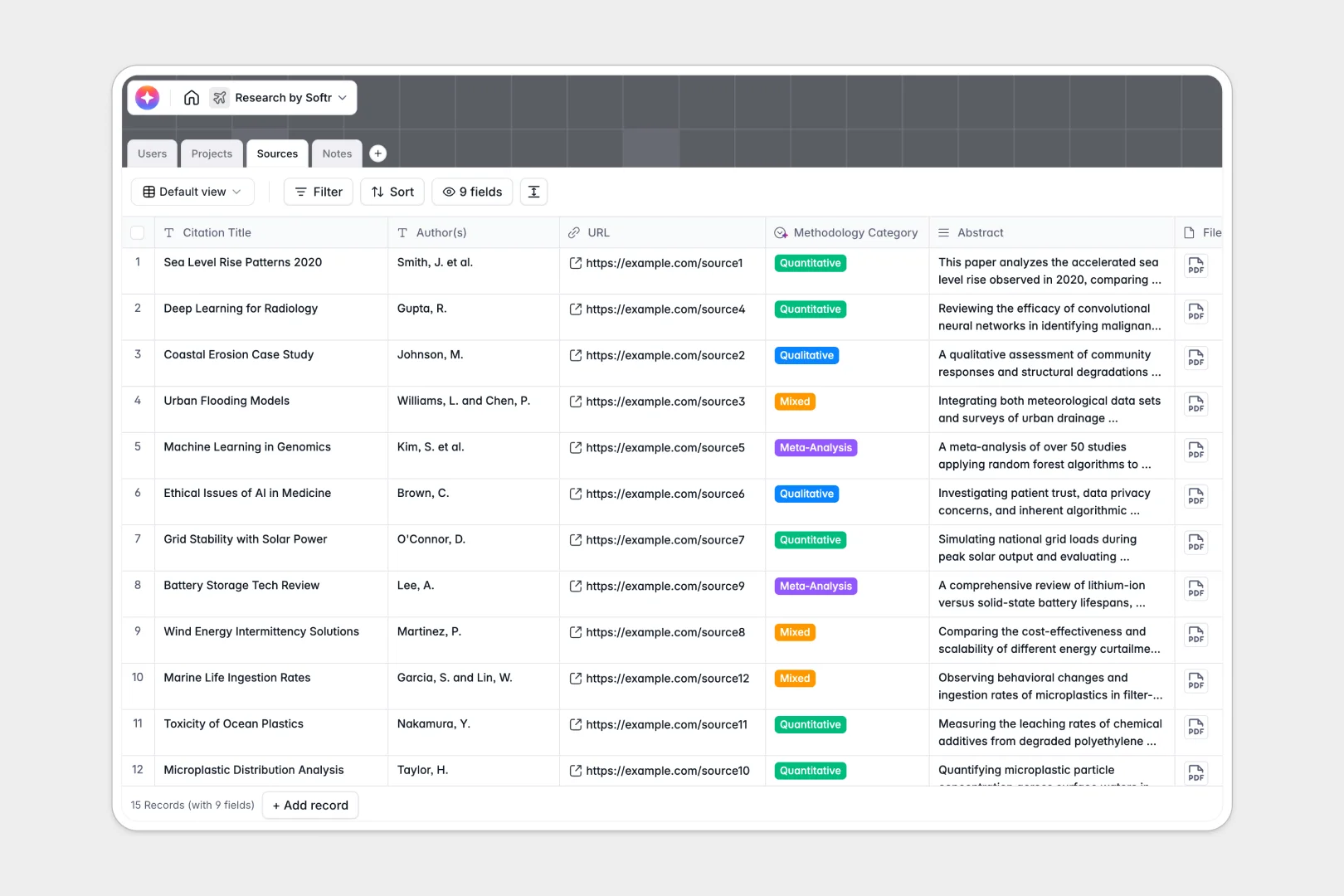
Your Research Database at a glance
Track active studies, manage library materials, and log your findings without breaking a sweat. This template provides a clean foundation to centralize all your research operations.
It works by naturally connecting your tables together. A newly added project easily links to multiple specific reference sources, notes, and the lead researchers assigned to it.
Built-in AI automatically extracts bulleted summaries from complex abstracts and classifies methodologies. It even reads your daily notes to suggest actionable next steps instantly.
Why tracking data in a research spreadsheet breaks down
Spreadsheets quickly turn into chaotic webs when you try to link hundreds of citations, PDFs, and daily logs. As your studies grow, relying on manual data entry and broken formulas becomes a major bottleneck.
What a structured database changes
Databases ensure every input has a strict format, keeping file attachments, dates, and URLs perfectly clean. You can link a research note directly to a specific source without copying and pasting across rows.
This is exactly what Softr Databases are designed for. Your data stays organized and scales safely no matter how many complex projects your team is running.
What you can do with this template
Instantly see which researcher is assigned to which ongoing study while tracking progress percentages and project statuses clearly. You can manage your entire library of sources with direct access to file attachments.
Native Database AI agents do the heavy lifting by analyzing your data in real time. They automatically suggest follow-up questions based on your methodology logs, turning static records into active research assistants.
-
Users
Maintain a directory of researchers with roles, titles and linked project assignments
-
Projects
Monitor research study lifecycles from proposal to peer review with progress tracking
-
Sources
Manage publications with AI-generated summaries and automated methodology classification
-
Notes
Document research findings with AI-powered suggestions for actionable next steps
Who is this Research Database for
- Academic institutions: Centralize peer-review projects, abstracts, and citations for faculty members.
- R&D departments: Track product investigations, methodology logs, and progress percentages in one clear hub.
- Market researchers: Catalog competitor datasets, URL links, and qualitative findings effortlessly without messy spreadsheets.
How to take it further
You can easily customize this database to match your exact workflow. Tweak the methodology categories or change project status options to fit your lab's terminology perfectly.
Bring your historical data into the system seamlessly by importing a CSV file. This securely transitions your messy records into a highly relational format in seconds.
Ready to share your findings? Use our interface builder to turn this database into a custom portal for your team or external reviewers.
You can secure sensitive findings by applying custom permissions directly to the app. Control exactly which assistants or admins can view, edit, or delete specific project records.
-
1
-
2
-
3
-
4
Frequently asked questions
-
What is a research database?
-
Why use a no-code database to build a research system?
-
How can AI help managing data for research?
-
Can I build an app with this research database?
-
How is a research database different from a research spreadsheet?
-
Is this Research Database free?
Start building today. It's free!
Build and launch your first app in under 30 minutes.