


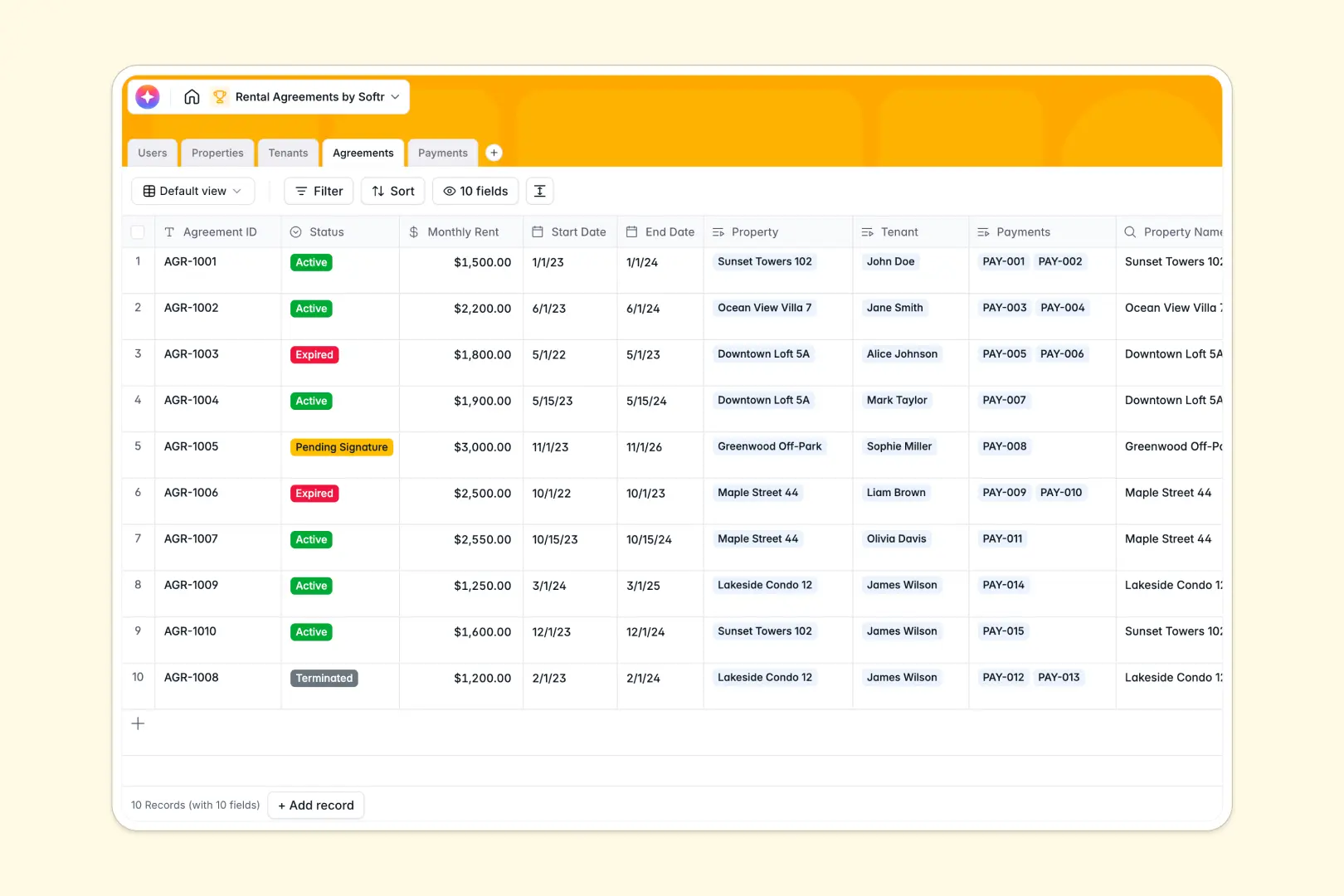
Your Rental Agreements Database at a glance
This template gives property managers a reliable system to track leases, applicant background checks, and monthly rent streams without missing a beat.
Everything stays cleanly connected across five distinct tables. When you view an Agreement, you instantly see the linked Property, the assigned Tenant, and a real-time ledger of associated Payments.
Built-in AI fields help you work faster by instantly writing compelling property listing descriptions or summarizing complex contract terms into basic sentences automatically.
Why rental agreements get messy in spreadsheets
Tracking lease terms, rent checks, and tenant details across different sheets quickly turns into a fragile mess of broken formulas and scattered files.
What a structured database changes
In a structured system, your data actually means something and follows strict rules. Background check statuses stay organized in exact dropdowns, amounts are locked as currencies, and attached receipts clearly stay with their specific transactions.
Instead of copying tenant contact info from one tab to another, you simply link a renter directly to their active lease. This is exactly what Softr Databases are designed for—keeping related operational data perfectly synced without manual effort.
What you can do with this template
Track exact lease start and end dates automatically while monitoring every incoming payment for pending or overdue statuses.
With Database AI agents, you can even auto-generate a quick summary of a contract's core terms the moment a tenant signs. It is completely ready out of the box to restore order and visibility to your property management workflows.
-
Users
Manage property managers and administrators with roles and access levels
-
Properties
Catalog rental units and use AI to generate compelling listing descriptions
-
Tenants
Track active renters and applicants with contact info and background checks
-
Agreements
Manage contracts with AI-generated summaries of rent terms and status
-
Payments
Record rent collections and transaction history with receipts and status
Who is this Rental Agreements database for
This ready-to-use system is designed for anyone managing real estate assets and ongoing tenant relationships.
- Property Managers: Track active leases, monitor overdue payments, and manage a reliable tenant directory.
- Real Estate Investors: Review rent collections by property and ensure every unit is legally documented.
- Leasing Agents: Follow applicant background checks and seamlessly transition them into active agreements.
- Internal Administrators: Securely log internal staff roles, property photos, and essential listing details.
How to take it further
You can easily tweak this template to fit your exact lease structures securely. Adjust the payment status menus or add entirely new property types like commercial spaces in seconds.
If you already have a spreadsheet of current tenants or historical payments, you can instantly bulk import it via CSV. Getting your existing lease data structured into this system only takes a few simple clicks.
When your operation is ready to scale, you can build an app directly on top of this data to give renters their own dedicated portal. Tenants can securely log in to check their remaining lease term or upload payment receipts directly without emailing you.
Because everything sits safely on a well-structured foundation, setting up permissions ensures landlords only see their specific properties while tenants only access their own active agreements.
-
1
-
2
-
3
-
4
Frequently asked questions
-
What is a rental agreements database?
-
Why use a no-code database to build a property management tool?
-
How can AI help managing data for rental agreements?
-
Can I build an app with a rental agreements database?
-
Is this Rental Agreements database free?
-
How is a rental agreements database different from a spreadsheet?
Start building today. It's free!
Build and launch your first app in under 30 minutes.