


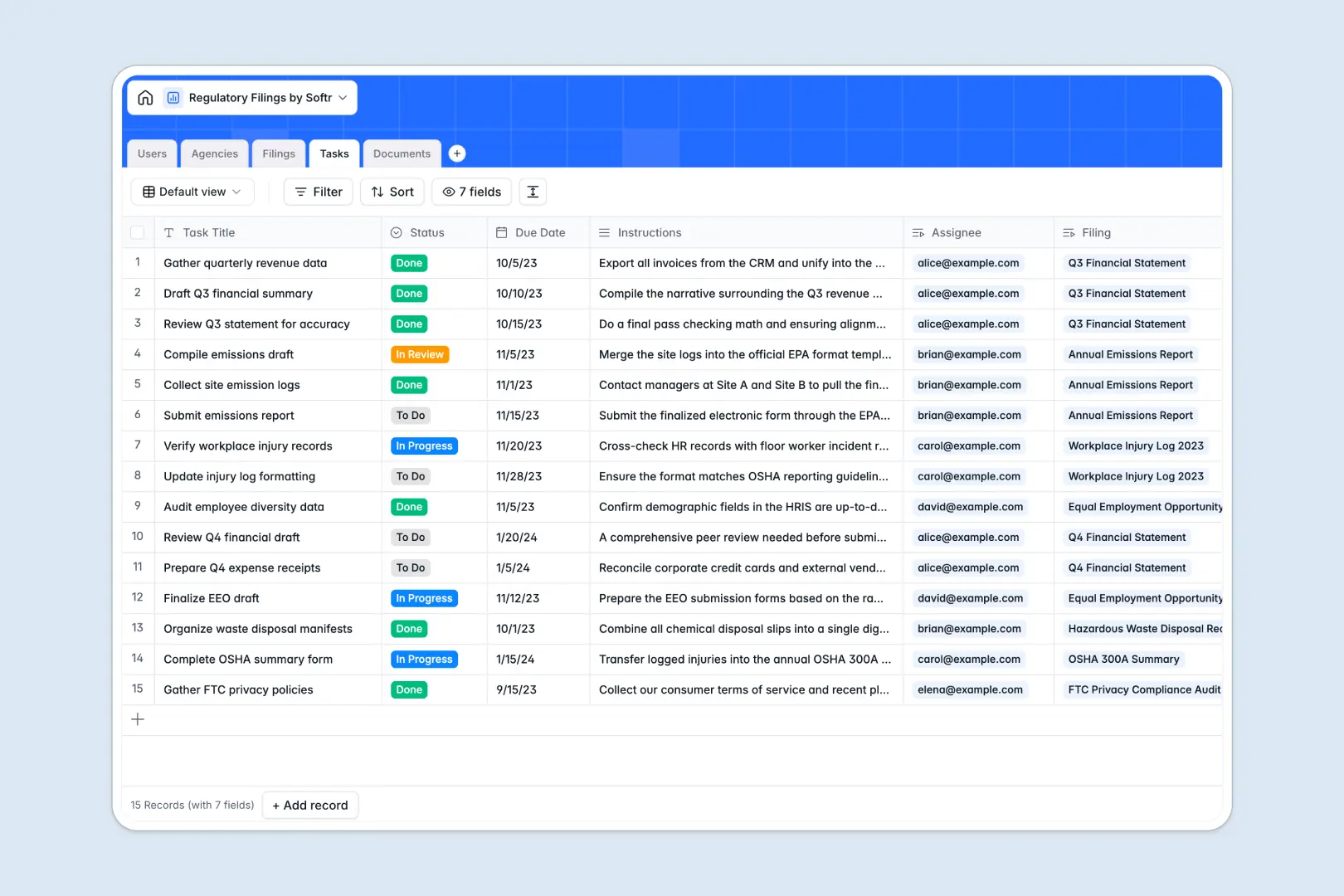
Your Regulatory Filings database at a glance
This template gives compliance teams a single source of truth to manage mandatory submissions, track statutory deadlines, and assign preparation tasks. It replaces disconnected tracker sheets with a unified, real-time filing system.
The database links Filings directly to reporting Agencies, actionable Tasks, responsible team members in Users, and supporting evidence in Documents. You always see who owns each submission, which draft forms are attached, and how close you are to the deadline without manual cross-referencing.
Built-in AI fields help extract agency requirements from websites, auto-classify filing categories, and summarize raw text from draft documents into clear risk bullet points.
When filing tabs multiply and compliance deadlines get lost
Tracking complex compliance obligations in a spreadsheet quickly leads to version drift. Monthly tabs get duplicated, columns get renamed inconsistently, and vital filing deadlines get buried under rows of untyped notes.
What a structured database changes
A structured database enforces clean, typed records where dates stay dates, attachment fields hold actual submission files, and lookups pull deadline changes through automatically.
Instead of copy-pasting agency guidelines across rows, each filing connects natively to its agency profile and relevant compliance officer. This is exactly what Softr Databases are designed for, giving you relational integrity without formula breakage.
What you can do with this template
You can track every submission through structured statuses, from planning and drafting to final agency acceptance. Every task is tied directly to the master filing, ensuring reviewers never lose context.
With native Database AI agents, your records enrich themselves by browsing regulatory portals for submission rules and summarizing uploaded documents automatically.
-
Users
Manage compliance staff, officer roles, assigned filings, and tasks
-
Agencies
Track regulatory bodies and generate AI overviews from official websites
-
Filings
Coordinate regulatory submissions with deadlines and AI categorization
-
Tasks
Organize actionable compliance steps with due dates and assignments
-
Documents
Store filing evidence and generate AI summaries highlighting key risks
Who is this Regulatory Filings database for
Designed for teams that need strict audit readiness and reliable deadline tracking across multiple authorities.
- Compliance Officers: Monitor upcoming submission dates and maintain complete audit trails for every regulatory body.
- Legal Operations Teams: Coordinate internal reviews, assign task ownership, and manage draft forms collaboratively.
- Operations Managers: Track environmental, safety, and operational permits across multiple business entities without messy spreadsheets.
- Finance Teams: Keep statutory annual returns, fiscal reports, and agency correspondence organized in one database.
How to take it further
Customize your compliance schema
Add custom categories, adjust filing stages, or add specific agency identification fields. You can modify dropdowns, create custom views, and configure new relations directly in your database in seconds.
Import your existing compliance data
Bring your historical filings and agency directory into the template immediately via CSV upload or synchronize ongoing submissions using the API.
Build a full compliance portal around it
When your team needs dedicated interfaces, you can use Softr's AI app generator to generate an internal compliance tool or auditor portal on top of this database in one prompt. Configure granular users and permissions so reviewers only see their assigned filings while compliance leads retain full administrative visibility.
-
1
-
2
-
3
-
4
Frequently asked questions
-
What is a regulatory filings database?
-
Why use a no-code database to build a regulatory filings tracker?
-
How can AI help managing data for regulatory filings?
-
Can I build an app with this regulatory filings database?
-
Is this Regulatory Filings database free to use?
-
How is a database better than a regulatory filings spreadsheet?
Start building today. It's free!
Build and launch your first app in under 30 minutes.