


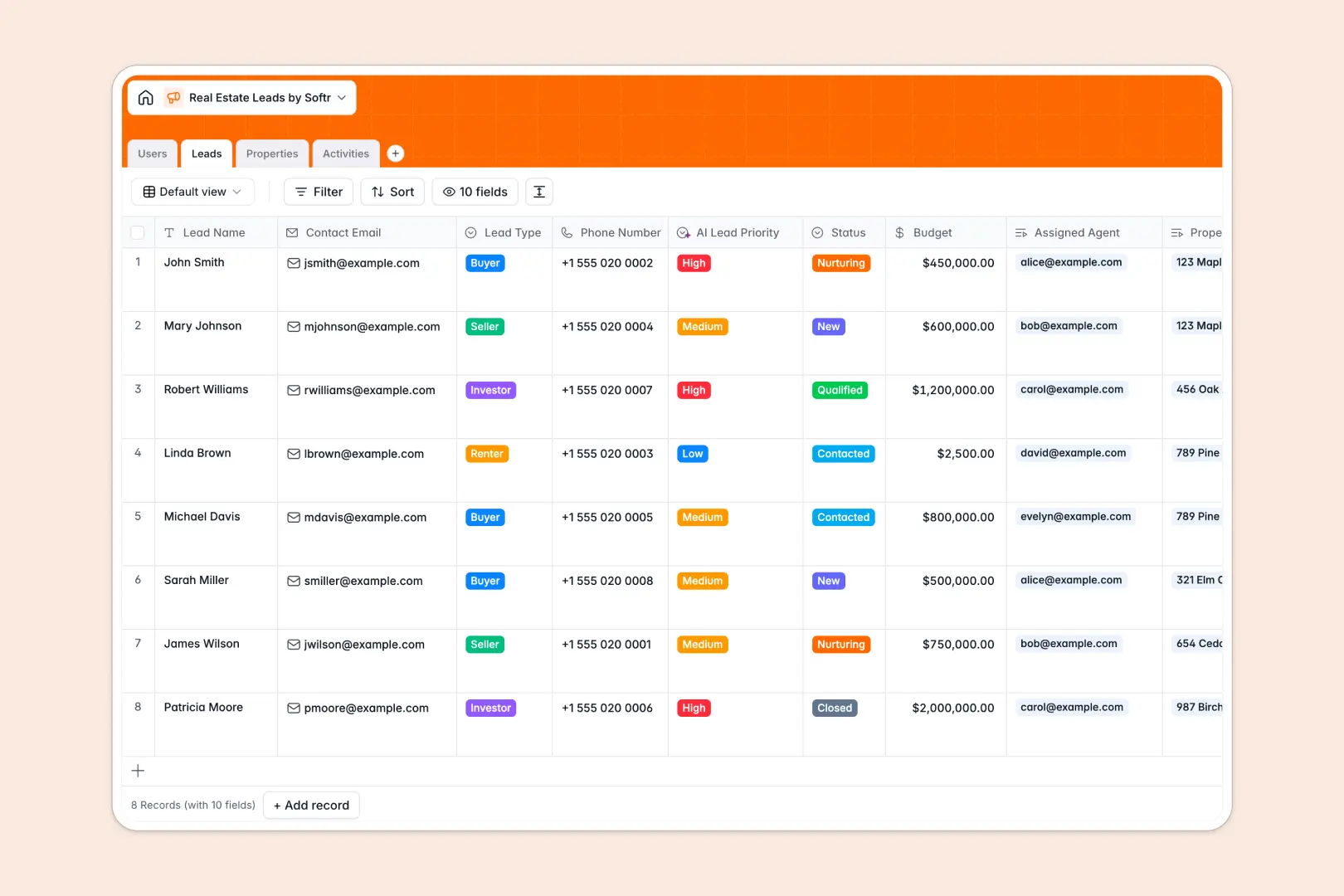
Your Real Estate Leads database at a glance
This template gives you a central hub to organize buyers, sellers, and property listings. It keeps your pipeline clear so you can focus on building relationships and closing deals.
The database is structured into connected tables for users, leads, properties, and activities. When you assign an agent to a lead or log a call, everything links together automatically.
Built-in AI automatically evaluates lead priority based on budgets and generates neighborhood profiles for your listings. It even pulls actionable next steps from your meeting notes so nothing slips through the cracks.
Why tracking real estate leads in spreadsheets breaks down
Trying to manage a growing list of buyers and properties in a spreadsheet quickly becomes chaotic. Rows get accidentally deleted, notes get lost in tiny cells, and linking a lead to a specific property requires fragile formulas.
What a structured database changes
A dedicated database enforces clean data structure so numbers stay as currency and dates stay as dates. You can seamlessly link a prospective buyer to a specific property listing without copying and pasting data across multiple tabs.
This is exactly what Softr Databases are designed for. As your agency scales, your data remains organized, searchable, and easy for your entire team to navigate.
What you can do with this template
You can instantly track the status of every lead, from new inquiries to closed deals, while managing daily activities like property showings. The structure ensures you always know which agent is handling which client.
Powered by built-in AI agents, this template also eliminates manual research by writing neighborhood profiles for new listings automatically. You can start using it immediately to replace your cluttered spreadsheets with a professional system.
-
Users
Manage real estate staff, contact details, and assigned responsibilities
-
Leads
Track high-value prospects with AI-powered lead priority categorization
-
Properties
Listings with AI-generated neighborhood profiles and amenity highlights
-
Activities
Log interactions and extract specific next steps via AI action items
Who is this Real Estate Leads database for
This template is designed for real estate professionals who need a reliable way to manage their pipeline and daily activities.
- Independent Agents: Keep track of your daily calls, client preferences, and showing schedules in one clean view.
- Real Estate Brokerages: Monitor team performance by assigning leads to specific agents and tracking their activity logs.
- Property Managers: Organize active listings, track rental inquiries, and manage property details effortlessly.
How to take it further
Customizing this database is incredibly simple because it requires no coding. You can easily add new property types, adjust lead status options, or create additional text fields tailored to your specific local market.
Getting started is as easy as exporting your current client list as a CSV file and dropping it right in. You can also use our API to automatically sync new leads from your existing marketing forms or websites.
When your team is ready, you can seamlessly build a full app on top of this data to create a custom CRM or client portal. Because the data is already structured properly, adding powerful users and permissions to control exactly what each agent sees takes only a few clicks.
-
1
-
2
-
3
-
4
Frequently asked questions
-
What is a real estate leads database?
-
Why use a no-code database to build a real estate CRM?
-
How can AI help manage data for real estate leads?
-
Can I build an app with this real estate leads database?
-
Is this Real Estate Leads Database free?
-
How is this database different from a real estate leads spreadsheet?
Start building today. It's free!
Build and launch your first app in under 30 minutes.