


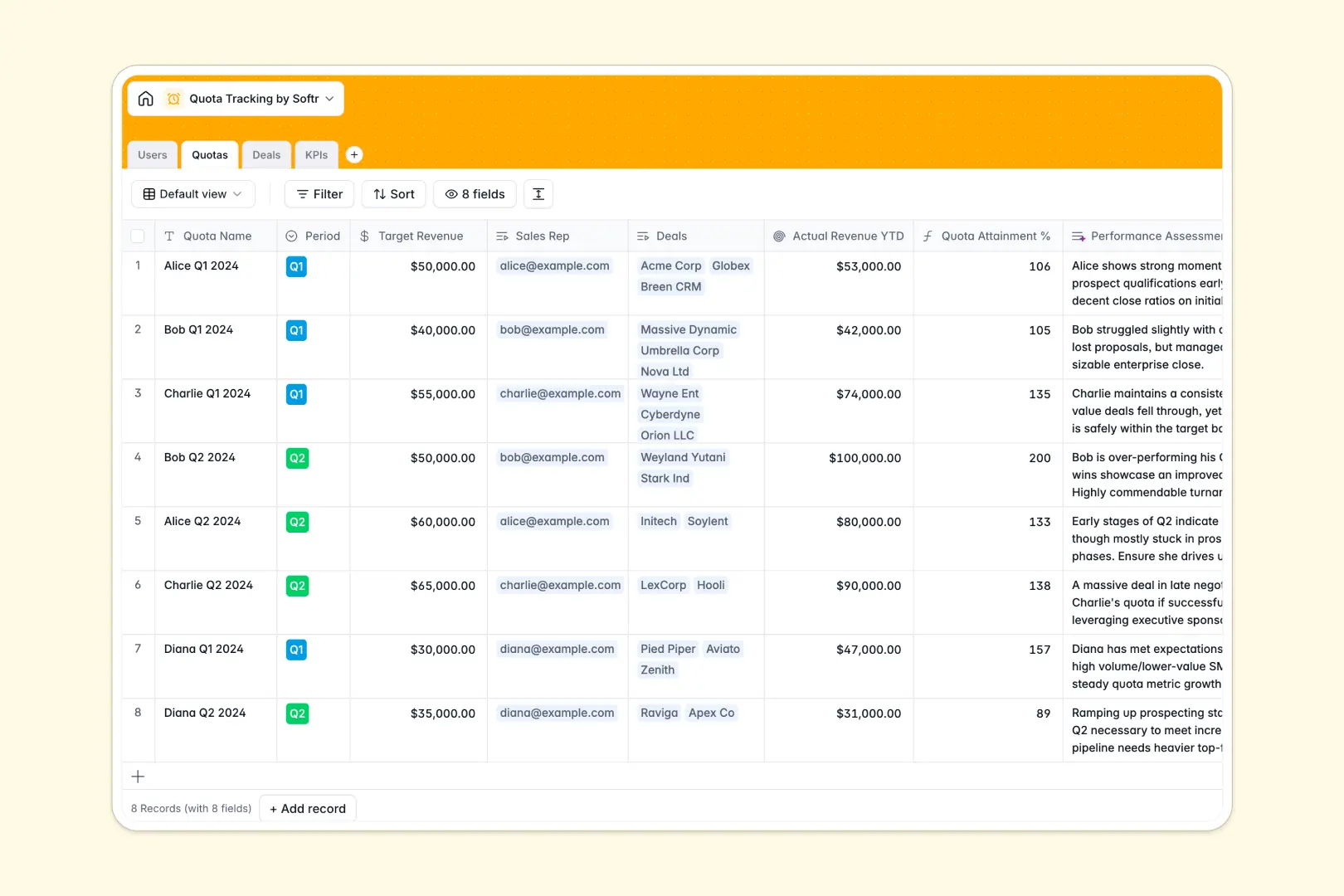
Your Quota Tracking Database at a glance
This template replaces messy spreadsheets with a structured, automated system for tracking sales targets, deals, and daily KPIs in one place.
It connects your sales reps directly to their assigned quotas and individual deals, automatically rolling up actual revenue to calculate attainment without manual updates.
Built-in AI agents instantly summarize deal contexts, assess rep performance based on revenue targets, and classify KPI progress so managers always know who is on track.
Why quota tracking gets messy in spreadsheets
Tracking sales performance across a growing team quickly becomes a nightmare in spreadsheets. Rows break, formulas disappear, and deal numbers overwrite easily when multiple reps edit the same file.
What a structured database changes
In a structured system, data stays protected. Revenue fields only accept numbers, deal stages use clean dropdowns, and you can securely link reps to their specific quotas without writing fragile formulas.
This prevents accidental deletions and keeps your sales data accurate as your team scales. This is exactly what Softr Databases are designed for.
What you can do with this template
Stop manually calculating year-to-date revenue at the end of every quarter. This template automatically links individual closed-won deals directly to broader quarterly or annual quotas.
Thanks to built-in Database AI agents, the database evaluates performance data in real time. It automatically summarizes whether reps are at risk or on track based on their daily metrics.
-
Users
Manage sales representatives and managers with roles and performance links
-
Quotas
Track revenue targets with AI-powered assessment of sales performance
-
Deals
Log sales opportunities with AI generated summaries of deal status
-
KPIs
Monitor activity metrics using AI to classify goal progress status
Who is this Quota Tracking Database for
This system is designed for sales organizations that need clear, reliable visibility into revenue goals.
- Sales Managers: Monitor team-wide quota attainment and intervene when daily KPIs drop.
- Sales Representatives: Track personal progress toward goals, log current deals, and view activity metrics.
- RevOps Leaders: Maintain a clean, scalable data structure without managing endlessly broken spreadsheets.
How to take it further
You can easily adapt this template to fit your specific sales cycle. Add new deal stages, adjust KPI types like cold calls or demos, and tweak the AI prompts to match your company's standards.
Bring your existing pipeline into the system instantly. You can bulk import your current spreadsheet data via CSV or connect an API to sync active deals.
When you're ready to share this data securely, you can build an app directly on top of it. Create a custom internal portal where each sales rep logs in and sees only their distinct quotas and deals.
By utilizing Softr's native users and permissions, you can ensure that reps only edit their own pipeline. A clean database makes building this secure front-end effortless.
-
1
-
2
-
3
-
4
Frequently asked questions
-
What is a quota tracking database?
-
Why use a no-code database to build a quota tracking tool?
-
How can AI help managing data for quota tracking?
-
Can I build an app with this quota tracking database?
-
Is this Quota Tracking database free?
-
How is a quota tracking database different from a spreadsheet?
Start building today. It's free!
Build and launch your first app in under 30 minutes.