


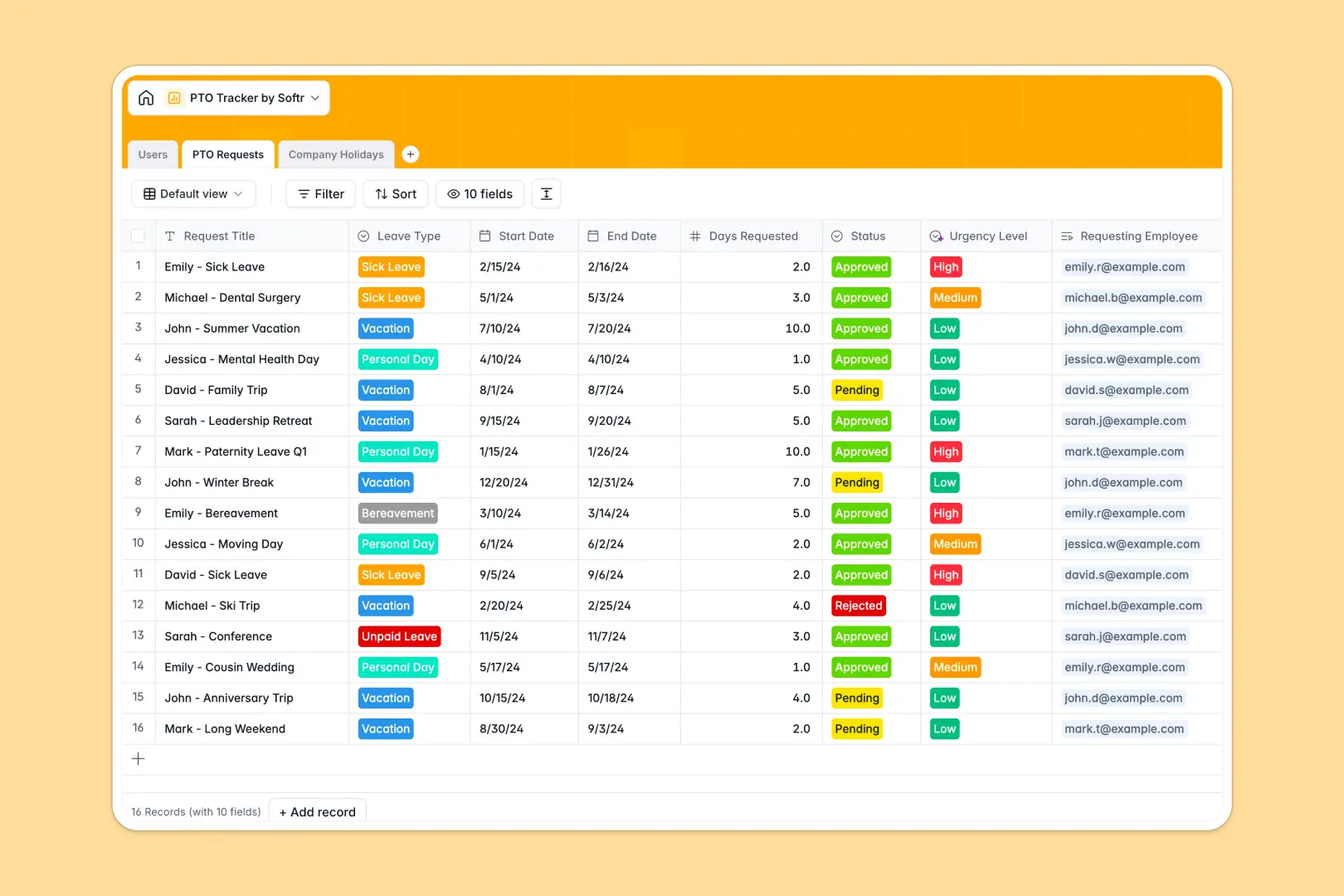
Your PTO Tracker database at a glance
This PTO Tracker database centralizes employee leave requests, approvals, and remaining balances in one secure system. It eliminates confusing tracking sheets and ensures your team's time-off allowances are always strictly accurate.
The template natively connects your data across three essential tables for Users, PTO Requests, and Company Holidays. When an employee submits a new time-off request, their remaining balance automatically calculates through built-in rollup formulas based on their total allowance.
Because this system is AI-powered, it works tirelessly to save managers' time. Built-in AI agents automatically evaluate the urgency of incoming requests, summarize verbose justifications, and even pull context about upcoming regional holidays straight from the web.
Why tracking time off in spreadsheets breaks down
Managing paid time off in a spreadsheet quickly turns into a logistical nightmare of broken formulas, accidental overwrites, and endless manual checks.
What a structured database changes
A true database ensures every vacation request is natively tied to a specific employee without relying on fragile VLOOKUPs. Approved time-off hours are automatically subtracted from total allowances securely, removing human error entirely.
Dates stay cleanly formatted, and managers can instantly view their direct reports' history without sorting through thousands of messy rows. This is exactly what Softr Databases are designed for.
What you can do with this template
You can confidently log sick days, vacations, and personal time while keeping strict control over who can approve them. The template makes it effortless to capture vital notes, accurate dates, and company holiday schedules in a single concise view.
You can also leverage Database AI agents to effortlessly process incoming requests in the background. The system will independently summarize thick justification notes and classify leave urgency automatically, so you can make confident approval decisions in seconds.
-
Users
Manage employee profiles, team hierarchies, and annual leave balances
-
PTO Requests
Process leave applications using AI to summarize intent and assess urgency
-
Company Holidays
Log public holidays with AI-enriched background info and origin details
Who is this PTO Tracker database for
This template is built for growing teams ready to graduate from highly manual, error-prone leave tracking systems.
- HR Managers: Guarantee precisely accurate leave allowances and instantly view company-wide scheduling constraints.
- Department Heads: Approve or reject direct reports' vacation requests with full context and auto-summarized justifications.
- Operations Leads: Keep clear records of public holidays and ensure operational coverage during peak leave periods.
How to take it further
You can completely customize this tracker to match your exact internal policies. Whether you need to add custom leave types like bereavement, adjust total allowances, or tweak urgency rules, doing so takes only seconds in this intuitive environment.
To see immediate value, bring in your existing data by uploading a simple CSV of your current employees and approved vacations. Built-in API connections also let you sync data automatically from other HR software you already rely on.
When your team is ready, you can seamlessly build a full internal portal around this data. Well-structured databases form the perfect foundation to create a secure app using the interface builder.
By configuring distinct users and permissions, staff can securely log in to submit requests and view their own private balances. Meanwhile, managers unlock dedicated dashboard views showing exclusively the leave requests relevant to their specific direct reports.
-
1
-
2
-
3
-
4
Frequently asked questions
-
What is a paid time off database?
-
Why use a no-code database to track PTO?
-
How can AI help managing data for employee leave?
-
Can I build an app with this PTO Tracker database?
-
Is this PTO Tracker database free?
-
How is a PTO database fundamentally different from an Excel spreadsheet?
Start building today. It's free!
Build and launch your first app in under 30 minutes.