


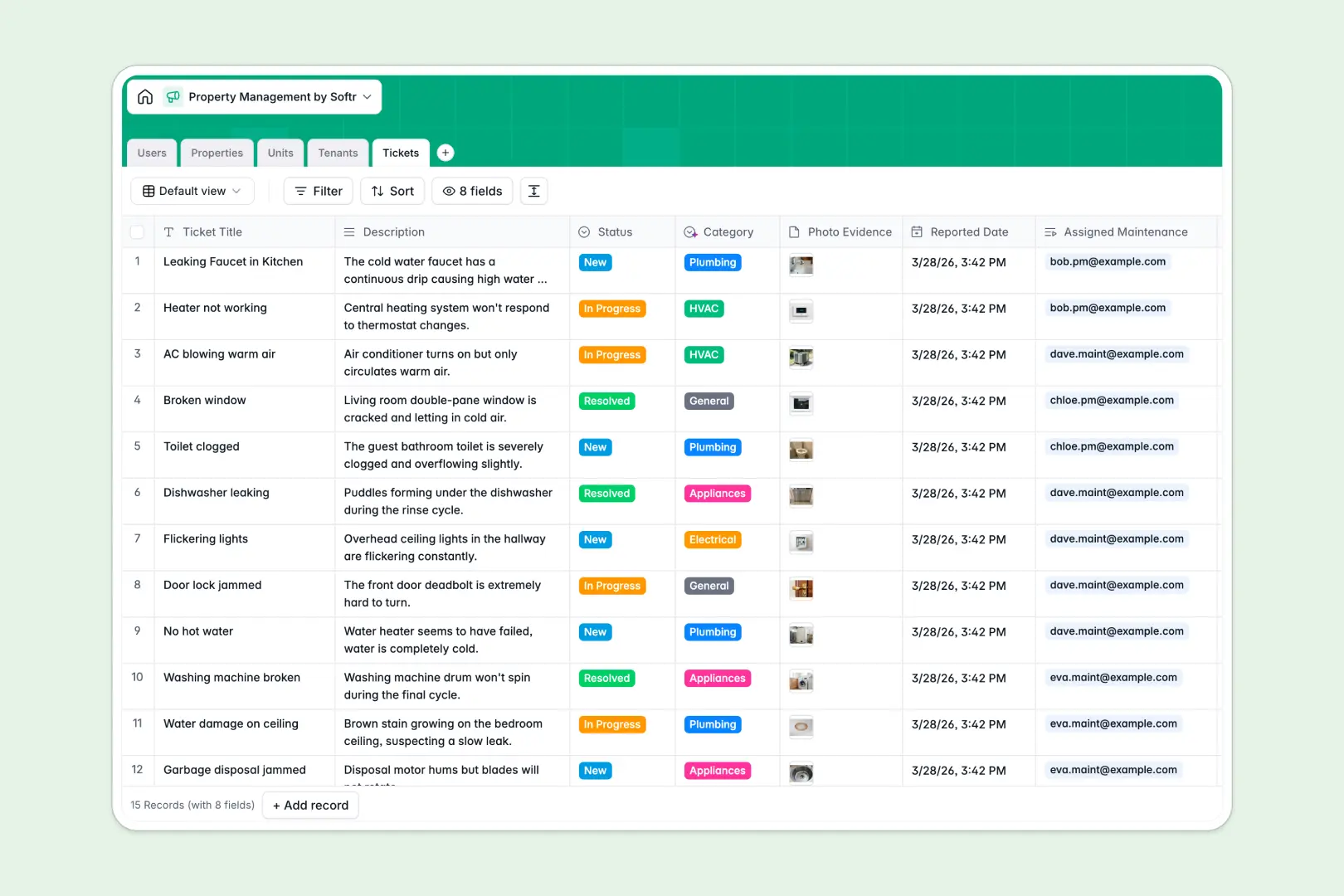
Your Property Management database at a glance
This template replaces messy spreadsheets with a centralized system for tracking real estate assets, leases, and maintenance. It gives you immediate visibility into vacant units, active tenants, and unresolved repairs in one clean view.
The database connects your real estate data automatically using dedicated tables for Properties, Units, Tenants, and Tickets. When a tenant reports an issue, you can link the categorized maintenance ticket directly to their specific unit without repeating data entry.
Built-in AI agents do the heavy lifting by automatically writing location-based property descriptions and categorizing incoming maintenance requests. This ensures your portfolio stays organized and market-ready without manual sorting.
Why property management gets messy in spreadsheets
Tracking properties, tenant leases, and maintenance workflows in a spreadsheet quickly turns into a logistical nightmare. As leases renew and units require repairs, you end up with duplicated rows, buried maintenance requests, and scattered tenant details.
What a structured database changes
A true database separates your data into distinct, connected objects so nothing gets lost. Your tenant records link directly to their leased units, and maintenance tickets are automatically tied to the correct underlying property.
This workflow eliminates fragile formulas and ensures dates stay formatted accurately, while photos of repairs are safely attached to the right ticket. This structured, reliable approach is exactly what Softr Databases are designed for.
Instead of scrolling through endless columns to find an expiring lease or a lost contractor invoice, you maintain a clean, scaling system of record.
What you can do with this template
You can immediately log properties, assign individual units to tenants, and securely track exactly who is handling which maintenance request. The native rollup fields automatically count the total number of units per property so your portfolio overview is always accurate.
Thanks to built-in AI processing, this template also acts as a data assistant. It auto-generates tenant lease summaries and automatically categorizes repair descriptions into Plumbing, Electrical, or HVAC categories for your maintenance crew.
-
Users
Manage administrative staff and maintenance teams with roles and contact info
-
Properties
Track real estate assets and use AI to generate attractive property descriptions
-
Units
Organize specific apartments or spaces with availability status and rent details
-
Tenants
Manage occupancy details and use AI to create concise tenant profile summaries
-
Tickets
Track repair requests using AI to automatically categorize maintenance issues
Who is this Property Management database for
This system is built for real estate operators, facility leads, and teams managing multi-unit portfolios.
- Property Managers: Track lease dates, unit occupancy statuses, and tenant contact details in one connected system.
- Maintenance Teams: Receive accurately categorized repair tickets complete with photo evidence and specific unit locations.
- Real Estate Owners: Monitor portfolio health with automatically updated unit counts and dynamically linked property data.
- Leasing Agents: Quickly identify vacant units and instantly access AI-generated property descriptions for immediate marketing use.
How to take it further
Start by customizing the database to match your exact physical property structure. You can effortlessly add new property types, adjust the status options for maintenance tickets, or create new fields for deposit tracking.
Next, skip the manual data entry by importing your existing rent rolls and tenant lists. You can securely upload a CSV directly into the tables to populate your units and fill out property histories in seconds.
When your team is ready to scale, you can transform this database into a fully functional operational portal. Using Softr's native interface builder, you can create a custom app where connected tenants can securely log in to submit their own maintenance tickets.
You can quickly set up powerful users and permissions so that a tenant only sees their specific unit's data, while your internal maintenance crew only sees their assigned open tickets. A nicely structured database makes building these secure, custom portals completely effortless.
-
1
-
2
-
3
-
4
Frequently asked questions
-
What is a property management database?
-
Why use a no-code database instead of a property management spreadsheet?
-
How can AI help managing data for real estate operations?
-
Can I build an app with this property management database?
-
Is this property management template free?
-
Can I import my existing tenant spreadsheets into this database?
Start building today. It's free!
Build and launch your first app in under 30 minutes.