


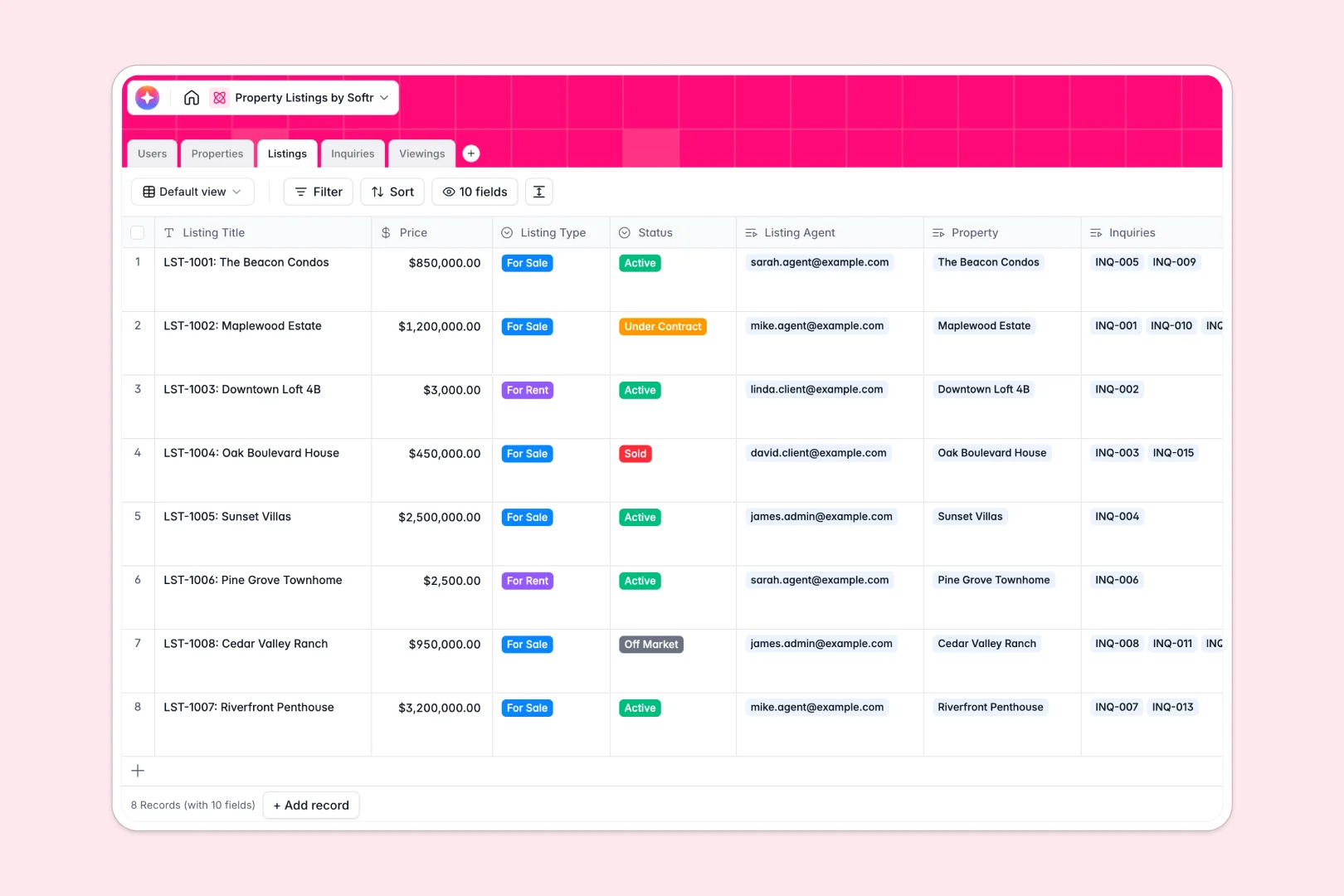
Your Property Listings database at a glance
This template organizes your real estate portfolio, active listings, and client inquiries into one connected system. It acts as a reliable operational hub for your entire team.
Properties link seamlessly to active listings, designated agents, and upcoming viewings automatically. You never have to copy core property details across multiple tabs again.
Built-in AI automatically drafts marketing descriptions, researches neighborhood data, and even flags high-urgency client inquiries for you. This turns raw information directly into actionable market insights.
Why property listings get messy in spreadsheets
Real estate moves fast, but tracking properties, agents, and client viewings in a spreadsheet quickly turns into a logistical nightmare.
What a structured database changes
In a spreadsheet, connecting viewing schedules to clients means duplicating rows repeatedly. Relying on fragile formulas often leads to scattered, error-prone data.
True structure connects details naturally without endless copying. You can link a client inquiry directly to an active listing and its assigned agent immediately.
This is exactly what Softr Databases are designed for. Every column has a strict type, ensuring your real estate records stay perfectly clean as transactions scale.
What you can do with this template
Centralize your entire portfolio with dedicated spaces for physical properties, active market listings, and inbound leads. You can easily track the status of every deal from initial inquiry to final sale.
Utilize powerful native automation to handle mundane marketing tasks in the background. The database instantly browses the web to write neighborhood overviews and actively summarizes viewing feedback seamlessly.
-
Users
Manage agents, clients, and admins with roles and contact details
-
Properties
Store asset details and generate AI-powered neighborhood insights
-
Listings
Track market items with prices and AI-generated marketing copy
-
Inquiries
Handle client leads using AI to classify message urgency levels
-
Viewings
Schedule visits and use AI to summarize client property feedback
Who is this Property Listings database for
This template is designed for real estate teams that need a reliable, scalable system to manage their active operations safely.
- Real Estate Agencies: Keep track of multiple managing agents, available properties, and client viewing schedules in real time.
- Property Managers: Centralize physical property details, maintenance status updates, and current listings without scattered documents.
- Independent Realtors: Automate your listing descriptions and effortlessly prioritize high-urgency client messages on the go.
How to take it further
You can easily customize this database to fit your exact agency workflow in minutes. Add new listing statuses or quickly modify the dropdown options for client viewing resolutions.
Import your existing records directly into the tables using clean CSV uploads. Every contact, from clients to property addresses, effortlessly transitions to your new setup without losing history.
When you are ready to scale, you can easily build a powerful front-end portal directly connected to this data. This enables you to create specialized, branded dashboards for buyers and internal brokers.
By implementing proper users and permissions, you securely control access across the board. Clients only see their own scheduled viewings, while agents access strictly their designated leads.
-
1
-
2
-
3
-
4
Frequently asked questions
-
What is a property listings database?
-
Why use a no-code database to manage real estate operations?
-
How can AI help managing data for real estate listings?
-
Can I build an app with this property listings database?
-
Is this Property Listings database completely free?
-
How is a property database different from a traditional spreadsheet?
Start building today. It's free!
Build and launch your first app in under 30 minutes.