


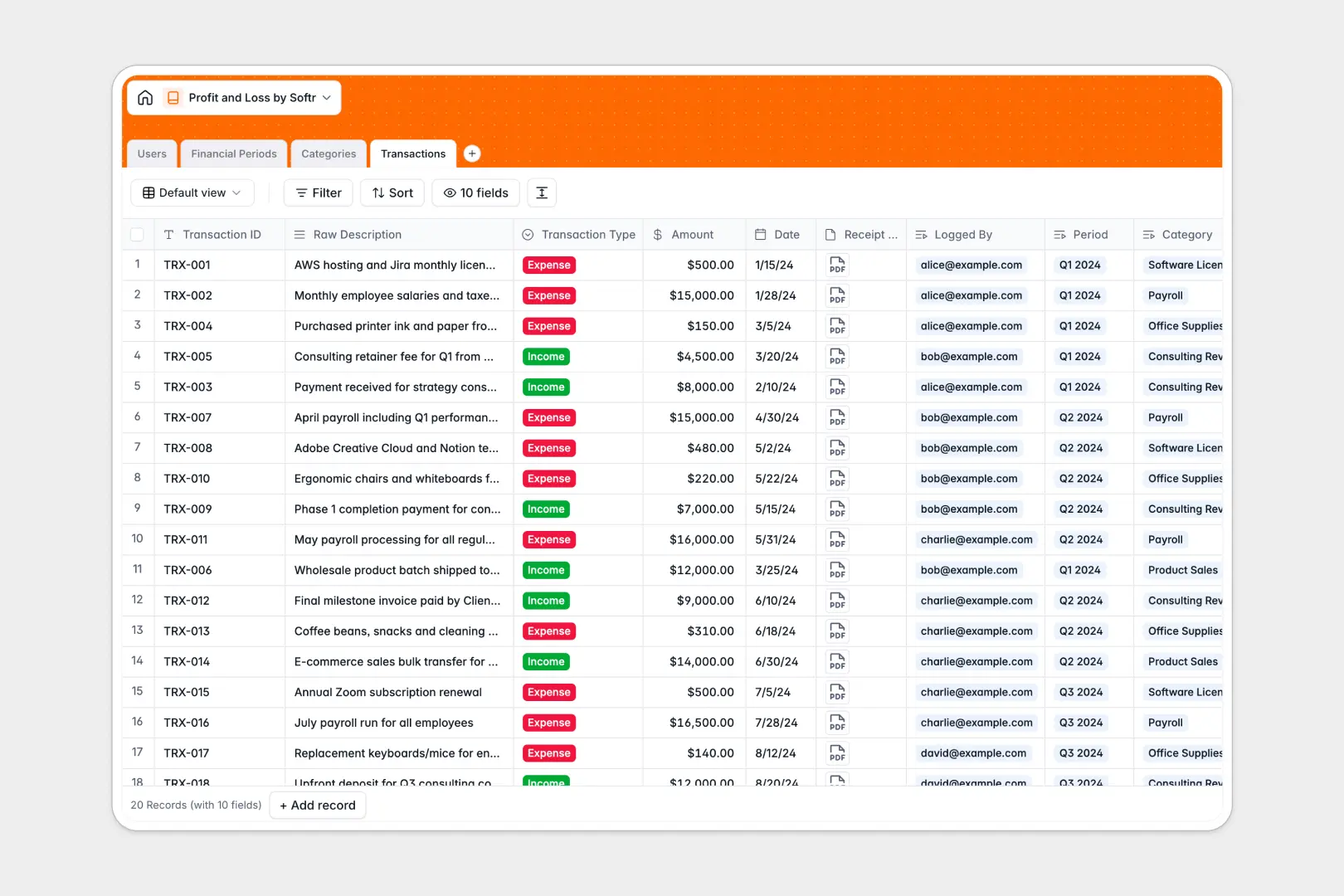
Your Profit and Loss Database at a glance
This template tracks your company's income and expenses in one secure place, giving you an accurate, real-time view of your financial health.
It connects individual transactions directly to financial periods and predefined categories like payroll or software. As you log receipts and invoices, rollups automatically calculate total income, expenses, and net profit per period without complex formulas.
Instead of manually typing descriptions, built-in Database AI agents instantly generate standardized transaction titles and write executive financial summaries for every reporting period.
Why tracking finances in a profit and loss spreadsheet breaks down
Managing business finances in an open grid quickly becomes a liability. As transaction volume grows, manual data entry leads to miscategorized expenses, broken formulas, and lost receipts hidden in cluttered folders.
What a structured database changes
A relational structure ensures your financial reporting is bulletproof. Every transaction strictly belongs to a designated timeframe and category, keeping your chart of accounts organized and error-free.
This is exactly what Softr Databases are designed for. You can easily link an expense to an employee and attach the actual invoice file directly to the row, safely storing files and data together.
What you can do with this template
You can instantly view your net profit per month or quarter with automated rollup fields that never break.
You can also leverage AI to automatically standardize messy bank statement descriptions into clean transaction titles, completely eliminating manual cleanup.
-
Users
Manage financial staff profiles, assigned roles, and transaction logs
-
Financial Periods
Track fiscal timelines with AI-generated summaries of net performance
-
Categories
Organize ledger entries into income and expense groups for reporting
-
Transactions
Log cash flows using AI to standardize titles for consistent records
Who is this Profit and Loss database for
This system is designed for teams that need accurate, reliable financial tracking without the fragility of traditional spreadsheets.
- Founders: Monitor overall business health, net margins, and executive summaries at a glance.
- Finance Managers: Track operational expenses across standard categories without chasing missing receipts.
- Accountants: Review strictly categorized periods, ensure compliance, and easily trace transactions back to the logged user.
How to take it further
You can easily customize this database to match your exact accounting needs. Modify the expense categories, add new financial periods, or adjust the predefined roles to align with your team's structure.
Getting your historical data in is seamless. Import your existing transaction records via CSV or connect an API to sync live data directly from your bank or payment processor.
When you're ready to securely share financial data, you can use our interface builder to turn this database into a full internal tool.
By configuring users and permissions, you can ensure that department heads only see their own expense budgets while admins maintain a complete view of the company's net profit. Developing tools on a well-structured foundation makes scaling effortless.
-
1
-
2
-
3
-
4
Frequently asked questions
-
What is a profit and loss database?
-
Why use a no-code database to build a financial tracking tool?
-
How can AI help managing data for profit and loss tracking?
-
Can I build an app with this profit and loss database?
-
Is this Profit and Loss Database free?
-
Why is this template better than a profit and loss spreadsheet?
Start building today. It's free!
Build and launch your first app in under 30 minutes.