


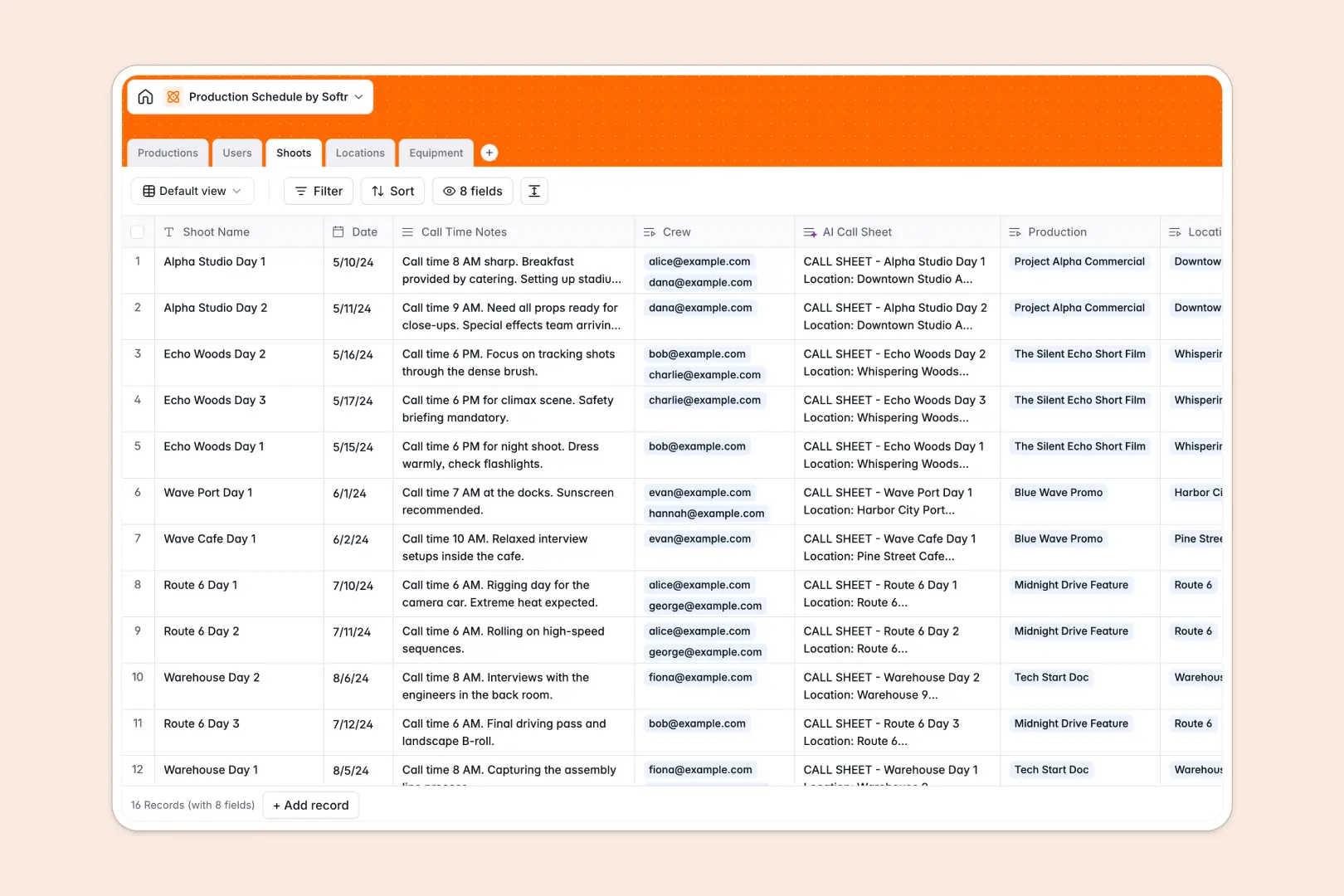
Your Production Schedule database at a glance
This template keeps your entire shoot timeline, crew assignments, and equipment logistics organized in one structured workspace. It replaces chaotic sheets with linked records that keep every team member aligned.
Everything connects natively across dedicated tables: Productions, Shoots, Locations, Equipment, and Users. When you assign crew or gear to a shoot date, the schedule updates everywhere instantly without broken formulas.
Built-in AI fields draft automated call sheets from shoot notes and research location logistics directly in your database rows.
When one shared shoot tab breaks the entire call sheet
Google Sheets makes sharing easy, but when a multi-day shoot involves dozens of crew members, equipment lists, and shifting locations, a simple grid quickly breaks down. One accidental filter or pasted date in the wrong format disrupts everyone's call time.
What a structured database changes
In a true relational database, every column enforces strict field types so call times remain valid datetimes, crew roles stay standardized, and equipment statuses never get overwritten by freeform notes.
Tables link together automatically, allowing a single shoot to pull linked gear, location addresses, and assigned crew members without fragile cross-tab formulas. This is exactly what Softr Databases are designed for.
While you can connect an existing Google Sheet as an external data source, moving to a native database gives you bulletproof data integrity as your production schedule scales.
What you can do with this template
Track every project from pre-production through wrap while rolling up total shoot counts automatically. Assign equipment to specific shoot days and monitor gear condition to prevent double-booking on set.
Use Database AI agents to draft professional call sheets from raw director notes and enrich location addresses with logistical details automatically.
-
Productions
Coordinate production projects and generate AI summaries from brief info
-
Users
Manage crew directory, staff roles, contact emails, and assignments
-
Shoots
Schedule shoot dates, crew, locations, and draft AI-powered call sheets
-
Locations
Track filming venues with web-enhanced AI logistical descriptions
-
Equipment
Manage gear inventory, category classifications, and maintenance condition
Who is this Production Schedule database for
Designed for fast-moving media and event teams that need reliable shoot schedules and clear crew visibility:
- Film and Video Producers: Coordinate multi-day shoots, track shoot status, and keep call times synchronized across teams.
- Production Coordinators: Manage equipment inventory, prevent double-bookings, and distribute accurate location logistics quickly.
- Creative Agencies: Keep client project deliverables, crew assignments, and shoot timelines structured in one place.
- Commercial Photographers: Track shoot locations, manage gear prep, and automate client shoot summaries effortlessly.
How to take it further
Customize this database in seconds to match your exact production pipeline. Add custom equipment categories, introduce budget tracking columns, or adjust production status choices with visual dropdown menus.
If you have existing shoot dates or equipment inventories, import your data instantly via CSV file or sync records via API.
When your team is ready for client portals or crew check-in interfaces, you can generate an app with AI directly from this database. Add granular users and permissions so crew members only see their assigned shoots while producers maintain full schedule access.
-
1
-
2
-
3
-
4
Frequently asked questions
-
What is a production schedule database?
-
Why use a no-code database to build a production schedule tool?
-
How can AI help managing data for production schedules?
-
Can I build an app with this production schedule database?
-
How is this production schedule template different from Google Sheets?
-
Is this Production Schedule database free?
Start building today. It's free!
Build and launch your first app in under 30 minutes.