


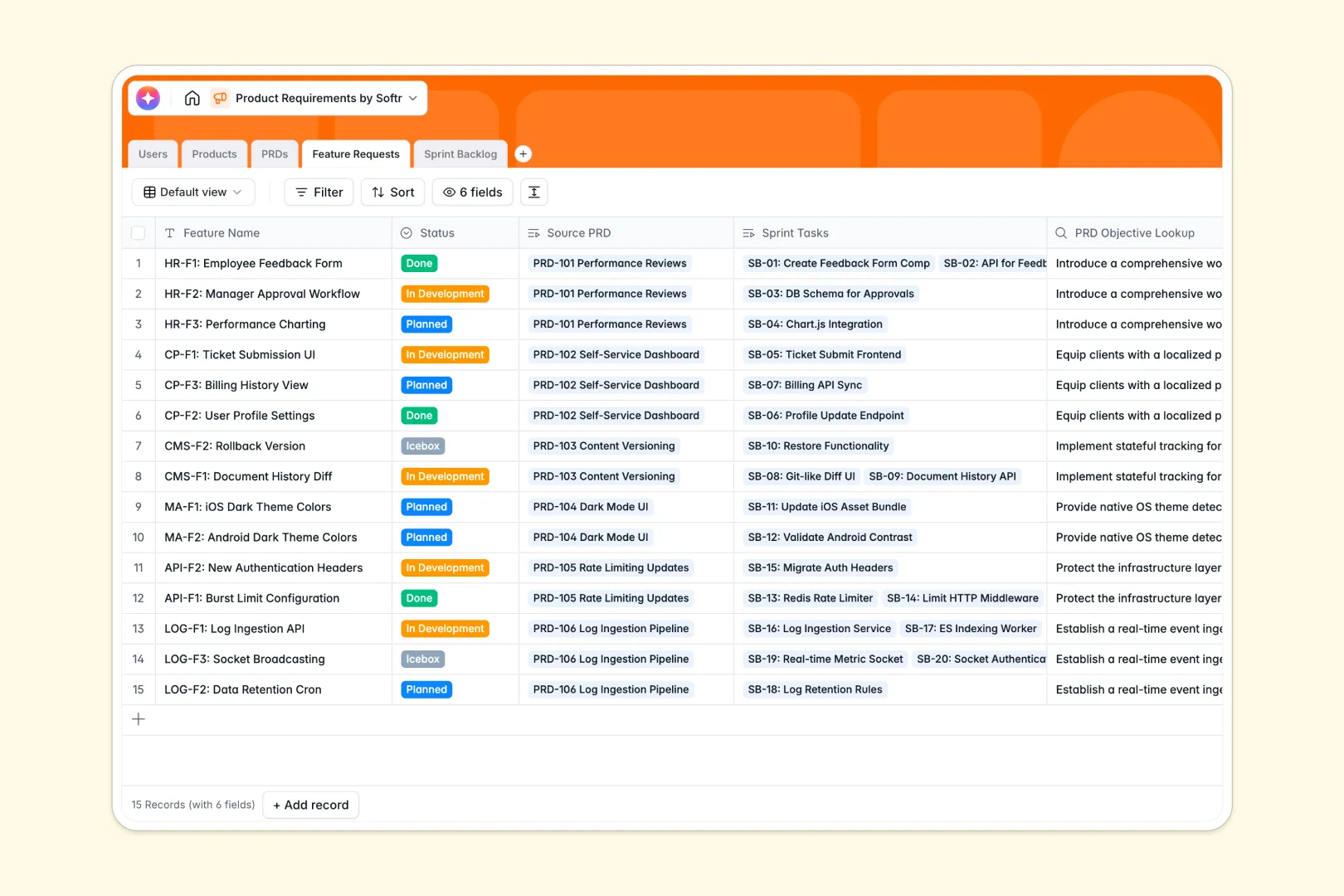
Your Product Requirements Database at a glance
This pre-built template helps product teams run their development cycles efficiently by centralizing everything from high-level objectives down to granular sprint tasks of Users, Products, and PRDs in a single location.
By organizing your data into distinct tables for specs, features, and sprint logs, everyone on your engineering and design teams stays aligned without digging through disorganized documents.
Integrated AI features automatically summarize objectives, write detailed feature requirements, and draft actionable acceptance criteria to eliminate manual documentation bottlenecking.
Why product requirements get messy in spreadsheets
Managing product specifications in a product requirements spreadsheet starts easily but quickly devolves into broken rows, outdated features, and disconnected tasks that force teams to constantly double-check details.
What a structured database changes
Unlike flat spreadsheets where cell formats break and complex formulas crumble, a structured setup ensures one table equals one object. Your products, PRDs, features, and tasks remain cleanly separated but natively linked.
This layout guarantees data integrity because dates remain dates, team members are mapped from a verified list, and status updates cascade accurately without manual copy-pasting.
This level of reliable connection is exactly what Softr Databases are designed for.
What you can do with this template
You can automatically link feature requests back to approved PRD files to ensure the engineering team always understands the broader objective behind every line of code.
With the power of integrated Database AI agents, you can generate high-quality product summaries and technical criteria instantly from single seed sentences.
You will also gain a clean sprint backlog that hooks directly into your assigned team roles so product owners can monitor progress and adjust resource estimates in real time.
-
Users
Manage development team profiles, roles, and assigned product tasks
-
Products
Define high-level product modules, categories, and owner assignments
-
PRDs
Outline specifications with AI-generated executive summary for objectives
-
Feature Requests
Translate PRD objectives into technical needs using AI draft requirements
-
Sprint Backlog
Execute development tasks with AI-powered acceptance criteria generation
Who is this Product Requirements database for
This system helps collaborative product and engineering teams stay unified throughout the development cycle.
- Product Managers: Streamline feature specifications, automate documentation, and prioritize backlogs in one structured interface.
- Engineering Leads: Map development tasks to concrete business requirements without hunting down scattered document links.
- Product Designers: Access contextual goals and criteria behind assigned feature frames in real time.
- Agile Development Teams: Maintain single sources of truth during sprint planning and retrospective sessions.
How to take it further
Customize your database structure. You can instantly modify select dropdown options like category tags and task statuses to match your team’s existing release and sprint cycles. Easily add columns for release dates or design links directly in the database.
Import your existing project logs. Move existing active tickets and historical PRD sheets over immediately via direct CSV file upload or set up real-time integrations to prevent losing progress.
Build a custom app around your database. Once your data structure is settled, use Softr’s interface builder to turn this relational setup into a custom portal. Assign granular users and permissions to ensure engineers only view developer backlogs while stakeholders access clear roadmaps.
-
1
-
2
-
3
-
4
Frequently asked questions
-
What is a product requirements database?
-
Why use a no-code database to build a product requirements system?
-
How can AI help managing data for product requirements?
-
Can I build an app with this product requirements database?
-
Is this product requirements database template free?
-
How does a product requirements database differ from a product requirements spreadsheet?
Start building today. It's free!
Build and launch your first app in under 30 minutes.