


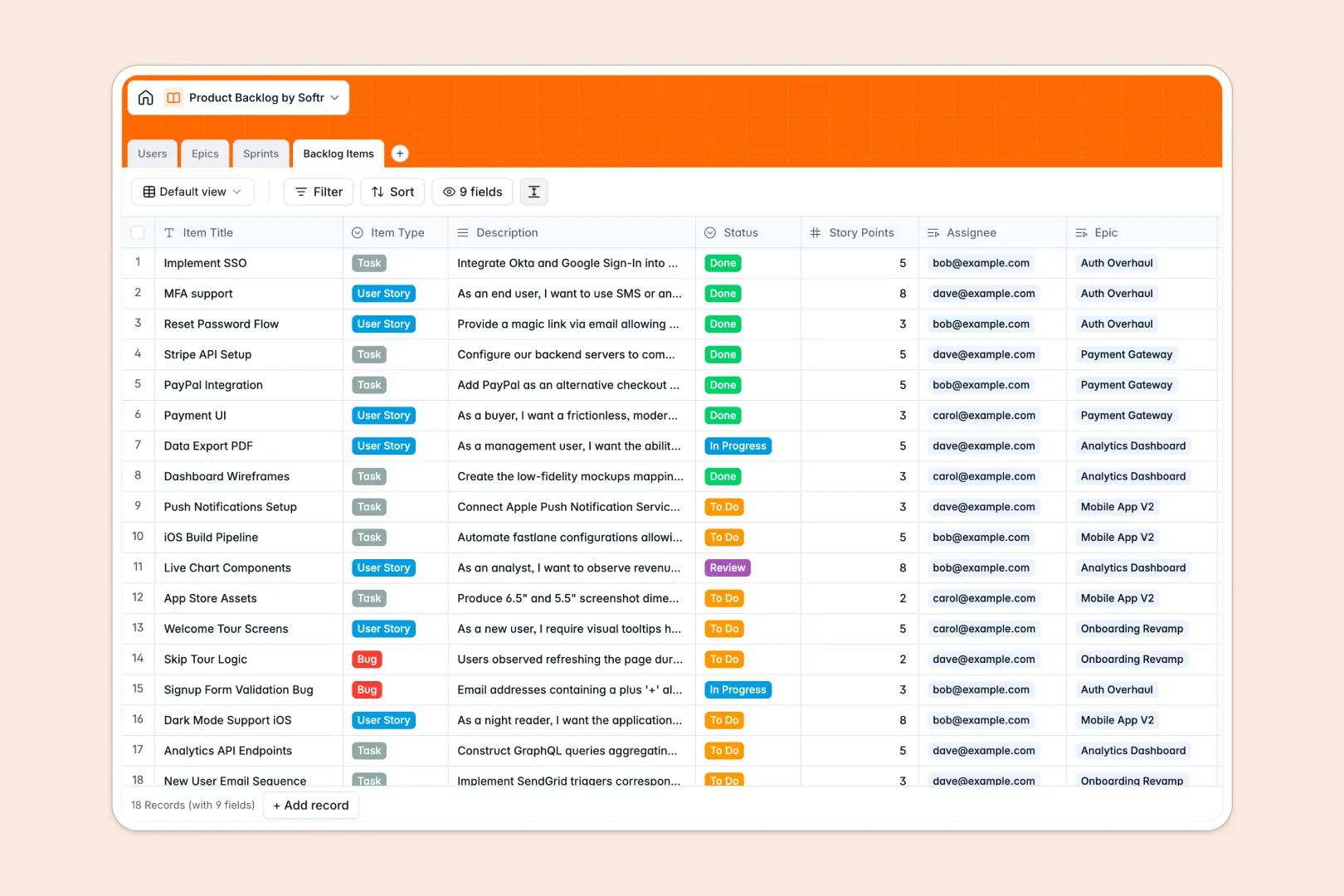
Your Product Backlog Database at a glance
Organize your entire product development cycle seamlessly from high-level epics down to individual user stories and bugs. This template provides product managers and developers with a real-time, highly structured view of exactly what to build next.
The database fundamentally connects four core tables: Users, Epics, Sprints, and Backlog Items. You can easily assign a specific bug to a developer, link user stories to an active sprint, and automatically roll up total story points without manually updating multiple tabs.
It also harnesses built-in AI that automatically drafts testable acceptance criteria for newly added tasks, saving time on documentation. Additionally, the AI automatically summarizes lengthy, complex epic descriptions into quick bullet points so team members can scan them instantly.
Why managing product backlogs in spreadsheets gets messy
Product teams quickly outgrow typical spreadsheets when hundreds of user stories, bugs, and tasks live in an endless, flat grid. Formulas for tracking sprint capacity break frequently, linking specific tasks to overarching epics requires clumsy copy-pasting, and version control becomes a constant nightmare.
What a structured database changes
In a relational system, data stays perfectly organized at massive scale. Every column enforces a specific rule—like story points, standardized status dropdowns, or assignee lookups—so your backlog never contains mixed or broken data.
Instead of relying on fragile VLOOKUPs, tables naturally connect with one another. You can link a single user story directly to an Epic and a Sprint while simultaneously assigning it to a specific developer.
This robust, relational setup is exactly what Softr Databases are designed for, keeping your product roadmap exceptionally clean as your team grows faster.
What you can do with this template
Track everything from high-level epic progress down to specific sprint goals and daily tasks in one unified, clear view. You can automatically calculate total story points for active sprints to gauge team capacity instantly.
Thanks to native Database AI agents, the template also does the tedious heavy lifting for you. It writes out automatic acceptance criteria based on standard bug or user story descriptions, saving product managers hours of manual formatting.
-
Users
Manage product team profiles, roles, and their specific work assignments
-
Epics
Organize large work bodies with AI-generated summaries to track progress
-
Sprints
Track timeboxed development periods with specific goals and story points
-
Backlog Items
Store tasks and stories with AI-generated acceptance criteria for testing
Who is this Product Backlog database for
This template provides immediate structure for agile teams and technical operators who need a reliable, scalable source of truth.
- Product Managers: Plan epics, track sprint goals, and monitor overall progress without fighting broken formulas or scrolling endless rows.
- Engineering Leads: Balance workloads effortlessly by assigning specific backlog items to team members and tracking total story points per sprint.
- QA & Developers: Access clear, AI-drafted acceptance criteria directly on their assigned bugs to start building faster and with higher accuracy.
How to take it further
You can easily adapt this database to match your exact agile rituals right now. Add new backlog item types, modify the status dropdowns to reflect your specific workflows, or tweak the AI prompts natively.
Don't start from scratch if you already have a packed roadmap in another tool. You can effortlessly import your existing user stories and epics via CSV upload, or connect via API to sync your legacy data directly into the tables.
When your team expands, you can transform this relational data into a fully functional product management portal using a drag-and-drop interface builder. A highly structured database makes building apps on top of your data frictionless and fast.
Because the foundation is relational, it is incredibly intuitive to configure users and permissions. This means your developers, designers, and stakeholders will effortlessly log in and only interact with the specific epics or Sprints assigned directly to them.
-
1
-
2
-
3
-
4
Frequently asked questions
-
What is a product backlog database?
-
Why use a no-code database to build a product backlog tool?
-
How can AI help managing data for a product backlog?
-
Can I build an app with this product backlog database?
-
Is this Product Backlog template free?
-
How is a product backlog database different from traditional spreadsheets?
Start building today. It's free!
Build and launch your first app in under 30 minutes.