


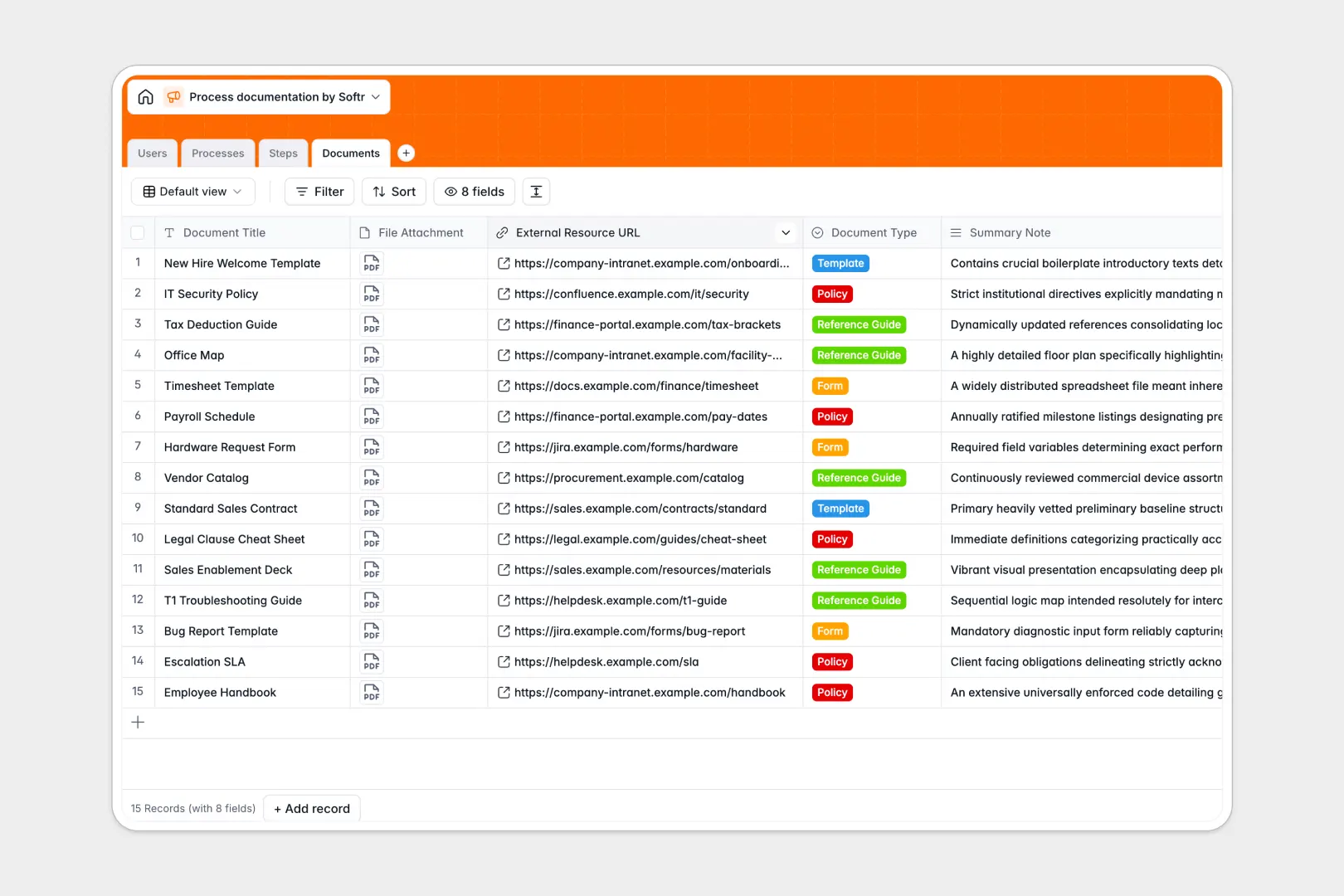
Your Process Documentation database at a glance
This template gives your team a single source of truth for standard operating procedures. It stops knowledge from getting lost and ensures onboarding and daily operations run smoothly.
The system uses connected tables to link high-level processes directly to sequential individual steps, assigned owners, and required documents. Instead of hunting through messy shared drives, everything maps cleanly together through structured relationships.
Built-in AI automatically drafts full procedure manuals from your step summaries and categorizes them by department. It can also effortlessly rewrite individual instructions to ensure absolute clarity for new hires.
Why process documentation gets messy in spreadsheets
When you manage company SOPs in a spreadsheet, things break down fast. Rows get accidentally deleted, long text instructions become impossible to read in small cells, and related files just get lost in a sea of floating hyperlinks.
What a structured database changes
A structured setup ensures every piece of information has a designated place and format. Clear text fields hold full descriptions, native attachment fields store policy forms directly, and team members are linked flawlessly without fragile formulas.
Because you have a dedicated table for overarching processes and another for sequential steps, one SOP can smoothly connect to dozens of structured instructions. This is exactly what Softr Databases are designed for.
What you can do with this template
You can easily track what processes are actively used or under review while keeping all required templates and compliance forms attached to the exact step they belong to.
Thanks to integrated Database AI agents, the system instantly generates comprehensive procedural manuals from isolated steps and cleans up tone automatically. Your standard operating procedures practically write and maintain themselves.
-
Users
Manage team members with roles and contact info for process maintenance
-
Processes
Index SOPs with AI-powered categorization and automated manual drafting
-
Steps
Define sequential tasks with AI-enhanced clarity for improved execution
-
Documents
Centralize templates and policy files linked to specific process workflows
Who is this Process Documentation database for
This system is built for operations leaders and managers who need to preserve company knowledge efficiently.
- Operations Managers: Centralize scattered workflows into unified, trackable processes spanning the entire company.
- HR & Onboarding Teams: Guarantee new hires have immediate, structured access to exact steps and policy documents.
- Department Leads: Track which standard operating procedures are active, under review, or retired to maintain compliance.
How to take it further
Customizing this database is instantaneous and code-free. You can easily add new department categories, adjust the process status labels, or create new fields to log compliance review dates.
When you are ready, bring your existing knowledge base over seamlessly. Import a CSV of your current procedures or connect via API to sync documentation from your legacy wiki directly into these structured tables.
Because this data is perfectly structured, turning it into a complete company portal is the natural next step. Use the interface builder to launch an internal wiki where employees can visually browse standard operating procedures.
With granular native users and permissions, you can ensure sensitive compliance documents are only visible to specific leadership roles while designated editors keep drafts updated.
-
1
-
2
-
3
-
4
Frequently asked questions
-
What is a process documentation database?
-
Why use a no-code database to build a process documentation system?
-
How can AI help managing data for process documentation?
-
Can I build an app with process documentation database?
-
Is this Process Documentation template free?
-
How is a process documentation database different from a spreadsheet?
Start building today. It's free!
Build and launch your first app in under 30 minutes.