


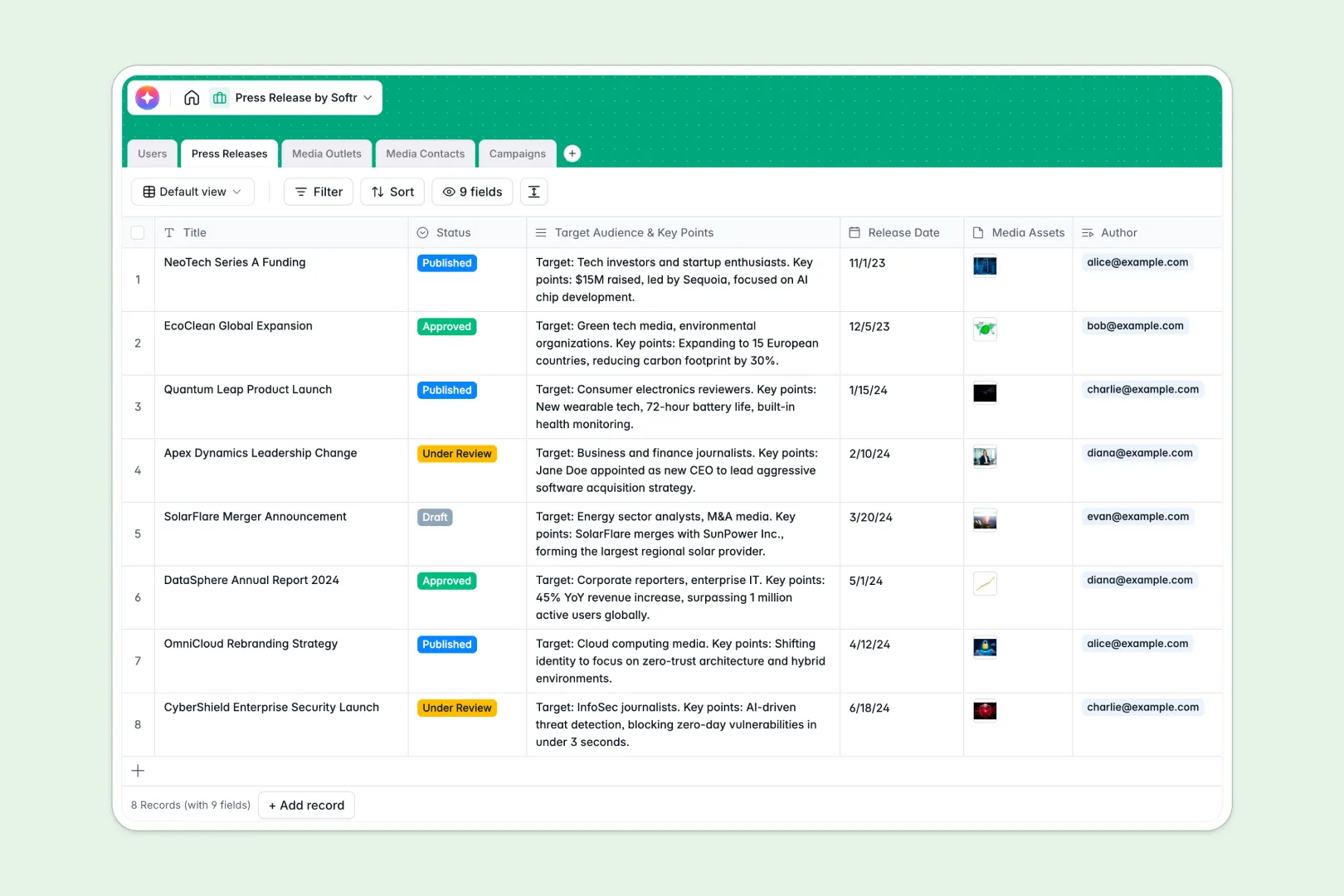
Your Press Release Database at a glance
Coordinate every stage of your public relations outreach, from drafting final announcements to mapping media lists. Keep your teams aligned, deadlines clear, and communications centralized in one seamless place.
This template connects Press Releases to Campaigns, which then link to Media Outlets and individual Media Contacts. It removes the chaos of jump-reading separate docs or manually copy-pasting pitches across tables.
Built-in AI models auto-generate raw PR content from your custom notes, craft concise summaries, and draft personalized email pitches. These automated fields streamline outreach flows instantly.
Why tracking campaigns in a press release spreadsheet breaks down
Using a basic press release spreadsheet to track media distribution quickly turns into a nightmare. Teams often copy-paste drafts into tiny sheet cells, accidentally delete contact rows, or struggle with broken formula lookups trying to link journalists to their publications.
What a structured database changes
A professional database establishes strict rules for your data. Email fields always validate correctly, release dates stay locked to calendars, and media files upload directly inside records.
Most importantly, tables link natively without fragile VLOOKUP formulas. You can link a journalist to multiple campaigns or publications while maintaining a single, clean contact profile.
This is exactly what Softr Databases are built for. They give you the scalability of code-driven software with the direct ease of a visual workspace.
What you can do with this template
Run whole PR campaigns directly from your data tables. Instantly review custom drafts, pair them with targeted media contact lists, and monitor pitch progress.
You can leverage native Database AI agents to research publication websites and draft contextual outreach emails. This allows you to launch campaigns faster while ensuring your messaging fits each editor's unique persona.
-
Users
Manage internal PR team roles, contact information, and record ownership
-
Press Releases
Draft assets and use AI to generate full press content and summaries
-
Media Outlets
Manage publications and use AI web-search to summarize editorial focus
-
Media Contacts
Track journalists and use AI to build custom pitching personas
-
Campaigns
Coordinate distribution using AI to craft catchy subjects and email pitches
Who is this Press Release Database for
This setup is optimized for communications experts who need to replace messy sheets with visual workspaces:
- PR Agencies: Map several client announcements, media lists, and pitching angles inside a single workspace.
- Communications Teams: Store draft histories, align approval statuses, and coordinate reporter lists together.
- Startup Founders: Write clear media releases and track early target lists without paying for expensive database software.
- Content Creators: Set clear publishing timelines, hold your public media kits, and log external outlet mentions.
How to take it further
Customize the database
Instantly tailor fields to match your PR workflow. Change status options, filter outlets by distinct classifications, or update text attributes to match specific brand boilerplates easily.
Import your existing data
Upload your pre-existing lists of editors and reporters in seconds via CSV import. You can also hook up external newsletter tools or form connections using simple API workflows.
Build a full app around it
As your distribution lists expand, you can easily turn your core tables into a complete custom portal. Use the visual interface builder to construct a custom media engine for your team.
Set structured users and permissions so client reviewers only examine specific drafts, while journalists get dedicated public pages to retrieve press kits. Designing functional business tools around structured databases ensures your teams remain efficient.
-
1
-
2
-
3
-
4
Frequently asked questions
-
What is a press release database?
-
Why use a no-code database to build a press release tracker?
-
How can AI help managing data for press releases?
-
Can I build an app with this press release spreadsheet?
-
Is this Press Release Database template free?
-
How does this compare to a standard press release spreadsheet?
Start building today. It's free!
Build and launch your first app in under 30 minutes.