


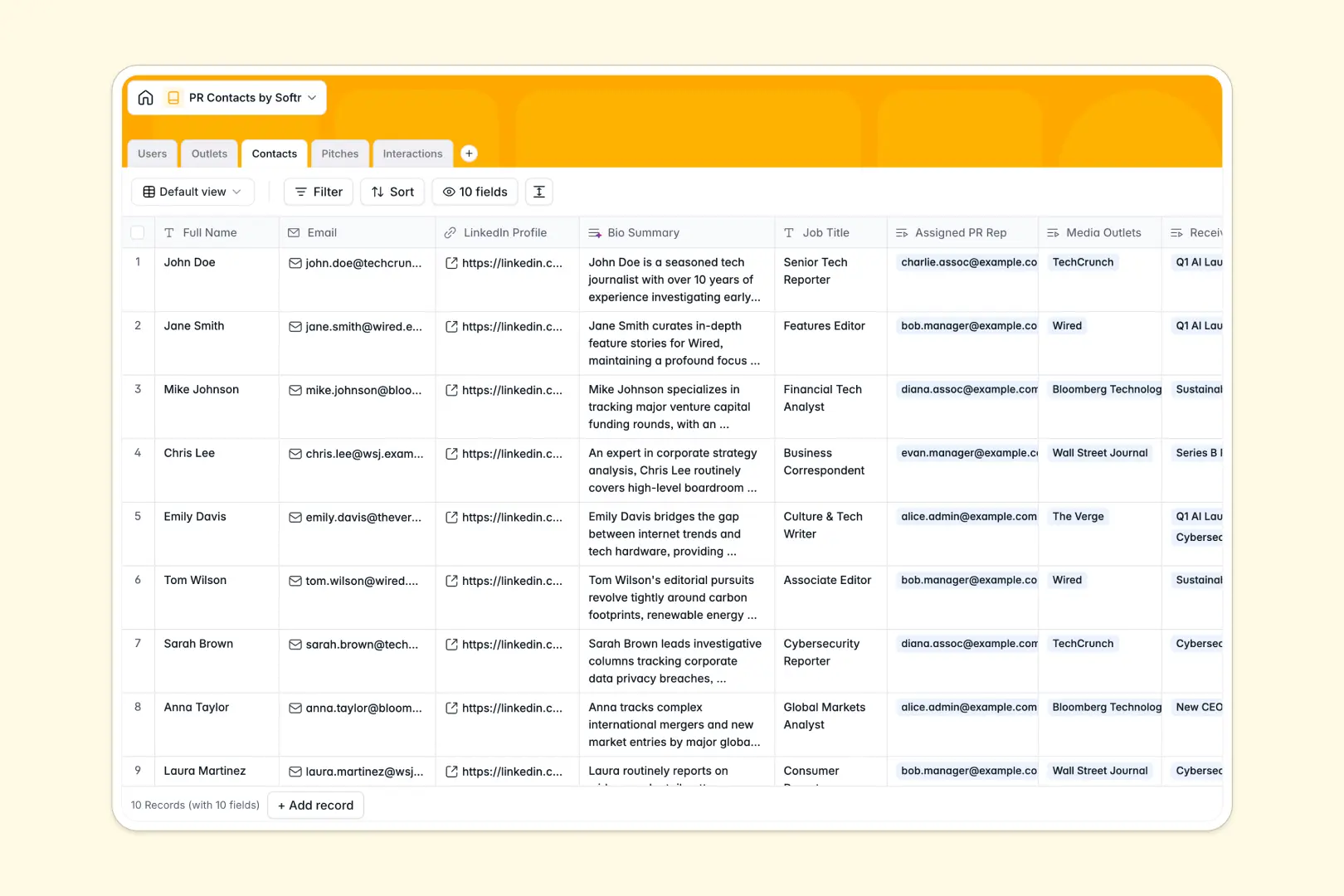
Your PR Contacts database at a glance
This template houses all your media relationships, pitch campaigns, and communication logs in one clear system. It helps your PR team track exactly who they last spoke to and what stories are landing.
The database connects media outlets directly to your contacts, and seamlessly links those journalists to your active pitches and past interactions. You can instantly see a reporter's full history without digging through folders or old emails.
Built-in AI handles the heavy lifting by automatically prioritizing outreach. It can instantly summarize LinkedIn profiles, generate engaging pitch emails, and analyze the sentiment of your media interactions.
Why managing PR contacts gets messy in spreadsheets
Tracking media lists in spreadsheets quickly turns into a chaotic mess of outdated emails and broken VLOOKUPs. When multiple PR managers try to log pitches and follow-ups in the same file, data inevitably gets lost or overwritten.
What a structured database changes
A structured database enforces rules so that emails stay clean, interaction dates are accurate, and meeting notes don't spill across rows. You can link a specific journalist securely to a media outlet, an active pitch, and a past coffee meeting without copying and pasting.
This creates a reliable, scalable system instead of a fragile grid. This is exactly what Softr Databases are designed for, keeping your media relationships effortlessly organized.
What you can do with this template
You can centrally log every email, phone call, and meeting so your whole team knows exactly when to follow up and when to hold back. You can also track the status of every story from the initial idea phase to actively pitching, ensuring no campaign stalls out.
Because it runs on native Database AI agents, you can automatically generate customized pitch drafts and scrape professional bios without ever leaving the tracking table.
-
Users
Manage internal PR staff, roles, and their assigned media relationships
-
Outlets
Track media entities using AI-powered web search for profile descriptions
-
Contacts
Store journalist details with AI-generated professional background summaries
-
Pitches
Develop campaigns with AI-generated subject lines and email drafts
-
Interactions
Log communications and use AI to detect sentiment from interaction notes
Who is this PR Contacts database for
This template is strictly built for teams that rely on strong, organized media relationships to get their stories heard.
- PR Agencies: Track multiple campaigns and easily show clients exactly which journalists are engaging with their stories.
- In-house Comms Teams: Keep a central, up-to-date directory of industry analysts and reporters to streamline company announcements.
- Founders & Startup Leaders: Manage initial press outreach, keep track of who you pitched, and generate follow-ups quickly.
How to take it further
You can easily tweak this native Softr database to fit your exact outreach workflow. Add new interaction types like "Event Meetup" or modify the pitch status tags to perfectly match your team's unique pipeline.
If you already have existing media lists, you can seamlessly pull them in via CSV import or our API. This lets you populate your contacts and outlets in seconds so you can get real value from the template immediately.
When your agency or media list grows, you might want to build an app to give your team a cleaner way to work daily. You can create a secure internal portal where PR managers log in to see only their assigned contacts and active pitches.
Using Softr's native users and permissions, you can ensure that an associate only edits their own interaction logs while admins oversee the entire agency's performance. Starting with a structured database makes launching this kind of professional app completely effortless.
-
1
-
2
-
3
-
4
Frequently asked questions
-
What is a PR contacts database?
-
Why use a no-code database to build a PR contacts system?
-
How can AI help managing data for PR contacts?
-
Can I build an app with this PR contacts database?
-
Is this PR contacts database free?
-
How is a PR contacts database different from a spreadsheet?
Start building today. It's free!
Build and launch your first app in under 30 minutes.