


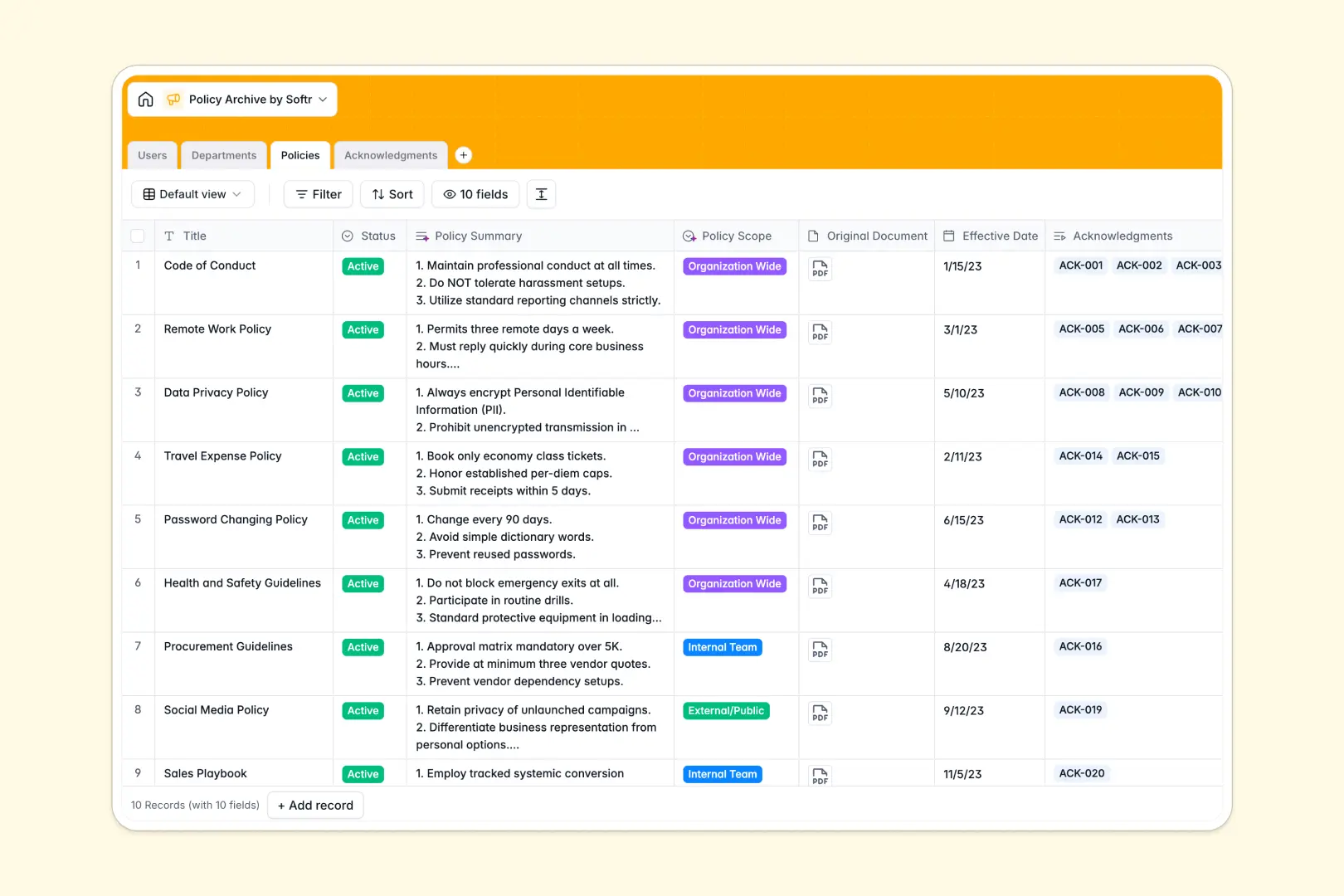
Your Policy Archive Database at a glance
This template gives you a centralized system to store handbooks, guidelines, and compliance records. It eliminates the chaos of scattered documents and ensures every employee has access to the right rules.
The database connects Users, Departments, and Policies seamlessly so you always know who authored what. An Acknowledgments table tracks exactly who has signed agreements and who is currently overdue.
Built-in AI automatically extracts policy summaries from long text and categorizes their internal scope. It also drafts personalized reminder messages based on an employee's signature status, saving HR hours of manual work.
Why a policy archive spreadsheet gets messy
Tracking compliance and storing long-form guidelines in a spreadsheet quickly turns into a nightmare. Rows get accidentally deleted, text gets cut off in small cells, and managing who has actually read a document requires endless manual cross-referencing.
What a structured database changes
Unlike an unpredictable spreadsheet, a structured system keeps your data strict and organized. You can link a specific policy to an exact employee and track their signature status automatically.
This is exactly what Softr Databases are designed for. You move away from fragile formulas and gain a scalable, reliable source of truth.
What you can do with this template
You can confidently manage your entire policy lifecycle from draft to archive ensuring nothing gets lost.
Thanks to built-in Database AI agents, you can automatically generate concise summaries of complex guidelines as soon as they are uploaded. You can instantly track pending acknowledgments and trigger smart auto-written email reminders to non-compliant staff.
-
Users
Manage personnel profiles, organizational roles, and policy access levels
-
Departments
Organize business units and link them to dedicated policy categories
-
Policies
Store official guidelines using AI to summarize rules and classify scope
-
Acknowledgments
Monitor compliance records with AI-generated notifications for signatures
Who is this Policy Archive database for
This system is designed for teams that need to organize documents and enforce compliance strictly.
- HR Managers: Track employee acknowledgments effortlessly and ensure everyone reads critical updates.
- Compliance Officers: Maintain an accurate, timestamped record of active and archived rules.
- Department Heads: Segment guidelines by specific teams and verify that new hires have signed required onboarding documents.
How to take it further
You can easily customize the structure to fit your organization's exact needs. Change the policy status options, add specific document categories, or modify the AI prompt to suit your company tone.
You can bring in your current compliance logs quickly via CSV upload. It is also possible to connect via API to sync your existing directory instantly.
When you are ready, you can turn this database into an internal company portal using Softr's interface builder. This creates a safe space where employees can log in, read their required handbooks, and electronically sign them.
By configuring users and permissions, you guarantee that employees only see published policies relevant to their department, while HR keeps full editing control. A well-structured database makes launching an internal app incredibly simple.
-
1
-
2
-
3
-
4
Frequently asked questions
-
What is a policy archive database?
-
Why use a no-code database to build a policy archive?
-
How can AI help managing data for policy compliance?
-
Can I build an app with this policy archive database?
-
Is this Policy Archive Database free?
-
How is a policy archive database different from a spreadsheet?
Start building today. It's free!
Build and launch your first app in under 30 minutes.