


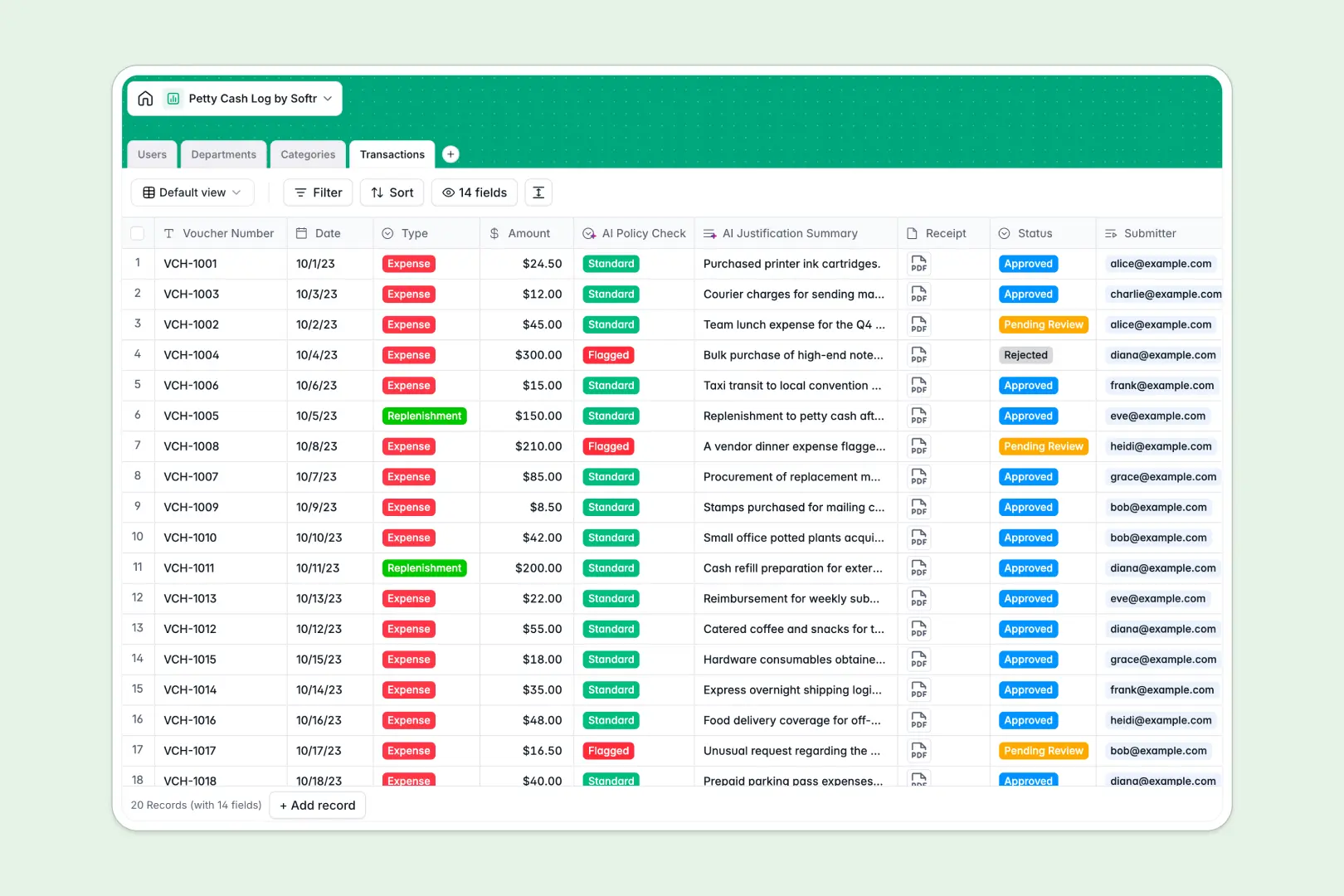
Your Petty Cash Log database at a glance
This template replaces scattered receipts and manual trackers with a central system for logging, approving, and analyzing company outlays. It keeps finance teams aligned and budgets strictly enforced without constant back-and-forth.
Transactions organically link back to specific submitters, expense categories, and department allocations. You can track exactly how much each department spends against their monthly budget in real time, no complex formulas required.
Instead of manually reviewing every receipt, built-in AI instantly condenses long transaction descriptions for rapid review. It also automatically flags suspicious expenses based on available departmental budgets.
Why a petty cash log spreadsheet gets messy
Managing company cash in shared spreadsheets quickly turns into a nightmare of overwritten cells, missing receipts, and broken formulas.
What a structured database changes
Unlike rigid grids, a relational system natively connects your data without fragile VLOOKUPs. An expense logged by a user flows directly into their department's total spend and updates the available budget instantly.
Every column enforces strict structure—dates stay dates, receipts attach securely as files, and status drop-downs don't get accidentally deleted. This is exactly what Softr Databases are designed for.
What you can do with this template
Log new outlays, upload receipt attachments securely, and track monthly department budgets from one extremely clean view. You can instantly see pending, approved, or rejected vouchers across all your categories.
You can also accelerate the approval process using integrated AI features that handle preliminary audits. Simply let the automated checks summarize messy expense descriptions and flag transactions that look risky or out of bounds for the designated department.
-
Users
Manage employee profiles, contact details, and their roles as submitters or approvers
-
Departments
Monitor corporate departments with specific monthly budget limits and total spend tracking
-
Categories
Organize expense types for accounting with automated rollups of historical group spending
-
Transactions
Log individual outlays with AI-powered policy risk flags and automated expense summaries
Who is this Petty Cash Log database for
This template is built for teams that need strict control over office expenses without slowing down daily operations.
- Finance Admins: Monitor all company outlays, enforce budgets, and process replenishments securely in one place.
- Department Managers: Review and approve pending expenses for their specific teams without getting lost in email threads.
- Office Managers: Log daily box replenishments and easily categorize miscellaneous office purchases.
How to take it further
You can completely customize this database to match your specific company policies. Easily add new expense categories, adjust department budget limits, or modify the AI prompts to suit your distinct risk thresholds.
If you currently track expenses in Google Sheets or Excel, successfully upload your historical logs via CSV. You can instantly map past transactions to the right departments and users to maintain a complete audit trail from day one.
When your team is ready, convert this database into a secure internal company portal. By configuring granular users and permissions, non-finance employees can log into a safe dashboard to submit their own receipts, while managers exclusively view expenses awaiting their approval. Building an app on top of a well-structured database prevents data manipulation and simplifies oversight.
-
1
-
2
-
3
-
4
Frequently asked questions
-
What is a petty cash database?
-
Why use a no-code database to build a petty cash tracking tool?
-
How can AI help managing data for petty cash expenses?
-
Can I build an app with this petty cash database?
-
Is this Petty Cash Log database free?
-
How is a database better than a petty cash log spreadsheet?
Start building today. It's free!
Build and launch your first app in under 30 minutes.