


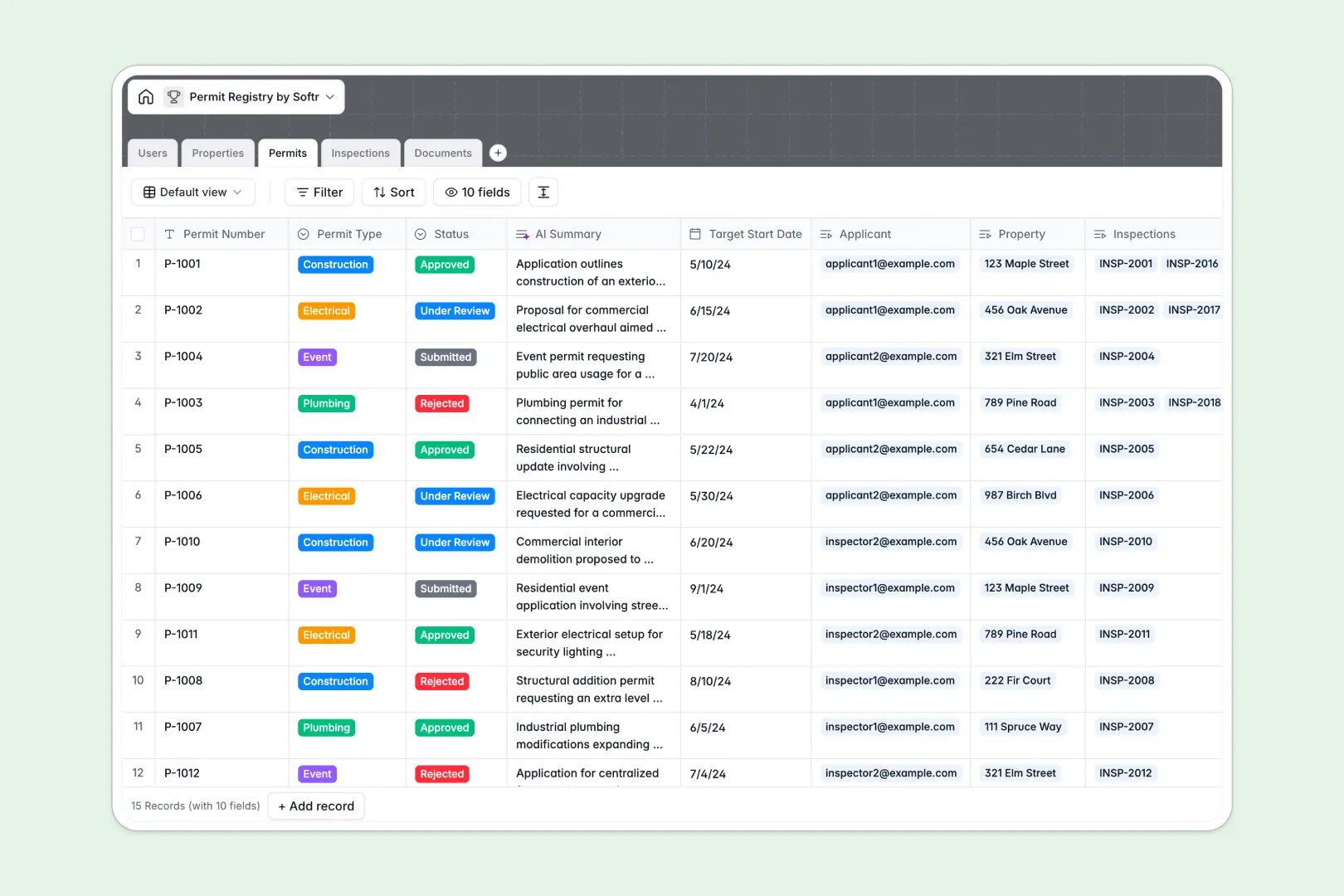
Your Permit Registry Database at a glance
This template replaces scattered files with a unified system for tracking properties, permit statuses, and inspections. It gives your team immediate clarity on what is pending, approved, or under review without digging through emails.
Information is cleanly separated into linked tables for Permits, Properties, Documents, and Inspections. When a field inspector logs their findings, that record is instantly tied to the exact application and property involved.
Built-in AI features do the heavy lifting securely in the background. They automatically research local zoning rules based on property addresses, extract key safety issues from field notes, and summarize complex requests.
Why tracking permits gets messy in spreadsheets
Spreadsheets lack the structure needed to manage complex permit lifecycles, often leading to disconnected tabs and missing structural blueprints.
What a structured database changes
In a true centralized format, applicant contact details and uploaded blueprints aren't crammed into overlapping spreadsheet columns. Everything lives in its own dedicated space while staying perfectly connected.
You can link a pending construction permit to a specific property and its corresponding compliance log without relying on fragile VLOOKUPs. This is exactly what Softr Databases are designed for.
Dropdown restrictions mean an assigned officer can only select valid inspection outcomes like "Passed" or "Failed." This eliminates typos and keeps data clean as your registry scales.
What you can do with this template
Instantly see the current status of every construction, electrical, or plumbing request from a single organized pipeline view. You can also safely attach critical identification forms and safety certificates directly to the permit record.
Because it includes Database AI agents, the system will actively search the web to pull local land use requirements for new application addresses automatically. It will also auto-extract the main safety issues from any inspector notes in real time.
-
Users
Manage platform stakeholders and staff with roles and contact details
-
Properties
Log physical locations using AI to research zoning and neighborhood data
-
Permits
Track applications with AI-generated scope summaries and status cycles
-
Inspections
Record field audits using AI to extract safety and compliance findings
-
Documents
Store blueprints and certificates required for legal permit validation
Who is this Permit Registry database for
This database is built for teams managing municipal guidelines and multi-step compliance workflows.
- City Planners: Track land use requirements and zoning regulations across growing neighborhoods effortlessly.
- Municipal Inspectors: Log crucial field observations, compliance issues, and final outcomes directly to specific permits.
- Construction Managers: Keep track of submitted blueprints and ensure no target start date gets missed.
- Operations Leads: Keep every stakeholder aligned on what applications are currently under review.
How to take it further
Customize the database
Adjust the database instantly by modifying the single-select fields, like adding new permit types or additional inspection statuses. You can rename columns easily because it behaves exactly how you expect a flexible no-code system to work.
Import your existing data
Pull your historical permit logs and property records into the system via a simple CSV upload. Every column maps cleanly so your administration team can pick up work without skipping a beat.
Build a full app around it
When you are ready, you can deploy a customized applicant portal over this exact data foundation. By leveraging the interface builder, local contractors can log in, submit documents, and check statuses autonomously.
You maintain absolute control over who views what using granular users and permissions. A clean backend structure makes building these secure, tailored external apps incredibly fast.
-
1
-
2
-
3
-
4
Frequently asked questions
-
What is a permit registry database?
-
Why use a no-code database to build a permit tracking system?
-
How can AI help managing data for permit tracking?
-
Can I build an app with this permit registry database?
-
Is this Permit Registry database free?
-
How is a permit tracking database different from Google Sheets or Excel?
Start building today. It's free!
Build and launch your first app in under 30 minutes.