


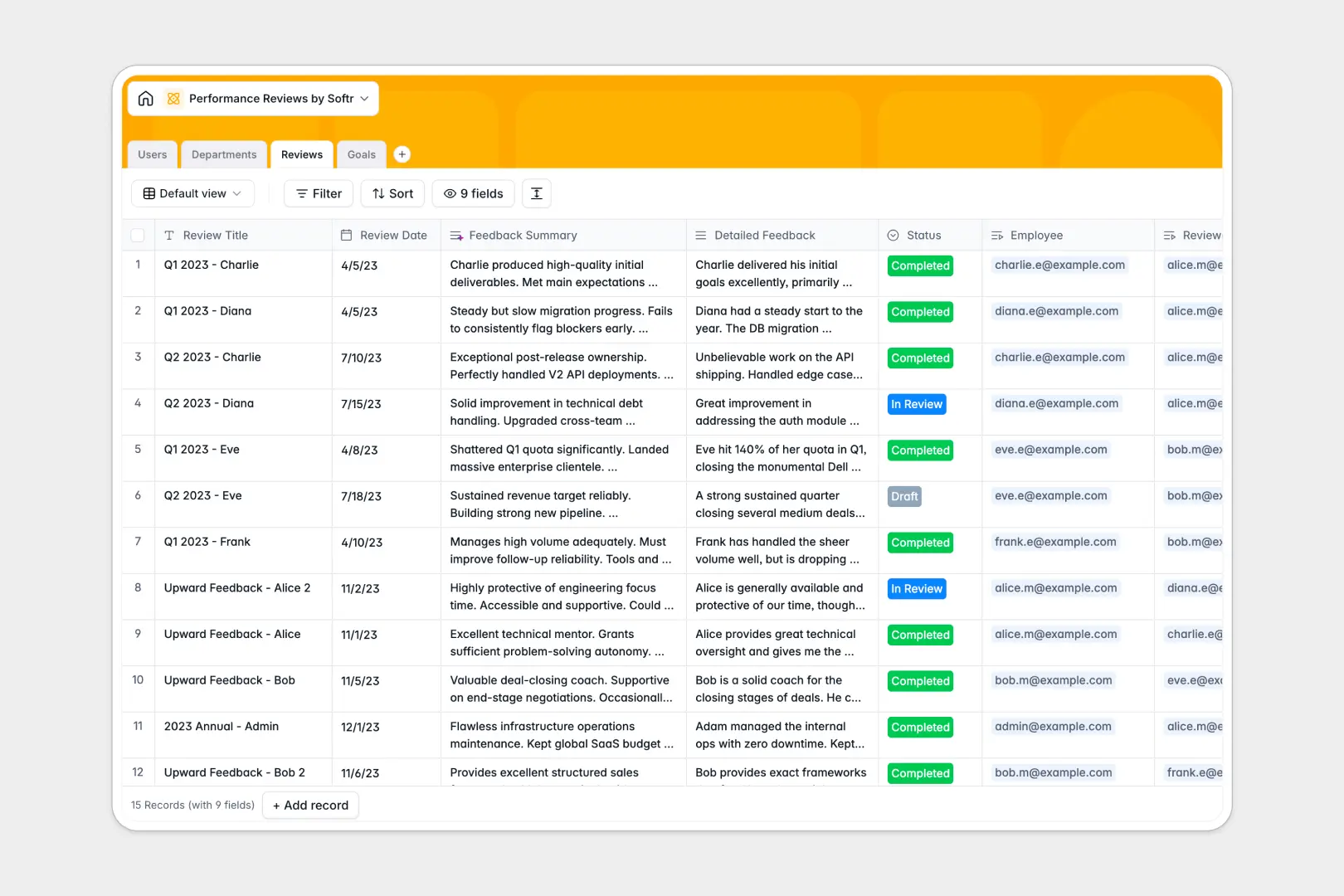
Your Performance Reviews database at a glance
This template gives you a structured system to conduct performance evaluations, track employee milestones, and measure departmental health. It turns scattered feedback into actionable, easy-to-read insights.
Manage everything across interconnected tables for Users, Departments, Reviews, and Goals. Instead of copying details manually, you simply link a review directly to an employee and their assigned manager.
Built-in AI automatically generates 3-bullet summaries from detailed feedback and categorizes goal complexity, saving managers hours of manual formatting.
Why employee evaluations get messy in Google Sheets
Managing performance reviews in spreadsheets usually leads to broken formulas, mixed versions, and alarming privacy concerns. When you try to connect specific goals to quarterly reviews across multiple tabs, the system quickly becomes impossible to maintain.
What a structured database changes
A true database connects information naturally without fragile formulas. You can link a manager, an employee, and specific goals to a single review record effortlessly.
Every field has a strict format, meaning rating scores stay numbers and review statuses are perfectly standardized as "Draft" or "Completed." This reliable structure is exactly what Softr Databases are built to provide.
As your headcount grows, you won't worry about rows getting randomly deleted or mixed data cluttering a column. Your evaluation history stays perfectly intact and scannable.
What you can do with this template
Track the complete lifecycle of an evaluation, from drafting feedback to marking promotion eligibility. You can monitor goal progress and departmental headcount in real time.
Using native Database AI agents, the template summarizes long review notes and evaluates goal complexity automatically. It takes the administrative heavy lifting out of people management.
-
Users
Manage employee profiles including roles, department links and review history
-
Departments
Organize teams by functional units and track total employee distribution
-
Reviews
Log performance evaluations using AI to synthesize detailed feedback summaries
-
Goals
Track performance targets with AI-determined complexity based on goal descriptions
Who is this Performance Reviews database for
This system is designed for teams that need to standardize their evaluation processes without overcomplicating them.
- HR Managers: Centralize departmental headcounts and track promotion eligibility smoothly across the company.
- Team Leads: Monitor individual goal progress and keep all past team feedback in one continuous timeline.
- Founders: Standardize review processes early without paying for rigid, expensive enterprise HR software.
How to take it further
Customize the database entirely to fit your culture. You can adjust the rating scales or add your own review status options simply by modifying the field labels.
Import your existing data using a quick CSV upload. You can bring in your current staff directory, departmental structures, and previous review records in just moments.
Build a full app around it when your team is ready to scale. Using Softr's interface builder, you can create a secure internal portal where staff can view their own goals and reviews.
Add users and permissions to ensure complete privacy. This makes sure employees only see their own feedback while managers securely access their entire department's evaluations.
-
1
-
2
-
3
-
4
Frequently asked questions
-
What is a performance reviews database?
-
Why use a no-code database to build a performance review system?
-
How can AI help managing data for performance reviews?
-
Can I build an app with this performance reviews database?
-
Is this Performance Reviews template free?
-
How is this database different from a performance review spreadsheet?
Start building today. It's free!
Build and launch your first app in under 30 minutes.