


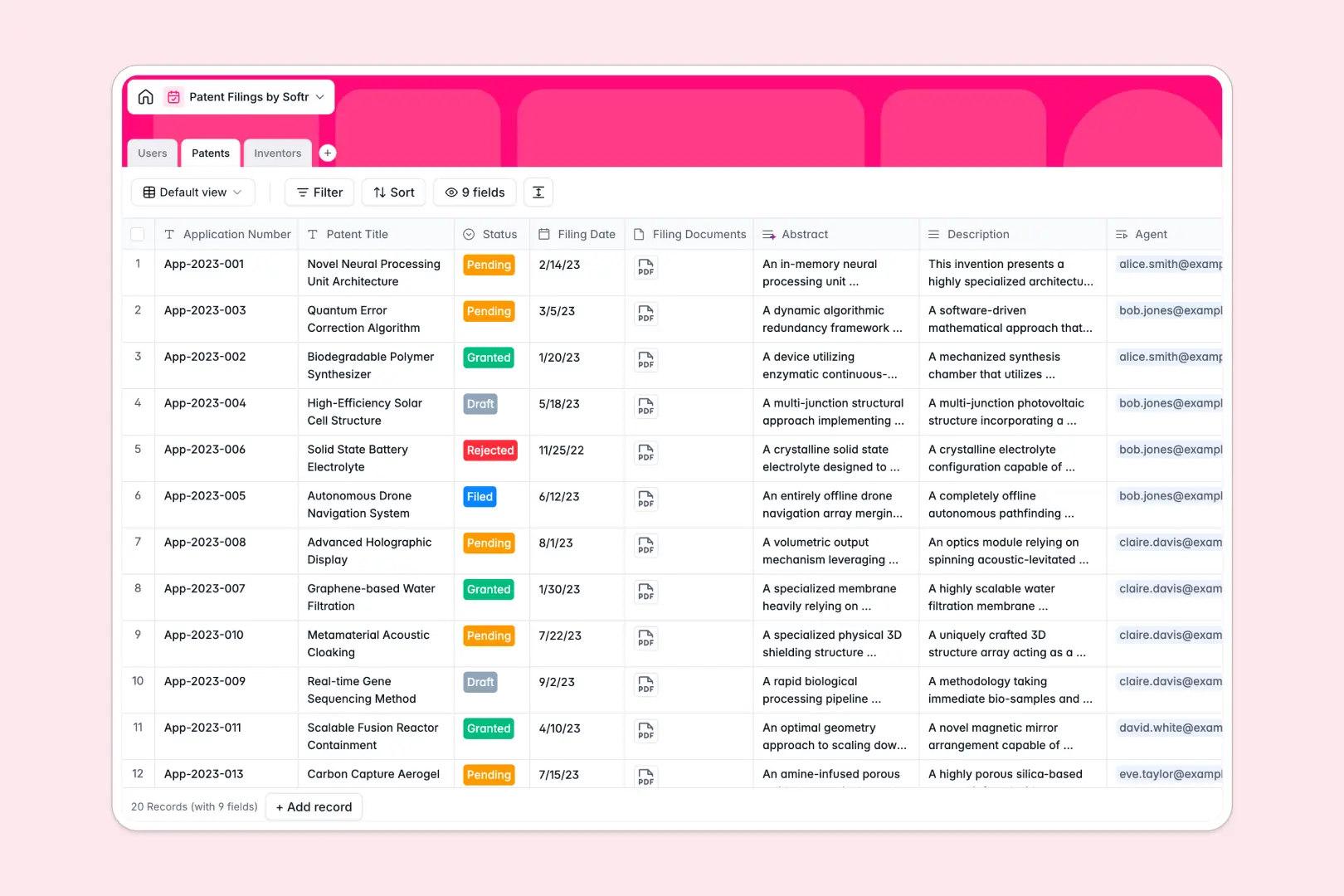
Your Patent Filings Database at a glance
Track your intellectual property from initial draft to granted status without losing track of crucial deadlines or documents. This template gives legal and innovation teams a single source of truth for all IP efforts.
The database securely connects patent applications directly to the inventors and the specific patent agents managing them. You can instantly see who is responsible for each filing and access all related attachments with a single click.
It also features a built-in AI assistant that reads through lengthy technical descriptions and automatically generates concise abstracts for you.
Why patent filings get messy in spreadsheets
Managing complex patent pipelines in a standard spreadsheet quickly turns into a nightmare of broken links, mixed document versions, and lost email threads.
What a structured database changes
In a rigid spreadsheet, linking a single inventor to multiple patents means duplicating rows or relying on fragile, easily broken formulas.
With a structured system, every column enforces a clear data type—dates stay dates, attachments stay attached, and records link to each other natively. This is exactly what Softr Databases are designed for.
What you can do with this template
Instantly organize your entire intellectual property pipeline with native linked records connecting agents, inventors, and applications.
You can also leverage Database AI agents to automatically summarize complex patent descriptions into neat abstracts whenever a new filing is drafted.
-
Users
Manage internal patent agents and reviewers with roles and contact details
-
Patents
Track application statuses and documents with AI-generated abstract summaries
-
Inventors
Profiles of listed creators including affiliations and their total filing history
Who is this Patent Filings database for
This template is built for legal teams, innovation labs, and IP managers who need perfect oversight of their filings.
- Law Firms & Patent Agents: Keep track of client inventions, filing statuses, and required documentation without digging through folders.
- Corporate R&D Teams: Monitor internal innovation pipelines and seamlessly tie specific engineers to their respective applications.
- University Tech Transfer Offices: Manage a high volume of academic disclosures while keeping inventor contacts strictly organized.
How to take it further
You can easily customize this database to fit your exact legal workflow. Add new status dropdowns like "Office Action Issued" or create automated date fields to track critical renewal deadlines.
Bring your existing IP portfolio in immediately by importing your data via CSV. If you use external legal software, you can easily connect via API to keep all records securely synced.
Once your data is cleanly structured, you can build an app to serve as a secure client-facing portal or an internal legal dashboard.
By utilizing custom users and permissions, you can ensure that external inventors only see the status of their own applications while your agents maintain full administrative control.
-
1
-
2
-
3
-
4
Frequently asked questions
-
What is a patent filings database?
-
Why use a no-code database to build a patent tracking system?
-
How can AI help managing data for patent filings?
-
Can I build an app with this patent filings database?
-
Is this Patent Filings database free?
-
Why are patent pipelines harder to manage in a patent filings spreadsheet?
Start building today. It's free!
Build and launch your first app in under 30 minutes.