


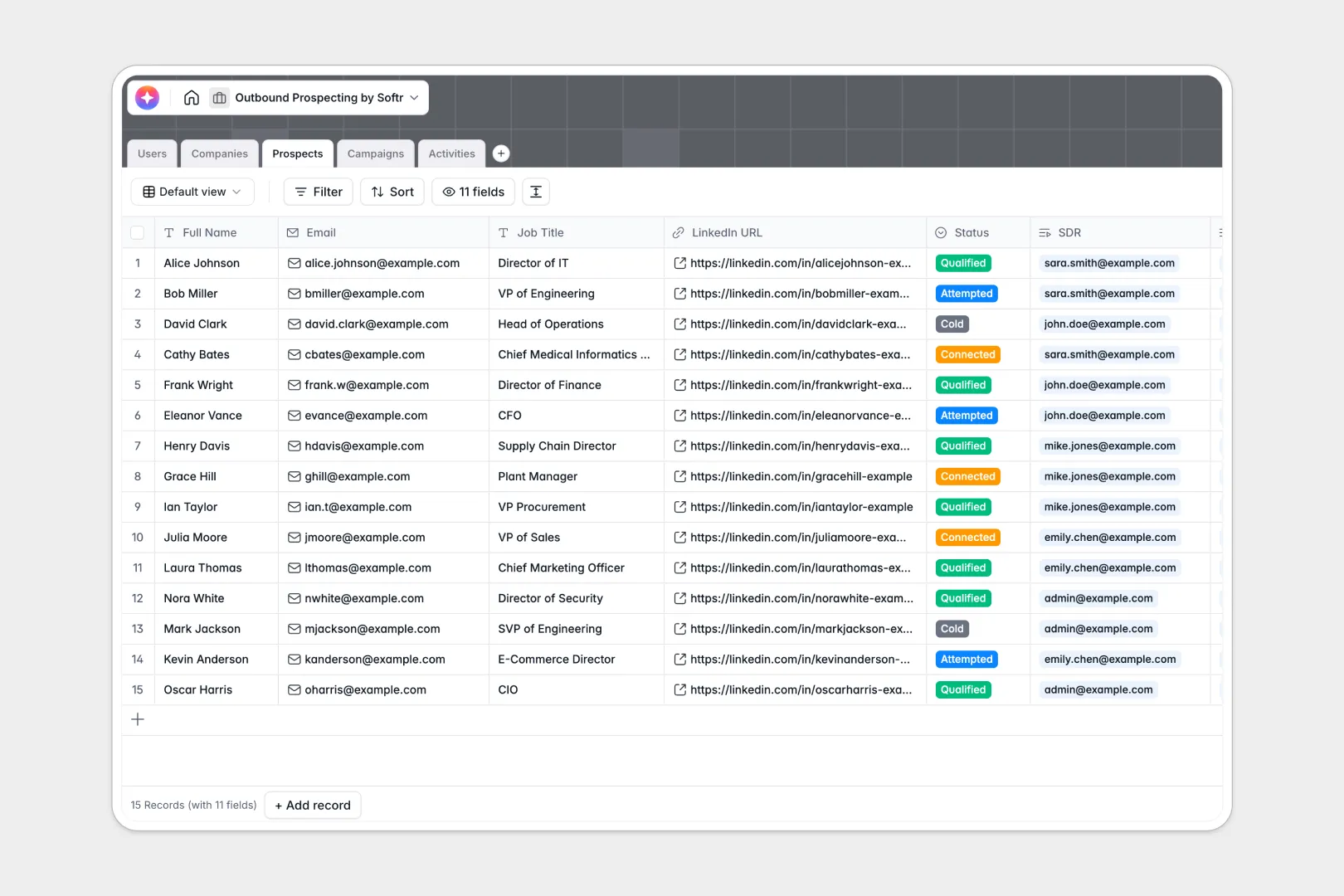
Your Outbound Prospecting Database at a glance
Maximize your team's sales pipeline by organizing targets, tracking messages, and auto-generating personalized outreach. This template keeps records unified and accessible.
The database links target companies, individual contacts, and outreach campaigns together. Reps can easily track emails, calls, and LinkedIn messages without messy manual double-entry.
Built-in database automation automatically researches companies and drafts natural personalization hooks for each prospect. Your outbound reps can focus on selling rather than manual researching.
Why outbound prospecting gets messy in spreadsheets
Managing sales prospects in an outbound prospecting spreadsheet quickly turns into a logistical nightmare. Rows get duplicated, campaign records get tangled, and teams overwrite each other's notes by mistake.
What a structured database changes
A structured database separates logical objects like companies, prospects, campaigns, and logs into clean, dedicated tables. This means you only update a company's details once, and it reflects everywhere across linked prospects and logs.
This setup ensures records use valid email formats, precise date fields, and multi-table links that formula modifications cannot break. This is exactly what Softr Databases are designed for.
What you can do with this template
Run automated research updates using built-in Database AI agents that scrape background profiles for target accounts. Draft unique icebreakers based on direct job titles and target industries instantly.
Add custom workflows to notify sales reps when prospect statuses change. Start fast with this flexible template and customize tracking to fit your unique sales funnel.
-
Users
Manage sales team members, assigned portfolios, and track outreach activity
-
Companies
Store target accounts with web-powered AI summaries of mission and background
-
Prospects
Track leads using AI to generate personalized icebreakers for better outreach
-
Campaigns
Organize outreach sequences, tracking enrollment totals and execution status
-
Activities
Log interactions while using AI to distill notes into actionable bullet points
Who is this Outbound Prospecting Database for
This setup supports outbound sales teams who need clean systems to close more business with less friction.
- Sales Development Representatives: Track emails, calls, and LinkedIn messages without losing history or context.
- Sales Executives and Managers: Monitor campaign performance, review activity logs, and allocate lead territories fairly.
- Founders and Solo Operators: Maintain a lightweight, automated pipeline to turn cold prospects into scheduled meetings.
How to take it further
Customize the database
Adjust status options like "Cold", "Attempted", or "Connected" to fit your team's exact sales methodology. Create custom fields for deal sizing, territory, or follow-up timelines in a few clicks.
Import your existing data
Move your clean lists out of fragile spreadsheets into a single, reliable hub. Use simple CSV uploads to quickly import company records and lead contacts into dedicated tables.
Build a full app around it
As your outbound operations scale, easily create a custom internal portal for your sales team. Softr allows you to build a visual interface builder directly on top of this data.
Configure advanced permissions to control which leads each representative can view or edit. Creating your workflows and interfaces on a clean data foundation speeds up development.
-
1
-
2
-
3
-
4
Frequently asked questions
-
What is an outbound prospecting database?
-
Why use a no-code database to build an outbound prospecting system?
-
How can AI help managing data for outbound prospecting?
-
Can I build an app with an outbound prospecting database?
-
Is this Outbound Prospecting template free?
-
How is a prospecting database different from an outbound prospecting spreadsheet?
Start building today. It's free!
Build and launch your first app in under 30 minutes.