


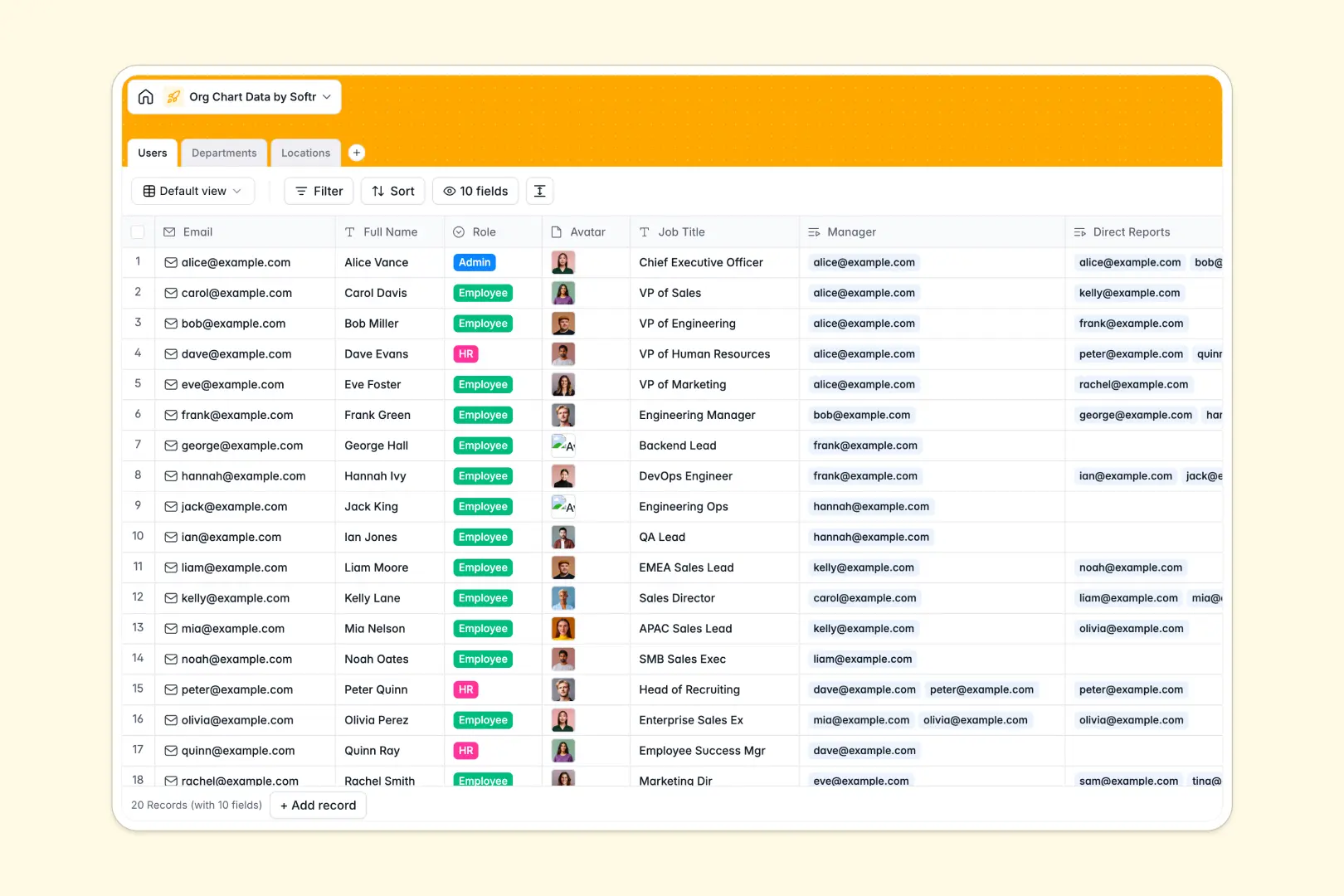
Your Org Chart Data database at a glance
This template provides a clear, reliable system to map reporting hierarchies and store essential personnel details. It takes the guesswork out of who reports to whom and keeps your company's structure visible.
The system works by connecting three core tables: Users, Departments, and Locations. Through native linked records, managers automatically connect to their direct reports, and teams seamlessly tie into physical locations.
It also comes equipped with AI capabilities right out of the box. The database can automatically generate professional employee bios, draft standard department descriptions, and even pull live local insights for office locations from the web.
Why managing org chart data in spreadsheets breaks down
Spreadsheets quickly become a nightmare for organizational charts. When you have nested hierarchies, matrix reporting, and shifting teams, formulas break and data gets typed over constantly.
What a structured directory changes
Instead of flat rows and fragile VLOOKUPs, a structural approach natively connects objects. You link a manager directly to an employee's profile, and their department ties to an office location without typing it twice.
This is exactly what Softr Databases are designed for. As your team scales, everything stays perfectly clean, files like employee avatars stay attached to the right profile, and your hierarchy updates globally.
What you can do with this template
Track exact reporting lines with self-referencing links for managers and direct reports. You can also monitor team sizes in real time using built-in rollup fields that count headcounts automatically.
Plus, you can leverage Database AI agents to eliminate manual administrative work. Automatically research new office locations with live web search, or instantly write fresh, standardized bios for new hires the moment they join.
-
Users
Manage employee profiles and reporting lines with AI-generated professional bios
-
Departments
Organize business units using AI to automate functional mission and purpose statements
-
Locations
Track office sites globally with AI and web-powered summaries of local logistics
Who is this Org Chart Data database for
This pre-built directory is ideal for growing teams needing clear visibility into their expanding structure and hierarchy.
- HR Managers: Maintain accurate personnel files, verify clear reporting lines, and keep job titles current without chasing down isolated spreadsheets.
- Department Heads: Track specific team sizes effortlessly and understand cross-departmental alignment directly from one simplified view.
- Operations Teams: Keep global facility information perfectly organized and automatically pull logistics data for new offices via AI.
How to take it further
Start by customizing the directory to fit your exact structure and organizational vocabulary. You can add new dropdown roles, attach custom company documents, or tweak the AI prompts to match your corporate tone.
Next, import your existing employee lists cleanly and seamlessly. Drop in a CSV file to populate your team instantly, then begin linking individuals to their respective managers and departments.
When your team is ready, you can turn this database into a full internal tool using Softr's interface builder. Rather than just managing rows, you can launch a visual, searchable company-wide employee directory app.
By leveraging users and permissions, you can confidently scale accessibility. Ensure general staff only see basic contact profiles while Human Resources can securely access and edit sensitive administrative fields.
-
1
-
2
-
3
-
4
Frequently asked questions
-
What is an org chart data database?
-
Why use a no-code database to build an organizational directory?
-
How can AI help managing data for employee directories?
-
Can I build an app with this org chart data database?
-
Is this org chart database free?
-
Why does a database handle reporting lines better than a spreadsheet?
Start building today. It's free!
Build and launch your first app in under 30 minutes.