


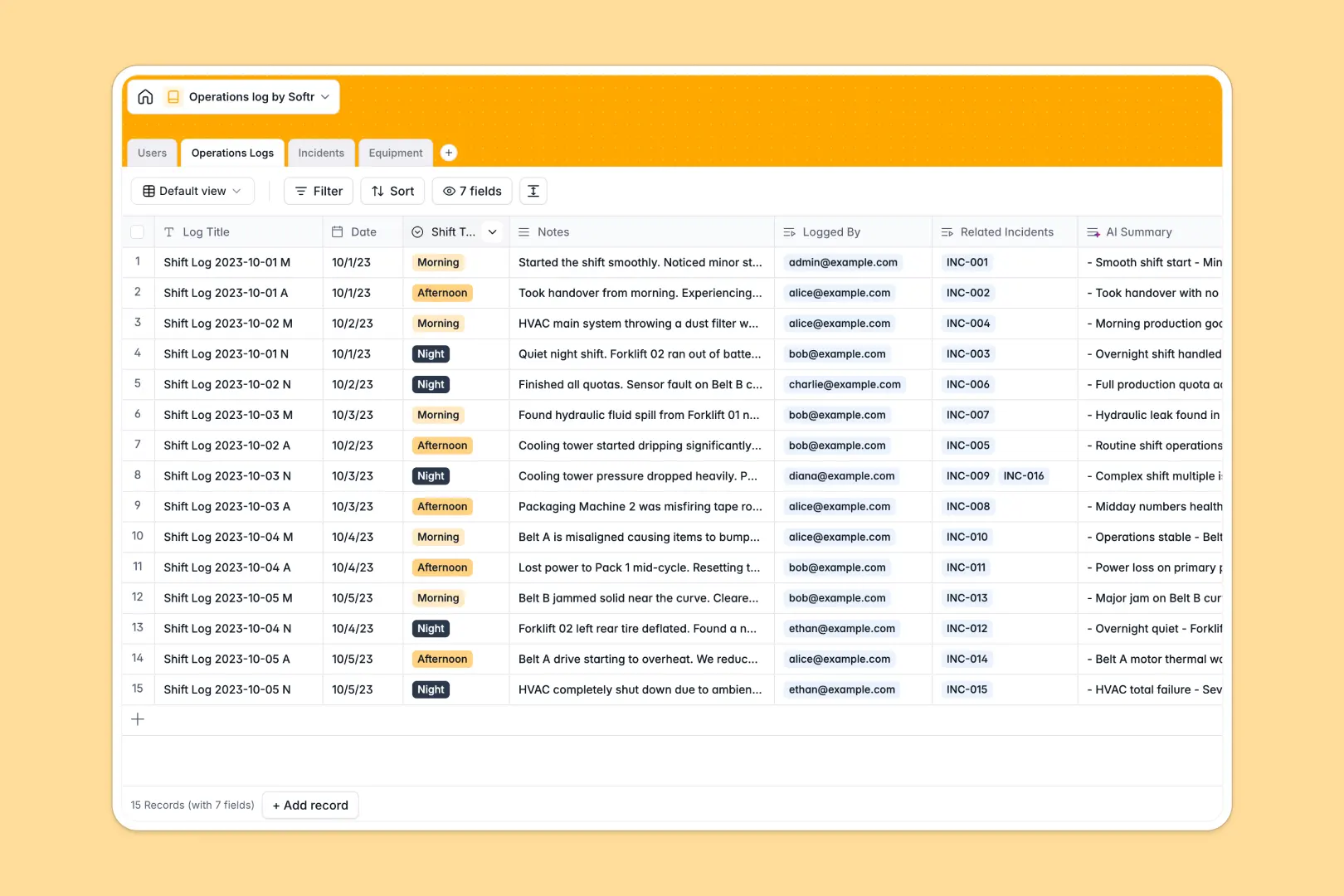
Your Operations Log Database at a glance
Track daily shifts, operational handovers, and equipment incidents in one structured system.
Connect shift logs directly to the users reporting them and the specific equipment involved. This relational structure automatically rolls up incident counts so nothing falls through the cracks.
AI automatically summarizes shift notes into quick bullet points for fast handovers, classifies incident urgency, and pulls equipment manuals directly from manufacturer websites.
Why tracking operations logs in spreadsheets breaks down
Managing daily operations in spreadsheets quickly becomes chaotic when shift notes, equipment statuses, and safety incidents get mixed in endless rows.
What a structured database changes
In a spreadsheet, connecting an incident report to a specific piece of equipment usually means fragile formulas or copy-pasting data across tabs. You are forced to manually track incident counts and cross-reference shift handovers.
Structured databases link tables together natively, meaning a shift log, an incident, and an equipment profile are instantly and permanently connected. This is exactly what Softr Databases are designed for, keeping your operational data clean and reliable as you scale.
What you can do with this template
Log daily shift details and instantly link them to reported incidents for full traceability. You can track equipment health over time by automatically rolling up the total number of incidents tied to each asset.
Thanks to Database AI agents, this template works for you by automatically reading incident descriptions to evaluate severity levels (Low, Medium, High). It also actively searches the web to extract and attach manual highlights directly to your equipment profiles.
-
Users
Manage system personnel, shift assignments, and roles for operational reporting
-
Operations Logs
Document shift activities with AI-generated summaries for streamlined handovers
-
Incidents
Track operational disruptions using AI to assess severity from descriptions
-
Equipment
Monitor asset health and retrieve web-informed manual details via AI searches
Who is this Operations Log Database for
This template is built for teams that need to maintain safe, visible, and continuous daily operations.
- Shift Managers: Ensure smooth handovers with AI-summarized shift notes and clear incident tracking.
- Maintenance Crews: Track equipment health and easily access manufacturer manuals in one connected view.
- Safety Officers: Monitor real-time incidents and rely on AI to automatically flag high-severity disruptions.
- Operations Directors: Get a high-level view of facility performance without chasing down missing spreadsheet rows.
How to take it further
Customize the database
You can easily tailor this template to your exact workflow natively. Modify the shift type values, add new equipment status options, or adjust the AI prompts to extract specific safety metrics.
Import your existing data
Upload your current equipment inventory or past log history rapidly via CSV. You can also use the API to automatically sync equipment statuses from your hardware monitoring tools.
Build a full app around it
When your team is ready, you can transform this database into a secure daily operations portal. Managers can view dashboards of total incidents, while operators only see the logs relevant to their active shift.
By using the interface builder, you can create forms for staff to log incidents on the go from any device. Adding users and permissions ensures that only authorized Admins can adjust core equipment details, giving you a safe, production-ready app.
-
1
-
2
-
3
-
4
Frequently asked questions
-
What is an operations log database?
-
Why use a no-code database to build an operations tracking system?
-
How can AI help managing data for operations logs?
-
Can I build an app with this operations log database?
-
Is this Operations Log Database free?
-
Why do spreadsheets fail for operations and shift tracking?
Start building today. It's free!
Build and launch your first app in under 30 minutes.