


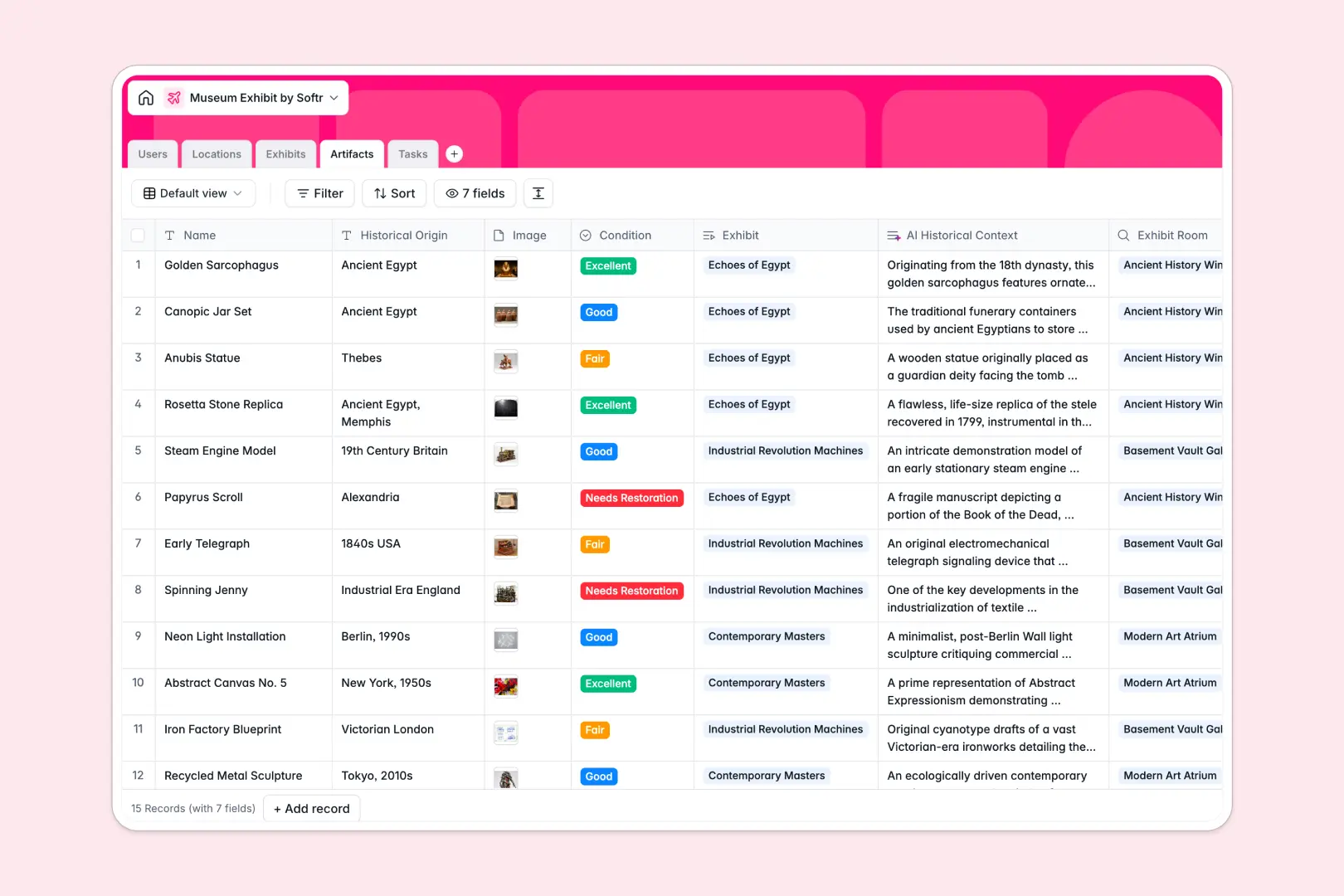
Your Museum Exhibit database at a glance
This template helps cultural institutions manage gallery spaces, organize artifact inventories, and track operational prep work in one connected workspace.
Five dedicated tables keep your Exhibits, Artifacts, Locations, Tasks, and staff Users linked together without manual copying.
Built-in intelligence automatically generates promotional copy, researches historical background for artifacts, and categorizes logistical tasks as you plan.
When gallery tabs multiply and artifact details get lost
A typical museum exhibit spreadsheet begins simply, but quickly fractures into separate tabs for room layouts, artifact conditions, and task lists. When team members copy rows across files to update restoration statuses or gallery dates, details drift and nobody knows which version has the real inventory.
What a structured database changes
In a structured setup, every data point belongs to a dedicated object with typed fields. Images attach directly to artifact records, opening dates stay formatted, and rooms link directly to the exhibits they host.
Updating an artifact's condition or moving an exhibit to a new gallery automatically reflects across all linked views. This connected foundation is exactly what Softr Databases provide.
What you can do with this template
Link tasks directly to responsible curators and exhibits so opening prep stays on schedule. Look up room capacity and locations instantly to ensure exhibitions fit their assigned spaces.
Use integrated Database AI agents to draft exhibit summaries, categorize setup jobs, and pull historical context straight from the web into artifact profiles.
-
Users
Manage museum staff, curator profiles, and exhibit assignments
-
Locations
Track museum galleries, room capacities, and hosted exhibitions
-
Exhibits
Curate museum exhibits with schedules and AI promotional summaries
-
Artifacts
Catalog displayed items with conditions and AI historical context
-
Tasks
Coordinate exhibit operations and setup with AI task classification
Who is this Museum Exhibit database for
This template is designed for museum teams and cultural organizations coordinating physical collections and public displays.
- Museum Curators: Track upcoming exhibition timelines, descriptions, and linked artifact selections seamlessly.
- Conservators: Monitor artifact preservation statuses, condition notes, and restoration tasks.
- Operations Managers: Oversee gallery room capacities, setup logistics, and staff assignments.
- Marketing Leads: Access auto-generated promotional summaries and exhibition dates for public campaigns.
How to take it further
Customize your collections. Adapt the database fields to fit your institution by adding custom artifact tags, modifying room floor options, or creating new task categories. Softr Databases let you adjust structure visually in seconds.
Import your existing records. Bring existing spreadsheets into the system instantly with CSV uploads or connect external data via API to sync collection registries automatically.
Turn your database into a custom portal. When you need custom interfaces for staff or docents, build an app by describing your ideal museum management tool in a single prompt. Set up granular users and permissions so conservators edit artifact condition logs while external partners view only promotional details.
-
1
-
2
-
3
-
4
Frequently asked questions
-
What is a museum exhibit database?
-
Why use a no-code database to build a museum management tool?
-
How can AI help managing data for museum exhibits?
-
Can I build an app with this museum exhibit database?
-
Is this Museum Exhibit database free?
-
How is this template different from a standard museum exhibit spreadsheet?
Start building today. It's free!
Build and launch your first app in under 30 minutes.