


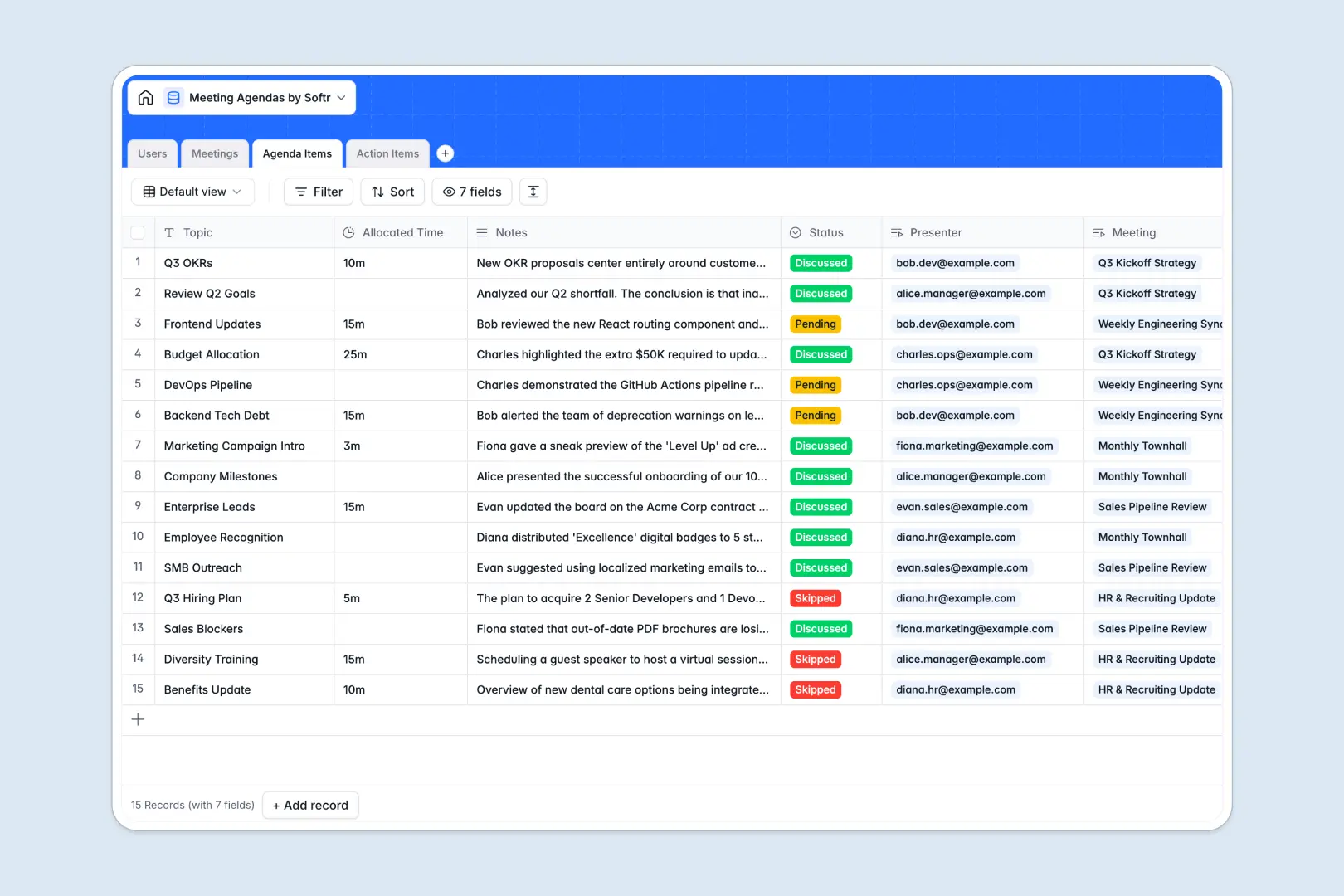
Your Meeting Agendas Database at a glance
This template structures your meetings, participants, and follow-up tasks in one unified workspace.
It connects four dedicated tables—Meetings, Agenda Items, Action Items, and Users—so every task and discussion topic links directly back to the right underlying record.
Built-in AI automatically drafts meeting minutes, summarises discussion notes into key bullet points, and generates priority levels for new action items.
Why meeting agendas get messy in spreadsheets
Running meetings in spreadsheets usually means scrolling through endless flat rows just to find past notes or wondering who owns a forgotten task.
What a structured database changes
When you move away from flat rows, data stays organized. You can link specific action items directly to the participants involved without messy copying and pasting.
This is exactly what Softr Databases are designed for. Every column has a strict format, meaning deadlines stay as valid dates and long-form notes stay neatly contained as your meeting history scales.
What you can do with this template
Set up dedicated meeting structures instantly with pre-connected tables for attendees, agendas, and post-meeting tasks. Everything is ready to use out of the box.
Leverage built-in Database AI agents to automatically generate structured minutes from your combined notes. You can automatically pull summarized insights without manually typing updates after every call.
-
Users
Manage meeting participants with roles, contact info and assigned tasks
-
Meetings
Coordinate sessions while using AI to generate structured meeting minutes
-
Agenda Items
Organize discussion topics and use AI to summarize key outcomes as bullets
-
Action Items
Track follow-up tasks with deadlines and AI-determined priority levels
Who is this Meeting Agendas database for
This system is built for teams who want actionable, structured meetings without administrative overhead.
- Project Managers: Track assigned action items and deadlines across multiple team members instantly.
- Department Heads: Keep an easily searchable archive of past meeting minutes and critical decisions.
- Team Leads: Standardise how agenda items are submitted, timed, and presented by attendees.
How to take it further
You can easily customise this database to fit your team's exact workflow without writing code. Adjust the task status options, add new priority levels, or include a new column for meeting recording URLs.
If you already have existing meeting records or tasks, simply import your data via CSV. You can instantly populate your users, meetings, and historical action items to start working immediately.
When your team is ready, you can transform this database into a complete internal portal. Softr lets you build an app straight from this data so your colleagues can log in and view their specific assignments.
Because this is a natively structured system, managing users and permissions is simple. You can easily give managers full editing rights while restricting standard members to only update the progress of their own action items.
-
1
-
2
-
3
-
4
Frequently asked questions
-
What is a meeting agendas database?
-
Why use a no-code database to build a meeting system?
-
How can AI help managing data for meeting agendas?
-
Can I build an app with this meeting agendas database?
-
Is this Meeting Agendas database free?
-
How does this template beat a meeting agendas spreadsheet?
Start building today. It's free!
Build and launch your first app in under 30 minutes.