


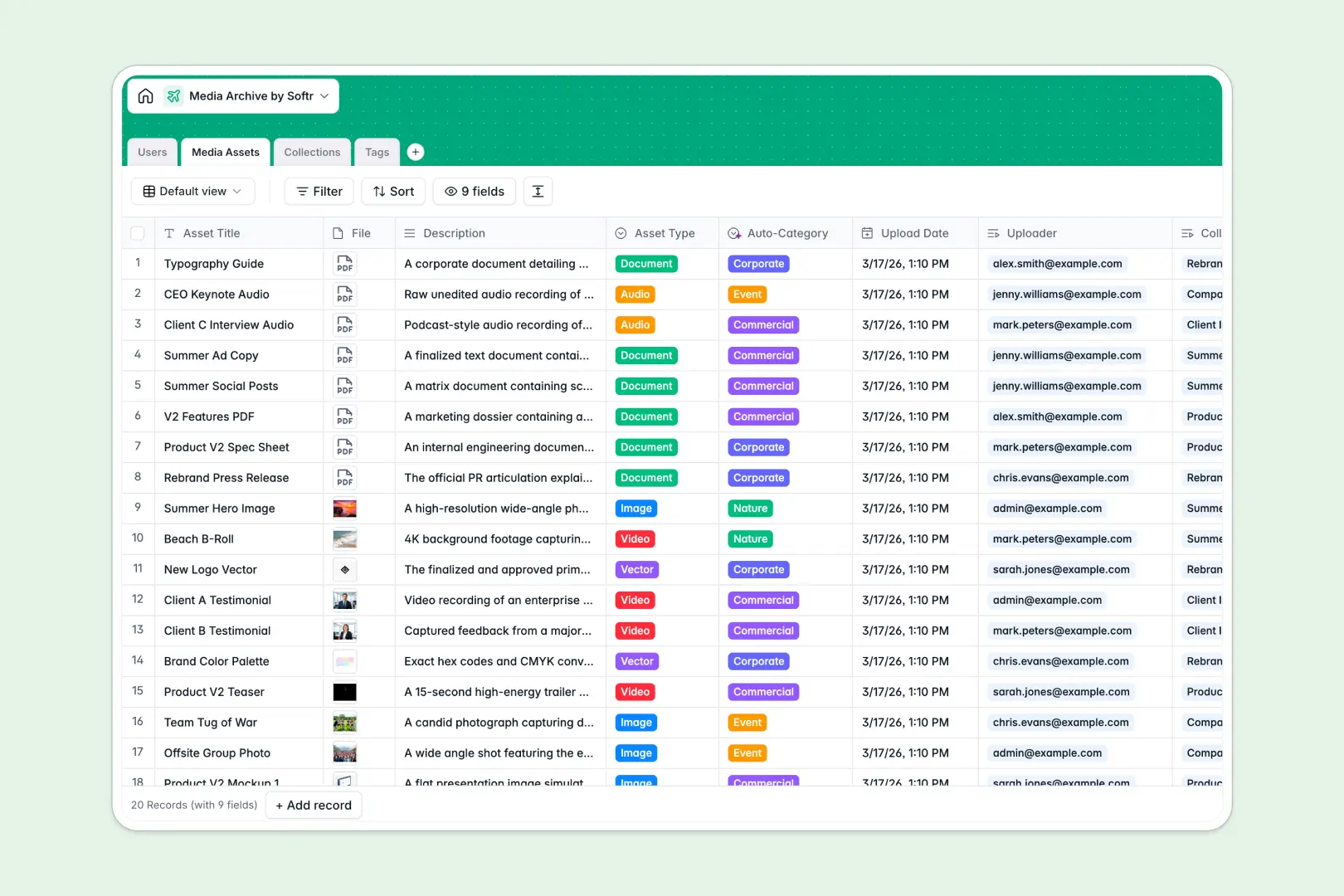
Your Media Archive Database at a glance
This template centralizes your team's digital files, saving you from hunting through messy shared drives. It allows you to catalog images, videos, and documents with total precision.
The template links everything natively without complex setup. You can easily connect individual Media Assets directly to specific Collections, Tags, and the Users who uploaded them.
Built-in AI runs natively in the database to automate your taxonomy. It automatically categorizes new asset uploads, summarizes entire collections, and safely searches the web to define your tags.
Why a media archive spreadsheet gets messy fast
Tracking digital assets in a spreadsheet inevitably breaks down into a chaos of broken file links and inconsistent tagging. When multiple people edit rows, it becomes completely impossible to locate the correct file.
What a structured database changes
A true database keeps your metadata fully organized and enforces clear formatting without manual cleanup. Your file attachments, descriptive tags, and auto-generated upload dates stay exactly where they belong.
Instead of typing duplicate uploader names or relying on fragile VLOOKUPs, you simply link a file directly to its creator. This is exactly what Softr Databases are designed for.
What you can do with this template
You can seamlessly group related campaign files into curated collections while calculating exact asset counts. Every asset's upload date and record owner are captured automatically behind the scenes.
Thanks to native Database AI agents, your archive basically organizes itself. The AI instantly reads file descriptions to assign accurate categories like "Corporate" or "Commercial" so your team doesn't have to.
-
Users
Manage system members with contact info, roles, and media ownership
-
Media Assets
Store files with AI-powered categorization to automate taxonomy
-
Collections
Organize asset groups with AI summaries generated from file details
-
Tags
Filter media using AI-defined labels for enhanced search and discovery
Who is this Media Archive database for
This template provides immediate structure for teams handling high volumes of digital content.
- Marketing Teams: Organize campaign assets into curated collections for quick retrieval.
- Content Managers: Track which user uploaded what file and maintain strict tagging consistency automatically.
- Creative Agencies: Keep client project files visually grouped and correctly categorized without manual sorting.
How to take it further
You can easily customize this database to match your exact workflow immediately. Add new file types to the select field, tweak the AI prompts, or create custom columns to track usage rights.
Bring your existing archive to life quickly in just a few clicks. You can import your current metadata via CSV or use the API to automatically sync files from your cloud storage.
When you are ready to share this archive with clients or external teams, you can build a secure portal on top of it. Using Softr's interface builder, you can effortlessly transform this raw data into a visual gallery.
You can tightly control who sees your unreleased media at all times. With native users and permissions, you can confidently ensure viewers only browse approved collections while editors upload new files.
-
1
-
2
-
3
-
4
Frequently asked questions
-
What is a media archive database?
-
Why use a no-code database to build a media archive system?
-
How can AI help managing data for media archives?
-
Can I build an app with this media archive database?
-
Is this media archive database free?
-
How does this template beat a Google Sheet for tracking media?
Start building today. It's free!
Build and launch your first app in under 30 minutes.